Suppose customer messages are scattered across various social media platforms like WhatsApp, Telegram, email, live chat, and separate support tools. The team has to switch between various platforms to search for customer information & sometimes needs to ask customers for their requirements. When the admin opens the website, each message lands in a different tool. Somehow, it becomes difficult to manage a lot of conversations across various mediums.
AI Omnichannel Help Desk fixes it at the root. It connects multiple communication channels in a unified place, i.e., Odoo. Whether it’s product information, history, order updates, support, or other data, this plugin provides complete support by adding an AI layer on the front line that answers instantly without switching between applications.
What is OmniChannel Help Desk
OmniChannel is an Odoo customer support plugin that combines automation, customer context, AI assistance & knowledge management in one platform. It brings conversations from WhatsApp, Email, LiveChat, and Telegram into a real-time inbox, which helps the support team to handle the conversations in one platform.
This plugin is not considered another disconnected chat app, but an upgraded intelligence layer built directly on Odoo 19. AI agent is the top layer that answers routine queries, utilizes knowledge-based content to provide relevant responses, & share information with users.
Major Components in OmniChannel Help Desk
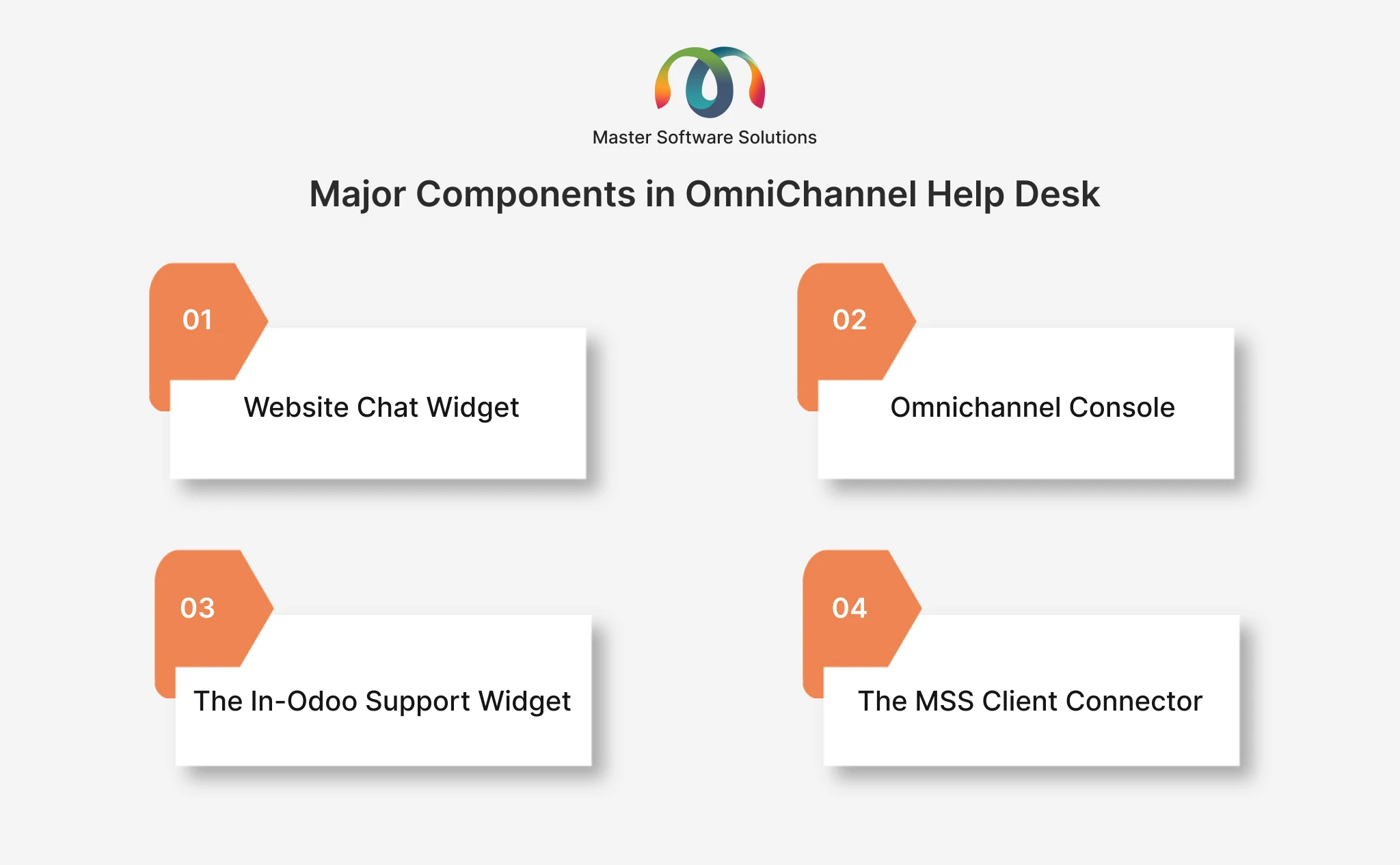
The plugin consists of four primary components, including the Website Chat Widget, Omnichannel Console, In-Odoo Support Widget & MSS Client Connector.
Website Chat Widget — Your Public Front Door
The website chat widget is a lightweight support bubble embedded in any public site or customer portal. As an agent connects, visitors get instant, AI-generated answers & share the screenshot, and hand off to a human when needed. The entire communication revolves around an Omnichannel Console.
The answers that are generated are vendor- and feature-aware. The widget has a customization feature that the customer holds. It will answer only those questions that are included in their package and clearly says when something is not included. Also, the customer can rate the chat (1-5 stars) and reopen or refresh the conversation at any time.
Omnichannel Console- Agent Command Center
Omnichannel Console serves as a centralized dashboard for support teams to see pending conversations, customer requests, AI-resolved interactions & customer satisfaction. The real time inbox brings all the conversations in one platform, allowing agents to filter out the important ones. As the process is completed, the full thread of the customer information, including details, orders, previous tickets, and conversation history, is generated via the Customer 360 panel.
Every conversation undergoes AI assistance that summarizes threads, suggests replies & analyzes sentiment, and provides a reliable answer. Also, there is a dedicated timeline that records AI actions to give the team complete visibility of how AI support automation is being performed.
When human support is needed, conversations are handed over to agents with real-time alerts. Agents take over the conversation forward. They have complete control to snooze, escalate, or convert the conversation into tickets.
The In-Odoo Support Widget — Help Without Leaving the Screen
The In-Odoo support widget provides customers direct support without moving to the separate portal. The floating support bubble appears within their Odoo interface, that enables them to chat, ask questions, as well as receive responses.
The widget acts as a modern support experience that encapsulates AI-generated answers, knowledge base reference, screenshot share, and the ability to end or reopen a chat feedback & live support. When a human agent joins, the status is changed to “Connected with <agent name>” to make the communication clearer to the customer. They can also view their tickets as well as real-time status directly within the widget.
The MSS Client Connector — One Add-On, Fully in Your Control
The MSS Client Connector is an Odoo add-on that powers the support widget and securely connects customer conversations with the central platform. It also identifies the Odoo version and helps them identify potential upgrades or new module additions.
The connector follows a private, customer-controlled approach that gives clients complete control of what information to share. It relies on Odoo core, works with Community, Enterprise & other additions across Odoo 18 & 19. The setup is simple and consists of a few steps.
How AI Omnichannel Help Desk Works
The AI Omnichannel Help Desk plugin combines customer conversations, Odoo context, automation, and AI to streamline the support process.
1. Conversations Enter One Shared Inbox
Messages received through various supported channels come into the Omnichannel Console. No need to monitor different applications, as it will be accessed in a single platform. Each conversation contains important data, including the communication channel, unread messages & message preview, etc.
2. AI Identifies Customer Intent
AI acts as a front layer and reads each incoming message to determine the intent. The intent depends on the customer query, whether it’s a general question, feedback, order history, pricing inquiries & many more. This is helpful to identify whether the conversation can be automatically handled or move forward to an agent.
3. AI Uses the Knowledge Base for Answers
For questions that can be answered automatically, AI uses its business knowledge base from genuine sources to generate the response. If the question is not able to be automatically answered, the conversation will be handed over to a human agent. On the public website widget, answers will be generated from the customer’s verified feature package instead of the knowledge base, so replies stay specific to that customer and never return generic or off-topic steps.
4. Agents Get Customer 360 Context
When an agent opens the conversation, it accesses the complete customer information depending on the available version of Odoo. Odoo Helpdesk includes customer details, previous conversations, tickets generated, orders confirmed, orders canceled, as well as other relevant information.
5. AI Assists Human Agents
AI is not limited to automation but also helps assist human agents, like summarizing lengthy conversations, generating genuine replies, understanding customer intent, as well as improving the tone of the message to give clarity to the customer. This will help reduce repetitions and allow human agents to be in control.
6. Conversation Handover To Human
When AI is not able to respond, the conversation needs human intervention. The system finds a responsible agent, and the AI is paused for that conversation so the agent and the AI never both reply, which prevents duplicate or conflicting responses.
User Flow of Omnichannel Help Desk
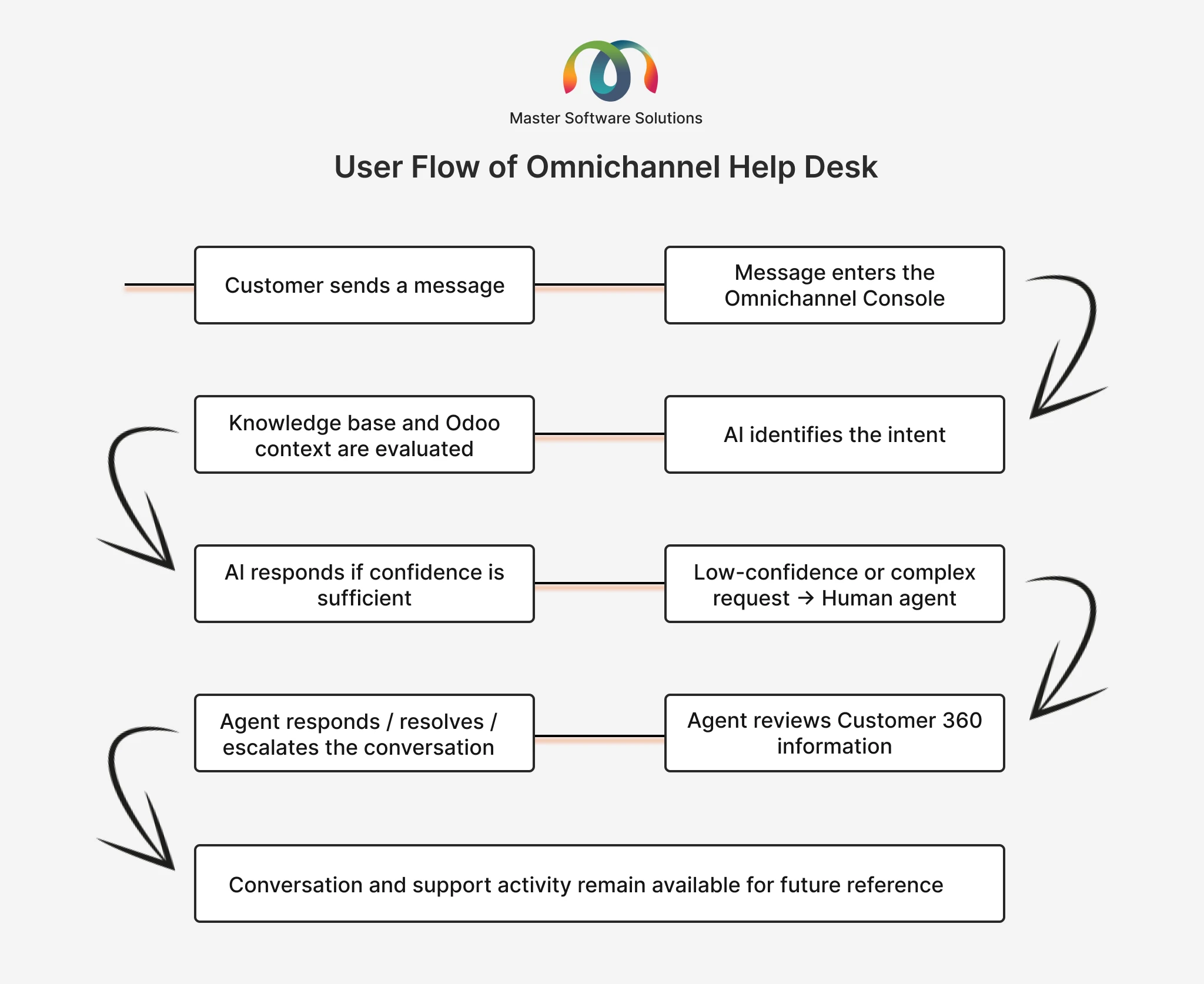
The overall support journey can be managed through a simple flow:
Benefits of Omnichannel Help Desk
Here, we will understand the benefits of an Omnichannel Help Desk that streamlines customer conversations.
One Support Inbox
Teams can handle conversations from multiple channels via a centralized interface, eliminating the need to switch between different communication tools.
Faster Customer Responses
AI can handle real-time enquiries instantly, helping customers to resolve more complex requests.
Vendor- and Feature-Aware Answers
On the website widget, the AI answers only for the features a customer paid for & flags a clear signal if anything is out of the package, containing no generic or misleading steps.
Actionable Analytics (CSAT & Agent KPIs)
Built-in reporting tracks customer satisfaction (CSAT) and per-agent performance, so that teams can analyze and improve the results accordingly.
Better Customer Context
Support teams access the complete information of the user as per the relevant Odoo version, including customer records, orders, tickets, and interaction history, and also an Odoo Service Profile that shows the customer’s Odoo version, installed modules, and upgrade readiness.
Reduced Repetitive Work
AI-assisted summaries, suggested responses, knowledge-based search, translation & automatic routing fix the repetitions.
Controlled AI Automation
Businesses can configure confidence thresholds and determine when AI should respond automatically or transfer the conversation to a human agent.
Complete Agent Ownership
Conversations can be assigned to agents with complete real time visibility. One-click takeover makes it clear who is responsible for handling each request.
Customer-Controlled Data Sharing
The MSS Client Connector allows customers to control what information is shared with the platform via configurable privacy settings.
Conclusion
MSS AI Omnichannel Help Desk is an intelligent inbox for every customer conversation, fused with Odoo and powered by AI that knows when to answer and when to bring in a human. Instead of managing separate communication channels & disconnected tools, this Odoo AI plugin helps businesses give their support team a centralized workspace, where they respond faster with the right intent.