ravi garg, master software solutions, odoo module, top banner, usa, uk, canada, india, odoo implementation partner company, image

2012

Founded

90+

Professionals in our Team

800+

Clients Served

40+

Countries on Global Map

Key Components of AI OmniChannel Help Desk

The plugin comes with four connected components that work as one system, from the customer's first message to the final response.

Website Chat Widget — Your Public Front Door

The website chat widget is a lightweight support bubble embedded in any public site or customer portal, giving visitors instant, AI-generated answers. It is vendor & feature aware so it only answers what’s included in the customer’s package.

Omnichannel Console — Agent Command Center

Omnichannel Console acts as a centralized dashboard for support teams to see pending conversations, customer requests, AI-resolved interactions & customer satisfaction. The full thread of the customer information is generated via the Customer 360 panel.

The In-Odoo Support Widget — Help Without Leaving the Screen

The In-Odoo support widget provides customers with direct support without moving to a separate portal. The widget acts as a modern support experience that encapsulates AI-generated answers, knowledge base references, and screenshot sharing.

The MSS Client Connector — One Add-On, Fully in Your Control

The MSS Client Connector is an Odoo add-on that powers the support widget and securely connects customer conversations with the central platform. It also identifies the Odoo version and helps you identify potential upgrades or new module additions.

How Does the AI Omnichannel Help Desk Work?

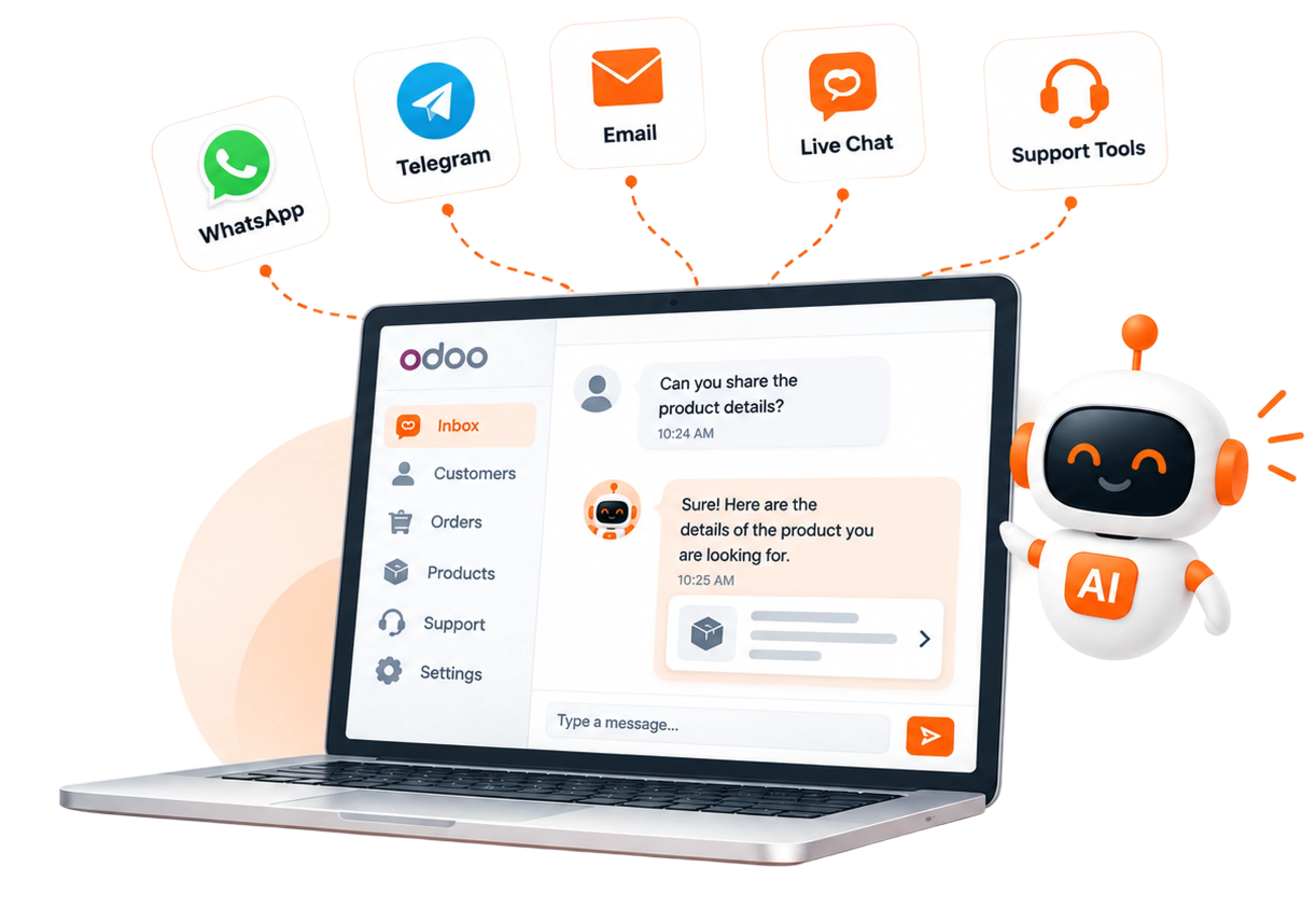
AI Omnichannel Help Desk plugin combines customer conversations, Odoo context, automation, and AI to streamline the support process.

01

Open the Omnichannel Console

img
02

The Real-Time Dashboard

When you open the Omnichannel Console, go to the top icon dashboard that shows real-time queue, SLA, AI resolved, CSAT & channel health.

img

A staff user opens the In Odoo “Ask MSS” widget at the top-right section of the dashboard page, where the team member and user can connect. The customer sends a query about the problem he/she is facing. As the customer sends the message, it lands in the shared inbox instantly.

img
03

The Shared Inbox

The conversation arrives live in the shared inbox, the icon below the dashboard. The inbox contains all the messages from users via various platforms, i.e., WhatsApp, Email, Live Chat, or other portals.

img

As the conversation arrives, open the full thread on the left side of the screen contains details, orders, previous tickets & the entire conversation via the Customer 360 panel.

img

AI assist panel for the agent, as there are different panels that include summary, suggested reply, omnibase, sentiment, translate, or rewrite. AI chooses the Summary option and generates the reply. In a few seconds, the AI-generated reply is ready. According to the customer's needs, AI can also summarize the whole conversation.

img
04

The Customer Receives the Reply

Move back to the “Ask MSS widget” and the customer receives the reply. Both ends are connected- one conversation: agent + AI. Here, the customer will get the answer to the desired question with the help of Agent + AI.

img
05

Generate Tickets

Tickets will be generated for all the queries asked by the user & well as the AI Agent to fetch the conversation of every user for future records. It includes all tickets, open, overdue, as well as urgent.

img
06

Fetch All the Contacts

In the contact option, you will fetch all the contacts whose conversation is on hold, completed, or lost.

img
07

Check the Analytics

The next icon is Analytics, where we can check total conversations, resolved ones, Average response & CSAT to understand how many users get their answers via AI and others need human help with AI.

img
08

Automation Rules & Workflows

Another is Automation that encompasses AI-assisted rules & workflows. One platform, every channel, AI + Human.

img
09

AI & Channels

AI & Channels shows the complete customer queries being generated from WhatsApp, Email, Telegram, and other social platforms.

img

How AI Omnichannel Empowers Businesses

Scattered spreadsheets, Multiple communication channels & mismatched communication drain time & trust from support channels. The AI Omnichannel Help Desk connects all the channels with one AI-powered inbox to ensure every conversation gets answered in seconds.

Single Support Inbox

Teams can handle conversations from multiple channels via a centralized interface, eliminating the need to switch between different communication tools.

Faster Customer Responses

AI can handle real-time enquiries instantly, helping customers to resolve more complex requests without waiting in a queue.

Vendor- and Feature-Aware Answers

The AI answers only for the features a customer paid for & flags a clear signal if anything is out of the package, containing no generic or misleading steps.

Actionable Analytics (CSAT & Agent KPIs)

Built-in reporting tracks customer satisfaction (CSAT) and per-agent performance, so that teams can analyze and improve the results accordingly.

Reduced Repetitive Work

AI-assisted summaries, suggested responses, knowledge-based search, translation & automatic routing fix the repetitions.

Controlled AI Automation

Businesses can configure confidence thresholds and determine when AI should respond automatically or transfer the conversation to a human agent.

Demo Video

Ready to Turn Every User Conversation Into a Valuable Experience?

Connect all your social media channels with an AI-powered omnichannel help desk. Automate support, resolve customer queries, and give your team a complete view of every user interaction.

Frequently Asked Questions

A1. AI Omnichannel Help Desk is an Odoo customer support plugin that combines automation, customer context, AI assistance & knowledge management in one platform for seamless & hassle-free communication.
A2. You can connect channels including WhatsApp, Telegram, email, live chat, and separate support tools to manage the conversation in a single platform.
A3. Our AI agent will understand customer queries, create tickets, generate response suggestions, categorize conversations, and send requests to the right team.
A4. Yes, our AI helpdesk enables customer messages to be automatically converted into support tickets, categorized based on their intent, and assigned to the desired team member.
A5. Yes, Absolutely. Our AI-powered inbox handles common customer queries and generates genuine responses. If there are any issues that cannot be resolved by the AI, it will be escalated to human agents.
A6. Yes, our AI Omnichannel plugin can be integrated with CRMs, ERPs, eCommerce platforms, databases, APIs, and other business applications to create a connected customer support ecosystem.