AI Extraction Reads
PDFs, scans (PNG/JPEG), and email bodies, including the header and every single line.

Upload a PDF or receive a document by email; AI reads it, matches it to your Odoo data, and creates a draft Sales Order or Vendor Bill ready for review in seconds.
Reduce manual data entry by up to 90%, with every uncertain field flagged for human review before anything is confirmed.
Founded
Professionals in our Team
Clients Served
Countries on Global Map
From extraction to matching to money-safety checks, the plugin handles the tedious parts of document entry while keeping you in control of every draft it creates.
PDFs, scans (PNG/JPEG), and email bodies, including the header and every single line.
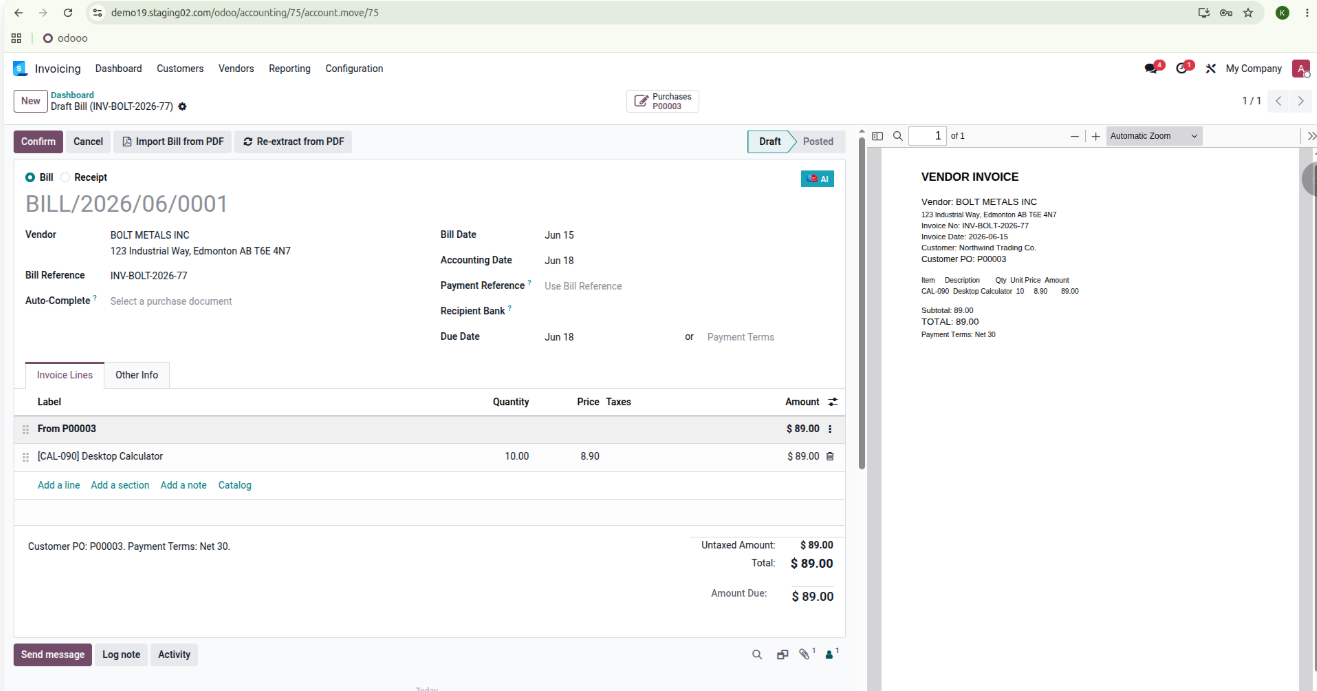
Detects the PO number on a vendor bill and auto-completes it via Odoo's 3-way match.
A dedicated PO mailbox alias turns incoming purchase orders into draft Sales Orders.
Click any extracted field and see exactly where it appears on the source PDF.
Unmatched products are flagged for review and marked red on the PDF.
Total reconciliation, refunds, due dates, and default purchase tax are verified automatically.
Run AI on a PDF already attached to a draft bill or re-read the source any time.
Track credit usage by day, week, or month; identical re-uploads cost zero credits.
Three simple steps from document to draft, with anything uncertain flagged for your review.
Upload a PDF or image, drag-and-drop it, or email a PO straight to your inbox alias.
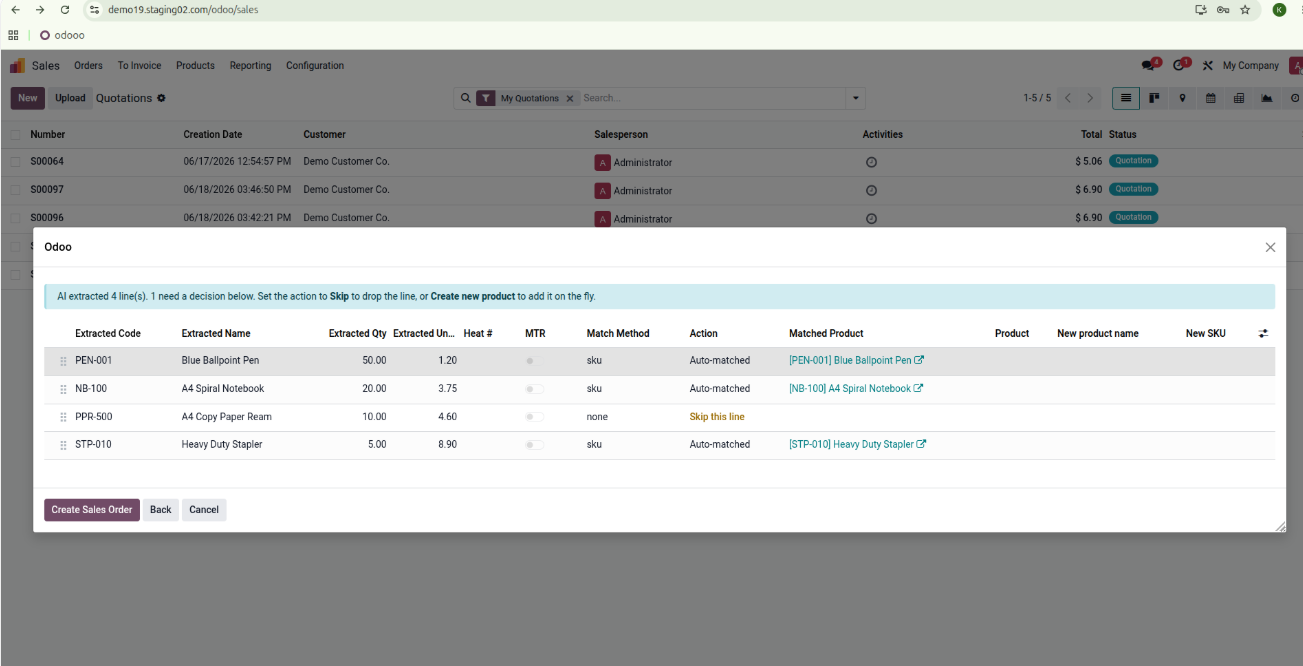
Partner, products, quantities, prices, and totals are extracted and matched to your Odoo data.
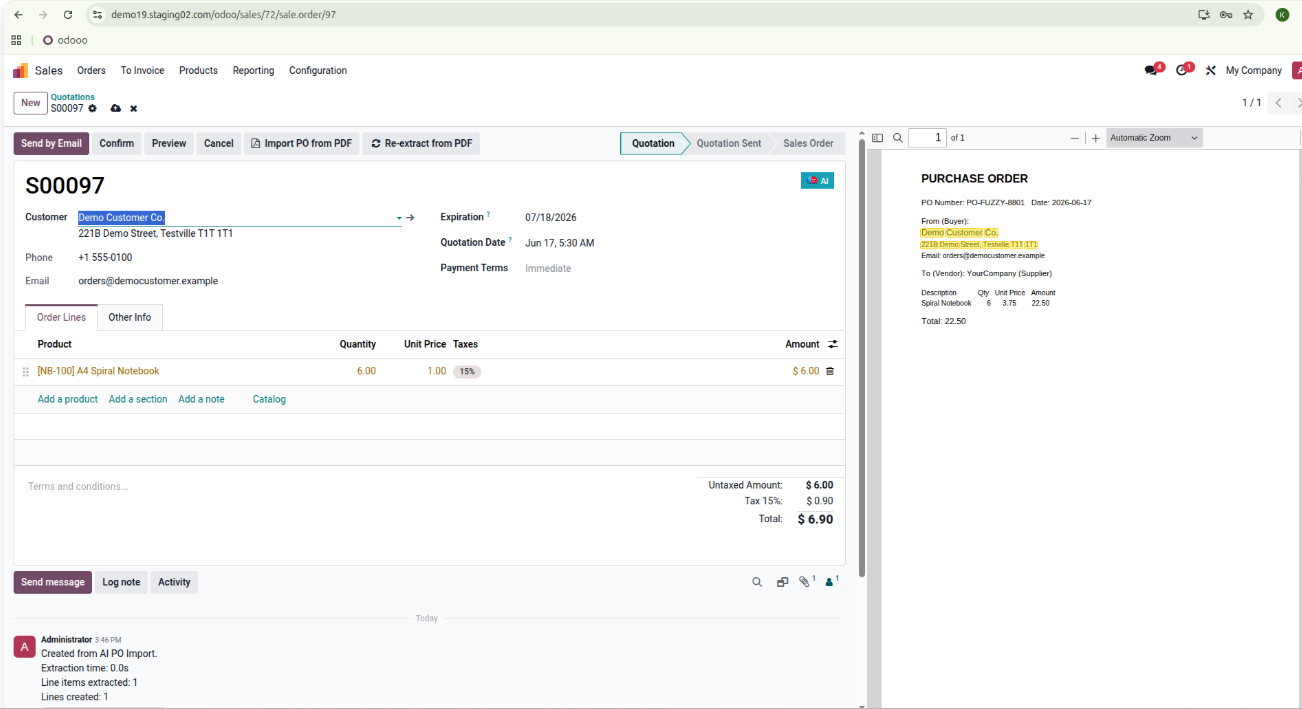
A draft Sales Order or Vendor Bill appears in Odoo; anything uncertain is flagged for review.
Manual document entry is slow, error-prone, and expensive; every PO and vendor bill retyped by hand is time your team could spend on real work. This plugin turns that busywork into a review step, with AI doing the reading, matching, and checking inside Odoo.
AI extracts the header and every line item, so your team reviews drafts instead of typing them.
Built-in money-safety checks reconcile totals, refunds, due dates, and taxes before anything is posted.
Unmatched products are flagged and marked red on the source PDF; every exception gets human eyes.
Bills auto-complete from their matching PO through Odoo's 3-way match, cutting approval cycles.
Customer POs emailed to your mailbox alias automatically become draft Sales Orders, even outside office hours.
Click-to-highlight traceability, a usage dashboard, and free cached re-imports keep costs and quality visible.
Watch a PDF turn into a review-ready draft order in seconds, matched to your own Odoo products and vendors. The Odoo module is free to install; request a live preview to see it on your data.
ai_po_import
Requires MSS AI Base, installed as a dependency

Every operations team knows the drill. A supplier sends a purchase order as a PDF attachment. Someone opens the email, downloads the file, reads it line by line, and manually types everything into Odoo, including the customer name, PO number, product lines, quantities, and prices. Then double-checks for typos. Then moves on to the next
Continue Reading