Nearest-Warehouse Allocation
Allocate confirmed sales orders to the warehouse nearest to the customer's delivery address.

An Odoo plugin that lets you allocate sales orders to the nearest warehouse based on the customer's delivery address, stock availability, and delivery efficiency.
Assign the right warehouse while creating the sales order.
Founded
Professionals in our Team
Clients Served
Countries on Global Map
Smarter Order Allocation, Built into Your Sales Flow. Everything you require to route orders from the Odoo sales order screen to the most convenient warehouse.
Allocate confirmed sales orders to the warehouse nearest to the customer's delivery address.
Allocation considers customer location, stock availability, and delivery efficiency, not just distance.
The delivery warehouse and operation types update dynamically on the order once a warehouse is allocated.
Choose the warehouse manually while creating the sales order, and override any allocation when needed.
View and manage all warehouse allocations for sales orders from the "Nearby Warehouse" menu.
Works with your existing Contacts, Sales, Inventory, Purchase, and Invoicing data; a lightweight module that fits right in.
From order to optimally routed delivery, all inside the standard Odoo Sales flow.
Create a quotation as usual: customer, delivery address, and products. The order starts with your default warehouse (e.g., "YourCompany"). Confirm it into a sales order.
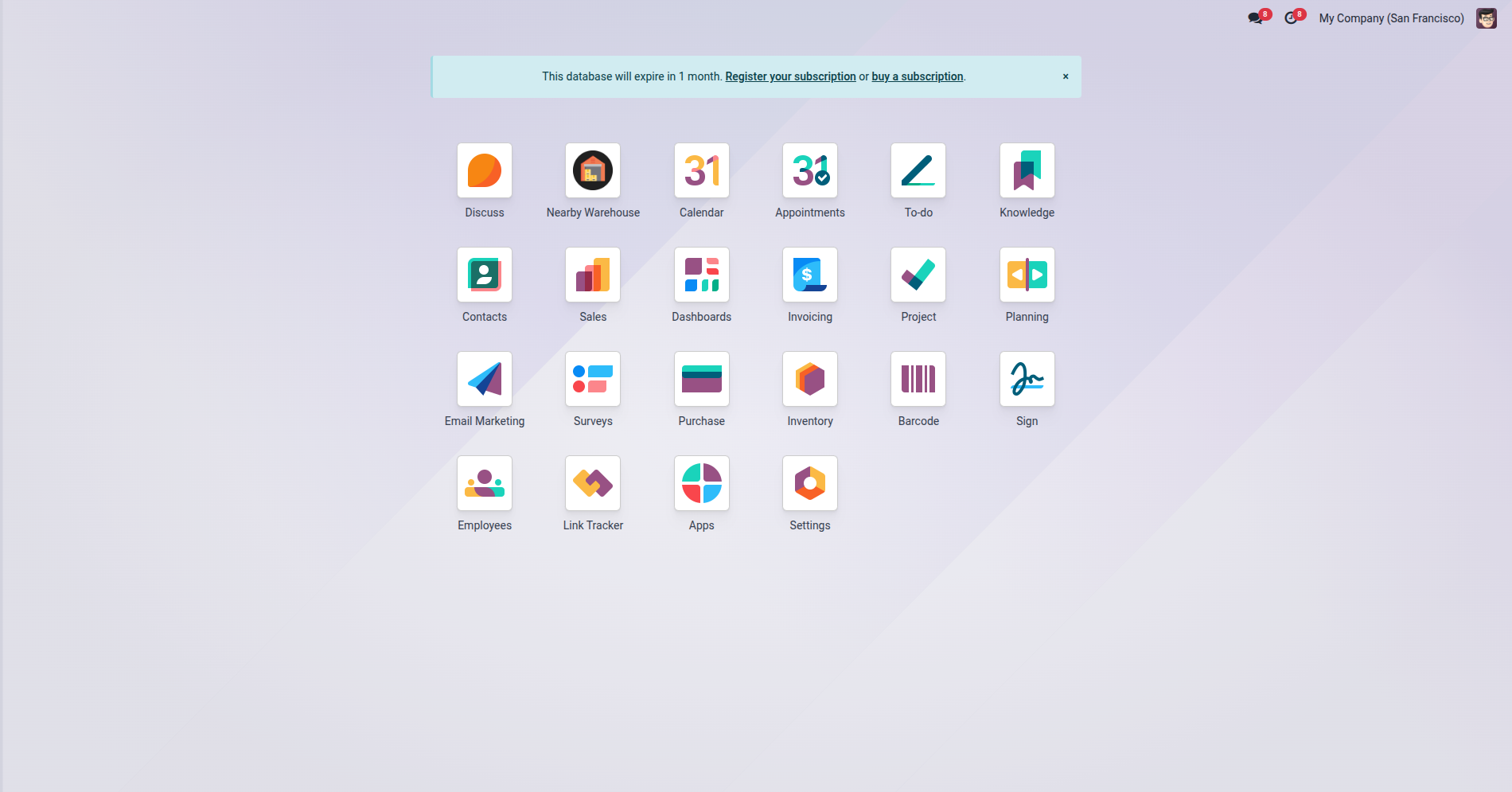
Launch "Nearby Warehouse" from the Odoo dashboard. Every sales order is listed with its customer, delivery address, current warehouse, and the nearest warehouse detected for that address.
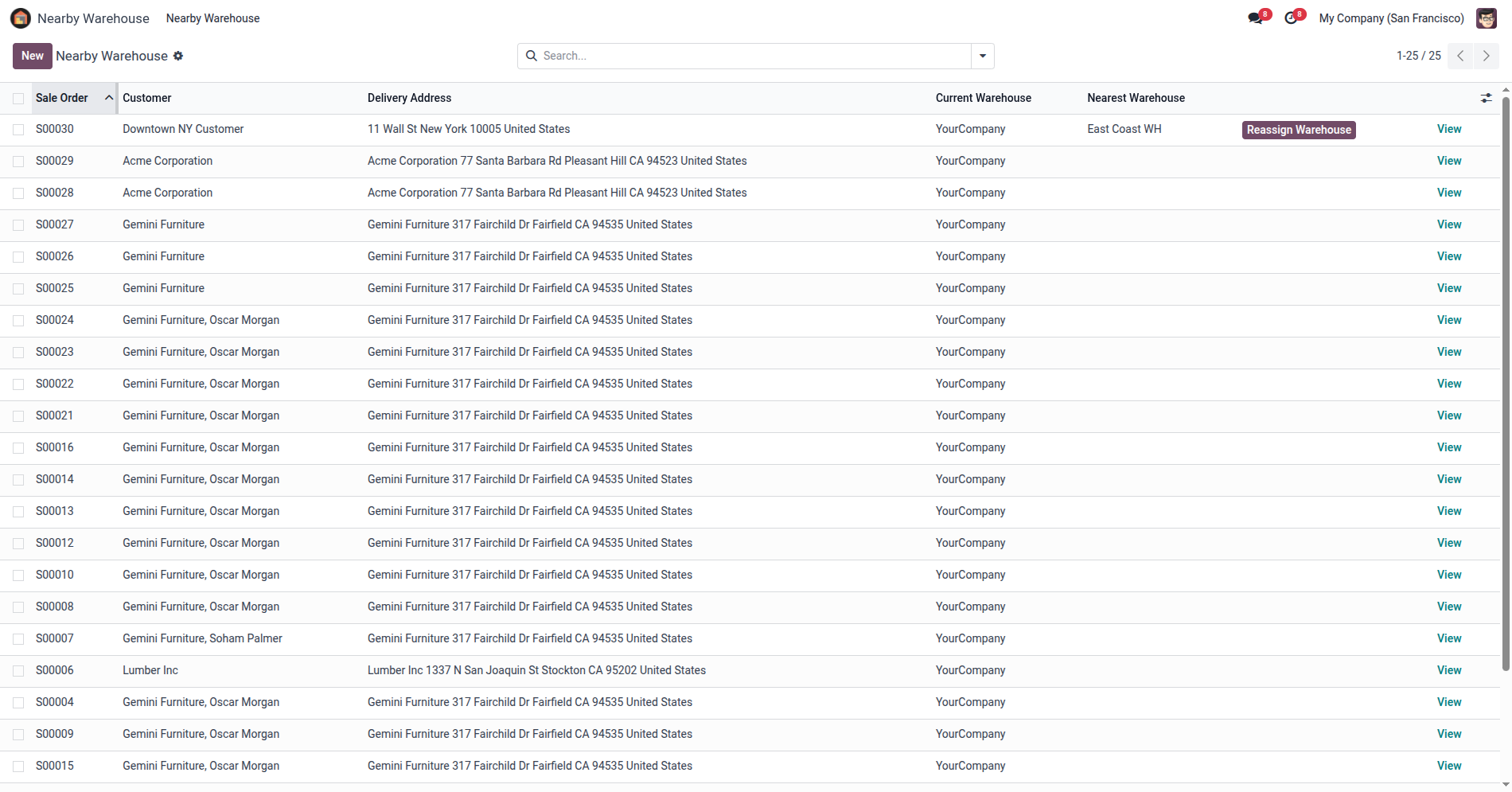
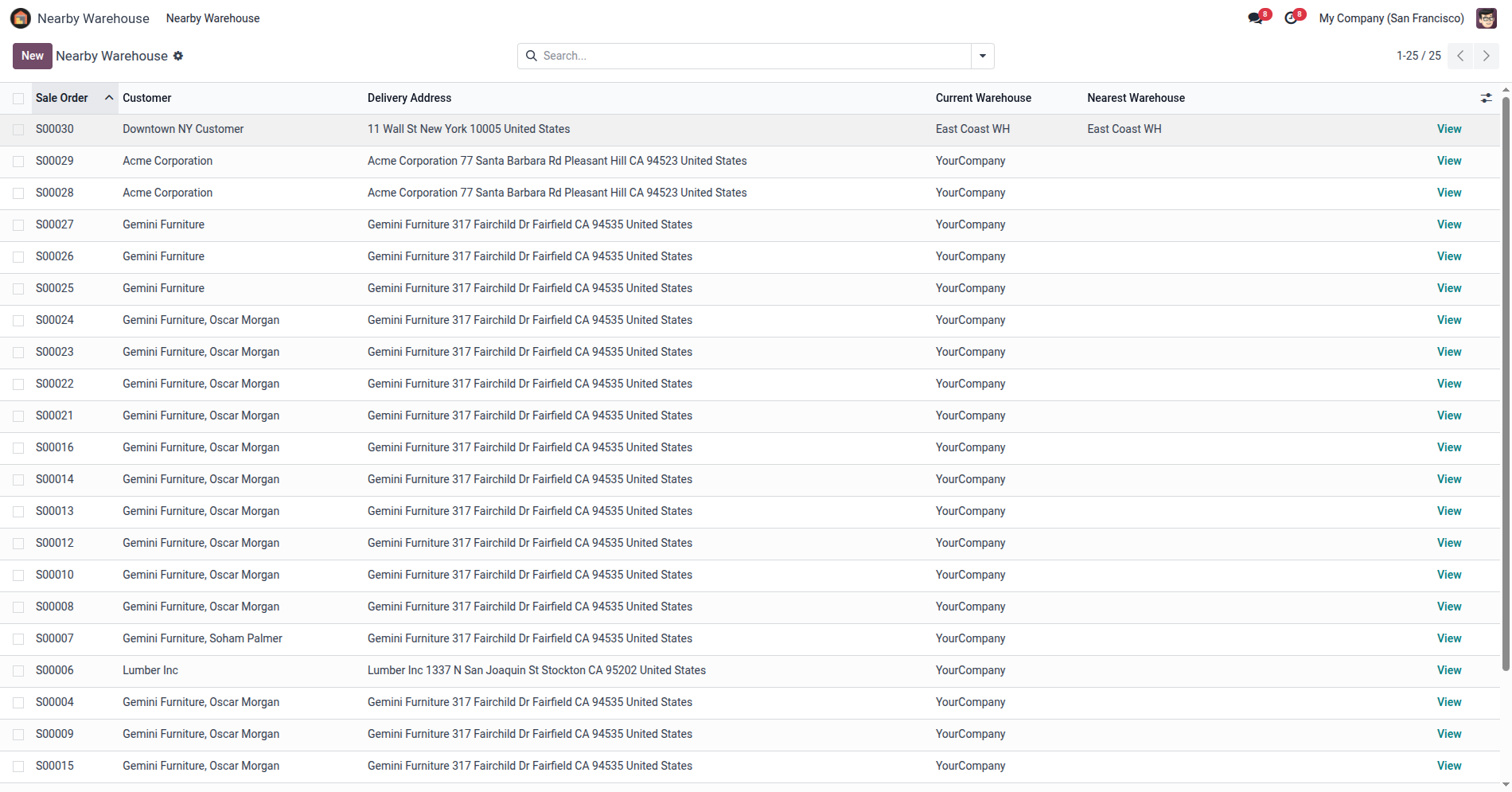
Where the nearest warehouse differs from the current one, say, a New York customer being served from your default warehouse, click "Reassign Warehouse." The order's current warehouse updates instantly to the nearest one.
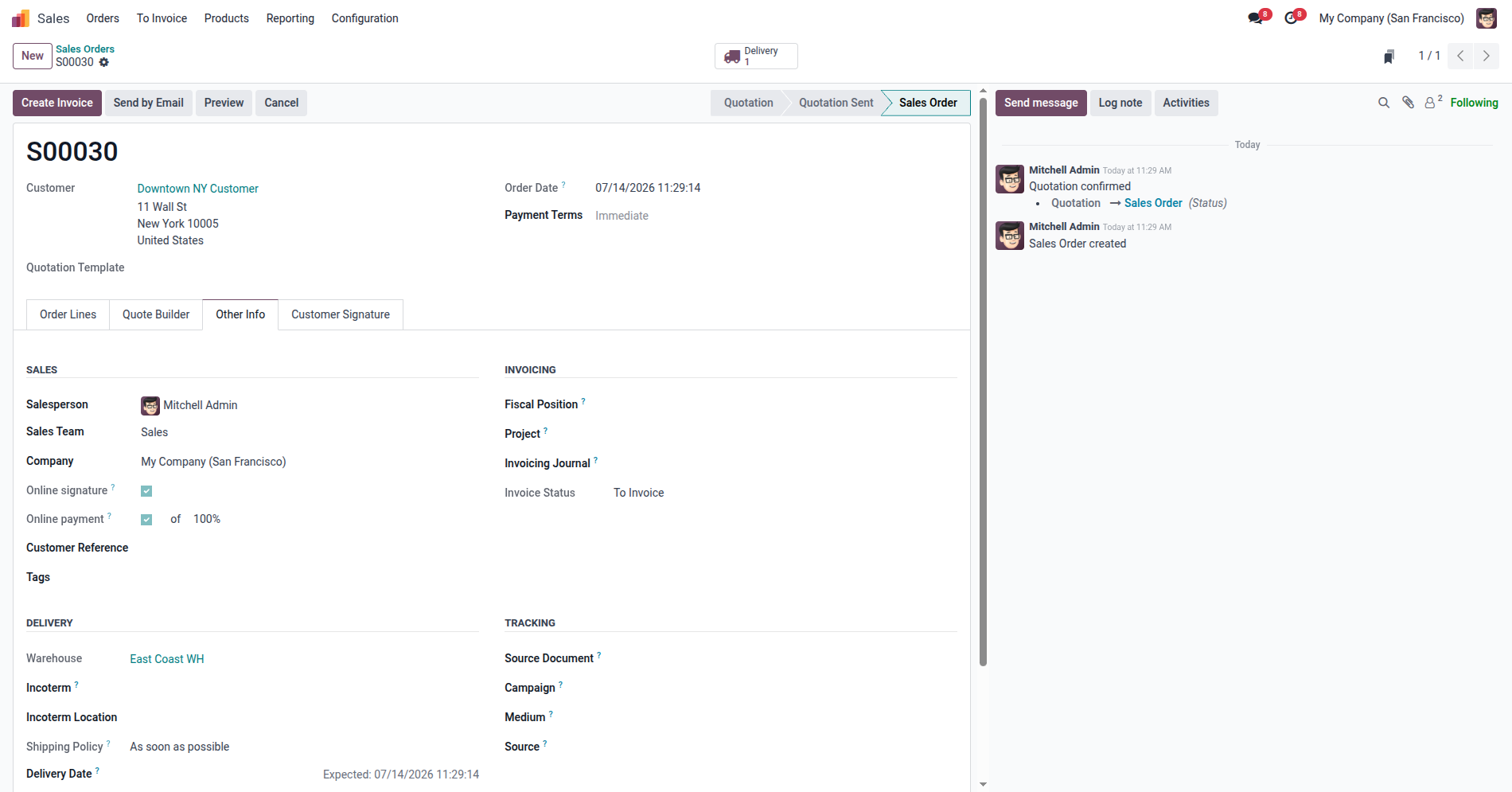
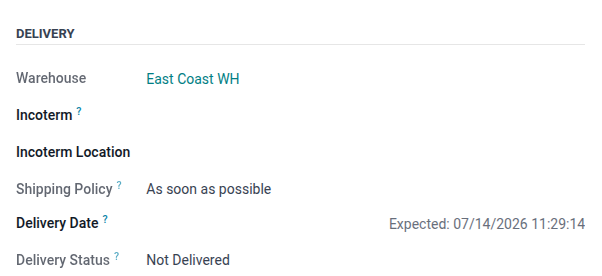
Open the sales order, and the change is reflected under Other Info → Delivery, the warehouse now reads East Coast WH, and the delivery follows from there.
When every order ships from a default warehouse regardless of where the customer is, businesses face issues in freight, delivery time, and stock imbalances.
Shipping from the closest warehouse means shorter routes, lower freight costs, and less fuel burned per order.
Orders fulfilled from nearby stock reach customers sooner, a direct boost to delivery SLAs and satisfaction.
Factoring stock availability into allocation spreads demand across warehouses instead of draining one site.
Allocation stays in your hands. Select manually at order creation and override whenever the situation demands.
The dedicated Nearby Warehouse menu shows every order's allocation, keeping multi-warehouse operations transparent.
Delivery warehouse and operation types update automatically on the order; no manual corrections in inventory afterwards.
See a sales order allocated to the nearest warehouse, with delivery details updating automatically, on a live Odoo system. Request a live preview today.
mss_nearby_warehouse