A business started small on QuickBooks Online has grown into something that software was never designed to support. The finance team struggles with spreadsheets to track inventory across various locations, sales & operations, manual data entry every month, & reconciling numbers between systems. Basic bookkeeping is fine, but fulfilling the growing finance needs is a real bottleneck.
This is the major point where businesses realize the problem is. It’s never accounting itself; it’s the software that needs to be upgraded according to the growing business needs. This blog comes with the top 6 QuickBooks Online alternatives that provide real-time visibility on financial records.
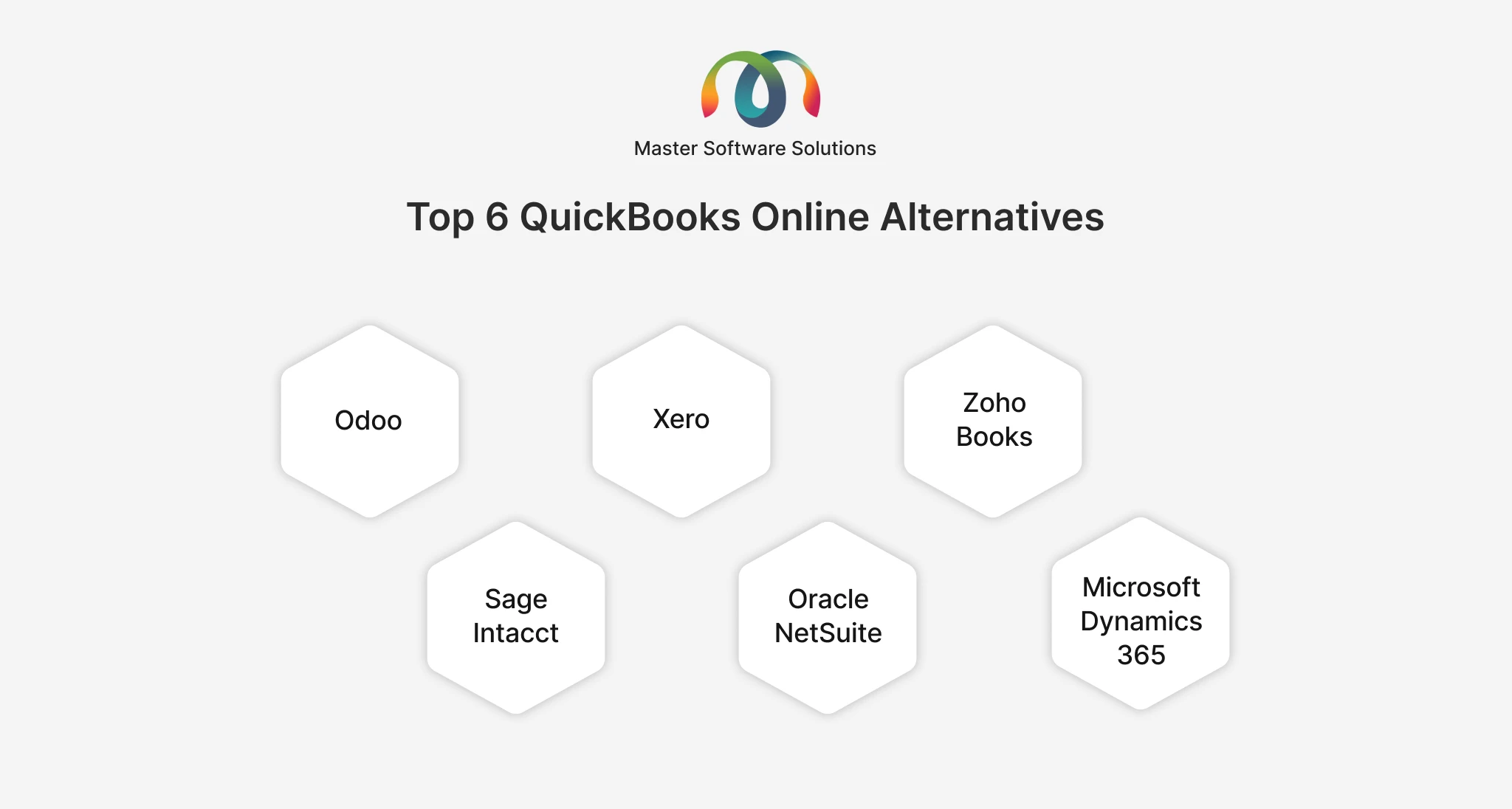
Top 6 QuickBooks Online Alternatives
1. Odoo
Odoo is an open-source enterprise-based software solution that follows a different approach than QuickBooks. It’s a modular ERP that contains an Accounting module, along with inventory, sales, CRM, HR, manufacturing, and purchasing & all platforms share the data in the same database. For growing businesses, inventory, multi-warehouse, and accounting issues are resolved in a single system via Odoo ERP rather than managing scattered tools.
Key Benefits of Odoo
- Have one shared database so that sales automatically update stock and generate an invoice without manual re-entry.
- An Odoo accounting module covers bank reconciliation, multi-currency, and tax localization in Odoo ERP software.
- Pay only for those applications that you actually install, not for the whole suite.
- Odoo integration with QuickBooks syncs both systems before it is committed to migration.
- CRM, e-commerce, and manufacturing modules are enclosed in the same platform as accounting, instead of sales, manufacturing, HE & many more in separate systems.
- A modular structure that enables businesses to fit according to accounting and inventory and then add purchasing, manufacturing, or field service later.
Pros:
- Solves inventory, multi-warehouse, and accounting problems in one connected system.
- Customizable according to how your business operates.
- Scales from a small accounting setup to a full ERP.
- Reduces reliance on separate, disconnected tools.
Cons:
- Setup is time-consuming, as getting real value means implementation support to configure.
- Complex without the right implementation plan.
- Needs more technical involvement
- Customization adds to long-term maintenance
Best for
Odoo is best for businesses that want to move beyond outgrown accounting software for inventory, sales, and operations connected into a single system, rather than spreadsheets & guesswork.
2. Xero
Xero is another competitor to QuickBooks Online. It is cloud-based, accountant friendly & designed on the same core idea. Rather than QuickBooks, it is simple bookkeeping that contains the specific details that growing businesses notice.
Key benefits:
- Unlimited users on every plan, no per-seat penalty as the finance team grows day by day.
- Xero app marketplace now listing over 1,000 third-party integrations for payroll, inventory, and payments
- Built-in multi-currency and international tax support to manage payments effectively without any errors.
- Engaging, simple & user-friendly accounting interface with a short learning curve
- Automatic bank feed or message imports and invoice reminders cut down manual bookkeeping tasks.
- A simple, reliable mobile app that handles invoicing and core bookkeeping tasks from anywhere without any disruption.
Pros:
- Easier to adopt than a full ERP implementation
- Stronger choice for invoicing, billing management, reconciliation, as well as reporting
- Well suited to businesses that don’t need heavy operational functionality
- Large network of Xero-certified accountants and consultants for onboarding support
- Affordable option compared to other ERP software, comes with a free trial to test before committing
Cons:
- No native inventory or manufacturing depth
- Leads to disconnected systems as the business grows
- Businesses looking for inventory tied to production or multi-entity consolidation
- Limited multi-currency and project tracking plans.
- Basic multi-entity support exists, but no dedicated ERP.
Best for
Xero is best suited for small to mid-sized businesses that are seeking pure accounting software but also need more flexibility than legacy QuickBooks, which provides limited functionality.
3. Zoho Books
Zoho Books is another great and effective accounting business alternative. It is often considered when cost is the primary driver behind leaving QuickBooks. It covers the core accounting workflows and serves as one piece of a much larger suite.
Key benefits:
- Genuinely usable free plan for very small businesses, with paid tiers than other competitors.
- Offers native connection to 40+ other Zoho apps, with CRM, Inventory, and Payroll included.
- Comes with built-in automation for invoice reminders and recurring transactions to get the real time update of the transactions.
- A clean, intuitive interface with minimal onboarding time that helps businesses easily sign in without complexity or using functionality.
- It contains AI-powered features (Zia) that trigger anomalies and help businesses automate operations.
- Includes a client portal for sharing the invoice record, estimates, and payment status directly with customers for real-time tracking of the data.
Pros:
- Most affordable & full-featured option.
- Easy to adopt for businesses that want less disruption to existing workflows.
- Provides the real ecosystem advantage for businesses already using, or open to, other Zoho apps
- Holds basic inventory management and multi-currency support without separating add-on pricing
- Scales reasonably well compared to other competitors into the lower mid-market.
Cons:
- No ecosystem advantage if you’re not using Zoho’s other products
- Not built for complex manufacturing or distribution
- Standalone accounting software & doesn’t offer much beyond basic QuickBooks
- Multi-warehouse inventory and budgeting are in higher-tier plans
- Deeper customization outside Zoho’s ecosystem.
Best for: Zoho Books is a suitable option for small businesses and startups that are looking forward for solid accounting at a lower price point
4. Sage Intacct
Sage Intacct is another best choice designed for a different problem than QuickBooks solves. Businesses with multiple entities, funds, or locations require consolidated financial reporting without a manual close process for less time consumption & faster processing.
Key benefits:
- Truly multi-entity consolidation with intercompany accessibility does not trouble the staff
- It provides dimensional reporting by department, location, or entity for audit-ready numbers for a clearer picture.
- Marketed by Sage encompasses the only AICPA-preferred finance solution, which holds weight with accounting firms and auditors.
- Sage Intacct comes with strong revenue recognition automation for subscription and SaaS revenue models
- It carries AI-powered agents that automate bill entry and vendor data matching. Other than that, it flags unusual journal entries.
- A marketplace of 350+ integrations, including industry-specific add-ons for nonprofit departments of accounting and healthcare
Pros:
- Best suited for financial consolidation and reporting depth
- Strong credibility with auditors and accounting companies.
- Scales well for finance teams managing multiple entities or business units
- Ranked #1 in customer satisfaction for mid-market accounting software on G2
- Stronger reseller and implementation partner network for support.
Cons:
- Doesn’t extend into inventory, manufacturing, or broader operations
- More complex and costly.
- Not the right fit if the core problem is operational visibility rather than finances.
- Needs a dedicated implementation project partner rather than a self-serve setup
- Better suited to finance-led adoption than a business looking for inventory or operations in the same system
Best for:
Sage Intacct is greatly suited for mid-sized companies, particularly those looking for multiple business units or nonprofit/fund accounting needs.
5. Oracle NetSuite
Oracle NetSuite is another cloud ERP on the market, and it’s usually the alternative that comes up when a business has scaled well past what any accounting-first tool can handle.
Key benefits:
- An end-to-end financial suite covering GL, AP, AR, and tax management natively
- Order-to-cash and procure-to-pay automation that cuts manual data entry
- Native inventory, warehouse, and multi-entity support
- Built to scale toward significant growth or IPO-level complexity
- Automated inventory tracking across multiple locations with configurable reorder points
- NetSuite OneWorld handles multi-currency, multi-subsidiary operations and local tax compliance across geographies
Pros:
- The broadest native functionality of any option on this list
- Reduces reliance on disconnected point solutions across finance, inventory, and operations
- Strong fit for multi-entity or international organizations
- Real-time visibility into financial and operational performance across the whole business
- Cloud-based deployment removes on-premises infrastructure and update overhead
Cons:
- Generally the most expensive option on this list
- Requires a dedicated implementation project, not a quick setup
- Often more system than a company just outgrowing QuickBooks actually needs yet
- Requires more internal training and change management than simpler accounting tools
- Customization typically depends on NetSuite’s own scripting platform and implementation partners rather than in-house development
Best for: Fast-growing or larger companies needing a full financial suite, order-to-cash automation, and multi-entity operations in one platform, particularly those anticipating significant scale or an eventual IPO.
6. Microsoft Dynamics 365 Business Central
Business Central sits in a similar space to Odoo and NetSuite, accounting plus operations in one system, but with the specific advantage of native integration into the Microsoft ecosystem businesses may already be running on.
Key benefits:
- Native Excel integration, letting finance teams work with real-time data in a tool they already know
- Manufacturing, inventory, and job costing support beyond what QuickBooks or Xero offer
- Familiar interface for teams already standardized on Outlook, Excel, and Teams
- A direct comparison point: Odoo vs. other ERPs including Microsoft Dynamics 365 breaks down where each wins on cost, flexibility, and implementation effort
- Built-in AI agents, including a Payables Agent for invoice processing and a Sales Order Agent that turns email orders into quotes, plus Copilot for cash-flow forecasting
- Runs on Microsoft’s cloud infrastructure, with the platform reporting over 55,000 companies using it across more than 150 countries
Pros:
- Strong fit for growing manufacturers and distributors
- Reduces reliance on spreadsheets and disconnected systems
- A natural next step for businesses already invested in Microsoft tools
- Deep Power BI integration for reporting without exporting data into a separate analytics tool
- Read-only access inside Microsoft Teams for licensed Microsoft 365 users, at no added cost
Cons:
- Per-user licensing that climbs quickly as the team grows
- Customization depends on Microsoft’s AppSource marketplace and partner ecosystem rather than open, in-house development
- Requires a proper implementation project, not a plug-and-play switch
- Full manufacturing functionality sits behind the higher-cost Premium license tier
- Less familiar than QuickBooks for teams with no prior exposure to the Microsoft business applications stack
Best for:
Growing businesses already invested in Microsoft 365 (Outlook, Excel, Teams) that want accounting connected to inventory, sales, and purchasing without leaving that ecosystem.
Conclusion
There are some major QuickBooks Online alternative that matches your business needs & complexity. If you want accounting software for your business that includes more users & enhanced third-party integrations, you can choose the above QuickBooks alternatives to make your finance data secure and easily accessible.
For all of the above, Odoo is a reliable choice that enables businesses to get the accounting data in one platform, whether it’s sales, inventory, marketing, purchasing, or HR. For businesses weighing Odoo features in detail, our Odoo ERP implementation guide is a useful read before deciding on the right choice.
Want to make the right QuickBooks choice for your business? Get connected with our team to set up & scale your business operations for profitable outcomes.