Odoo promises one connected system for sales, inventory, accounting, and operations. In practice, most businesses don’t run Odoo alone; they run it alongside Shopify, WooCommerce, QuickBooks, payment gateways, and a POS terminal at the counter. The magic only happens when all of those tools talk to each other cleanly. When the integration is done poorly, the opposite happens: duplicate orders, mismatched inventory, broken invoices, and a finance team reconciling spreadsheets at midnight.
The stakes are higher than most teams realize. Industry research shows that 55–75% of ERP projects fail to meet their goals, with cost overruns reaching as high as 189%, and roughly one in three over-budget projects blames data problems as a primary cause. A surprising share of those failures trace back not to Odoo itself, but to how it was connected to everything else.
This guide breaks down the most common and expensive Odoo integration mistakes and, more importantly, how to avoid them. Whether you’re planning an Odoo Shopify integration, an Odoo QuickBooks integration, or a custom Odoo API integration, these are the pitfalls that quietly drain time and money.
Why Odoo Integration Goes Wrong in the First Place
Before the specific mistakes, it helps to understand the root cause. An integration is not a one-time “connect and forget” event. It is a dynamic data pipeline that connects two or more systems, each with its own update schedules, rate limits, and rules. Every time an order is placed, a product is edited, or a payment clears, data has to move accurately and in the right direction.
Most integration failures come from treating this pipeline as an afterthought, a checkbox at the end of an Odoo project rather than a core part of the design. That mindset is where the costly mistakes begin.
Quick takeaway: Integration is infrastructure, not a plugin. Budget for it, test it, and monitor it like you would any critical system.
7 Common Odoo Integration Mistakes
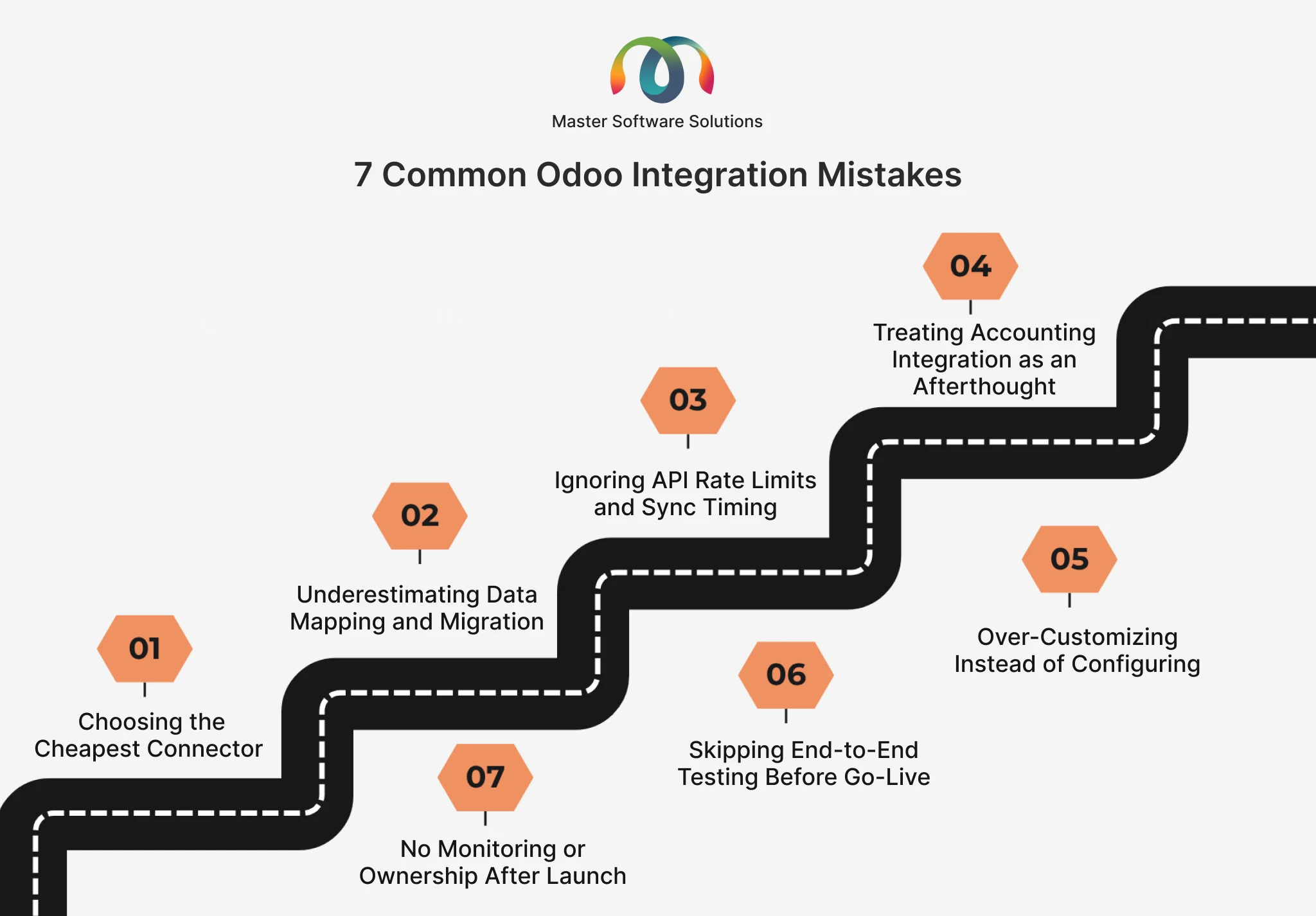
Mistake #1: Choosing the Cheapest Connector Instead of the Right One
The Odoo e-commerce integration market is full of low-cost, off-the-shelf connectors. They look attractive until you hit your first edge case, a bundled product, a partial refund, a multi-currency order, or a tax rule that doesn’t map cleanly.
Cheap connectors typically assume a “happy path” and break the moment your business does something slightly non-standard. Teams then spend weeks manually patching data that the connector mishandled, wiping out any upfront savings. As the research puts it bluntly, “The lowest quote usually comes with the highest risk.”
How to avoid it: Evaluate how connectors handle your real-world scenarios, including refunds, discounts, taxes, multiple warehouses, and multi-currency, not just the demo. When your workflows are complex, a purpose-built integration from an experienced Odoo integration expert almost always costs less over 12 months than repeatedly fixing a bargain tool.
Mistake #2: Underestimating Data Mapping and Migration
Data mapping is where the most silent damage happens. Your Shopify “SKU” is Odoo’s “Internal Reference.” Your QuickBooks “Class” must be an Odoo “Analytic Account.” If those fields aren’t mapped deliberately, records get created twice, inventory drifts out of sync, and financial reports stop reconciling.
Migrating dirty data makes it worse. Importing duplicate, outdated, or inaccurate records into Odoo damages user trust on day one, and 33.7% of over-budget ERP projects cite data issues as a primary cause. Once your team stops trusting the numbers, adoption collapses.
How to avoid it:
- Build a field-by-field mapping document before writing any integration code.
- Clean and de-duplicate source data before migration, not after.
- Run a full test migration into a staging database and reconcile the results against the source system.
- Define a single source of truth for each data type (e.g., Shopify owns orders, and Odoo owns inventory).
Mistake #3: Ignoring API Rate Limits and Sync Timing
This is the mistake that surfaces on your busiest day, a flash sale or holiday rush. Every platform enforces API rate limits, and if your Odoo API integration doesn’t respect them, syncs fail exactly when volume is highest.
The numbers are unforgiving. Shopify’s REST Admin API caps requests, so when hundreds of orders land in under an hour, the webhook queue backs up and orders simply stop flowing into Odoo. High-volume connections often encounter timeout failures and 429 “rate limit” errors when they are not scale-ready.
How to avoid it:
- Use webhooks for real-time events (like new orders) and scheduled polling for bulk updates, rather than hammering the API continuously.
- Use pagination and batching to prevent large data pulls from going over limits.
- Add automatic retries with backoff so a temporary limit doesn’t become a lost order.
- Cache reference data (Redis or Memcached) to avoid repeated identical requests.
You can review the official rate-limit rules in the Shopify Admin API documentation before designing any high-volume ecommerce sync.
Mistake #4: Treating Accounting Integration as an Afterthought
An Odoo accounting integration, especially an Odoo QuickBooks integration, is where small errors turn into audit-season nightmares. Numbers that are 98% right are still wrong for accounting, because the 2% shows up as unreconciled transactions and mismatched tax totals.
The most common failure is deceptively simple: the connection stops syncing because of an expired API token or changed login credentials, and no one notices until the books don’t balance. QuickBooks also rejects records when naming conflicts exist, quietly dropping transactions.
How to avoid it:
- Map taxes, payment methods, and chart-of-accounts entries explicitly between Odoo and your accounting tool.
- Maintain consistent naming conventions across systems to prevent silent rejections.
- Never change admin credentials without updating the connected apps.
- Schedule automated daily sync checks and alerts so a broken connection is caught in hours, not at month-end close.
Mistake #5: Over-Customizing Instead of Configuring
Many teams try to force Odoo and its integrations to behave exactly like their old legacy software. Every quirk of the old system becomes a custom module. This over-customization creates technical debt: the more bespoke code sitting between Odoo and your other apps, the harder and more expensive every future upgrade becomes.
When Odoo releases a new version, heavily customized integrations often break, forcing another costly round of development just to stay current.
How to avoid it: Start with standard Odoo features and configuration. Reserve custom Odoo ERP integration work for genuine competitive differentiators, not for recreating habits from software you’re leaving behind. Document every customization so upgrades stay predictable.
Mistake #6: Skipping End-to-End Testing Before Go-Live
Cutting testing to hit a deadline is the most tempting shortcut and one of the most expensive. The research shows that cutting user acceptance testing to save two weeks typically costs four to eight weeks of post-go-live firefighting.
Integrations fail in the gaps between systems, the scenarios no single team owns. A refund issued in Shopify, synced to Odoo, and reflected in QuickBooks touches three systems and three teams. If the whole chain is not tested, it breaks in production with real customer money.
How to avoid it:
- Test complete workflows, not individual connections in isolation.
- Include edge cases: partial refunds, cancelled orders, out-of-stock items, failed payments, and multi-currency transactions.
- Run parallel operations (old and new) for a short period before fully cutting over.
Mistake #7: No Monitoring or Ownership After Launch
The riskiest assumption in any integration project is that “done” means “done forever.” APIs change, tokens expire, product catalogs grow, and order volume spikes. Without monitoring, the first sign of a broken sync is an angry customer or a finance discrepancy.
Just as damaging is the partner who goes quiet after go-live. Under-scoped support is one of the most common reasons integrations degrade over time.
How to avoid it:
- Build a monitoring dashboard that tracks sync status, error codes, and response times.
- Set up alerts for failed syncs and rate-limit warnings.
- Assign a clear owner (internal or via your integration partner) responsible for integration health.
- Plan frequent integration audits, at least once every three months.
Need a health check? If you’re not sure whether your current integrations are silently failing, book a free Odoo integration audit with Master Software Solutions.
The Integrations Where These Mistakes Hurt Most
The mistakes above show up across every connection, but a few Odoo integration services carry the highest risk and the highest reward when done right:
- Odoo Shopify integration and Odoo WooCommerce integration are the real-time sync of orders, inventory, and customers. Rate limits and refund handling are the usual failure points. See our detailed guide: Odoo-Shopify integration to sync inventory, orders, and customers automatically.
- Odoo QuickBooks integration and broader Odoo accounting integration, including invoices, taxes, and payments that must reconcile to the cent. Token expiry and account mapping are the biggest risks.
- Odoo payment gateway integration, such as Stripe, PayPal, Razorpay, and others. Failed-payment states and reconciliation need careful handling so orders don’t get stuck.
- Odoo POS integration unifies in-store and online sales into one inventory and one ledger. Offline sync and stock accuracy are the make-or-break details.
- Odoo API integration with CRMs, shipping tools, and marketplaces, where custom logic must respect every system’s limits.
Each of these can either save your team dozens of hours a week or quietly create a mess. The difference is almost always in the planning and the partner.
A Simple Pre-Integration Checklist
Before you connect any system to Odoo, run through this quick checklist:
- Define the source of truth for each data type (orders, inventory, customers, invoices).
- Document field mappings between every connected system.
- Clean the data before migrating anything.
- Design for API limits with webhooks, batching, and retries.
- Test, including refunds and edge cases.
- Set up monitoring and alerts before go-live.
- Assign an owner for ongoing integration health.
If you can’t confidently check all seven, that’s a strong signal to bring in an Odoo integration expert before you go live.
How the Right Partner Prevents Costly Mistakes
Most of the failures in this article aren’t Odoo problems; they’re planning and execution problems. An experienced integration partner brings a repeatable methodology: proper discovery, deliberate data mapping, scalable API design, thorough testing, and post-launch support that doesn’t disappear.
At Master Software Solutions, our Odoo integration services cover the full stack, including ecommerce, accounting, payments, POS, and custom API work, with the monitoring and support that keep those connections healthy long after launch. The goal is simple: Odoo and your other tools work as one system, so your team spends time growing the business instead of reconciling it.
Ready to connect your systems the right way? Talk to our Odoo integration experts and get a tailored integration plan for your stack.