For businesses running Odoo at scale, customization has always involved a trade-off. As complexity increases in businesses, the default process does not fit the standard ERP & require customizations. AI is beginning to change that equation.
Odoo 20 is no longer limited to automation or additional ERP features. Odoo Studio, smarter workflows, and agentic development are becoming part of the conversation. Odoo 2026 agenda includes AI & Odoo, AI with Studio, Odoo sh., Odoo web framework, & Vibe coding. This evolving model moves customizations into a layered approach involving automation, agent-driven workflows, and AI-assisted development.
Understanding Odoo Version 20
Odoo 20 is the next evolving stage in the Odoo ERP platform that works precisely on business workflows & comes up with configurable workflows, automation, analytics, as well as advanced AI capabilities.
Businesses are working on their operations to identify what complexities they are facing, and those can be eradicated with the launch of Odoo 20. Odoo 20 version distinguishes between Odoo announcements, conferences & partner-built demonstrations.
It has been found that Odoo’s official Experience 2026 program basically includes Odoo Studio training, Odoo master class, Odoo.sh & lastly Vibe coding classes. There is an important session included, i.e., how to build smarter workflows with Odoo AI & Studio.
Before moving to Odoo 20, organizations should evaluate their business requirement via a few layers:
- Standard Odoo functionality
- Odoo Studio for configuration or business-specific changes.
- AI-assisted development
- Automation & AI-driven workflows to fix repetitive actions
- Agentic Development for complex workflows
This layered approach matters for organizations not only to upgrade to the new module or functionality, but also directly affects future upgrades, documentation, integrations & business processes.
What’s New in Odoo 20
Odoo 20 majorly emphasizes AI business operations and customizations. The team is identifying agentic AI, smarter automation, performance improvements & other modernization initiatives before the release.
AI and Smarter Automation
In Odoo ERP, AI is the core technology that is closely connected with business workflows. When it comes to the newer version of Odoo 20, the business value involves AI in ERP records to support major activities like information recommendations related to code, functionality, advanced features, modules, security, etc. Other than that, content creation, workflow generation & decision making to make the processes smoother & easier without any manual intervention.
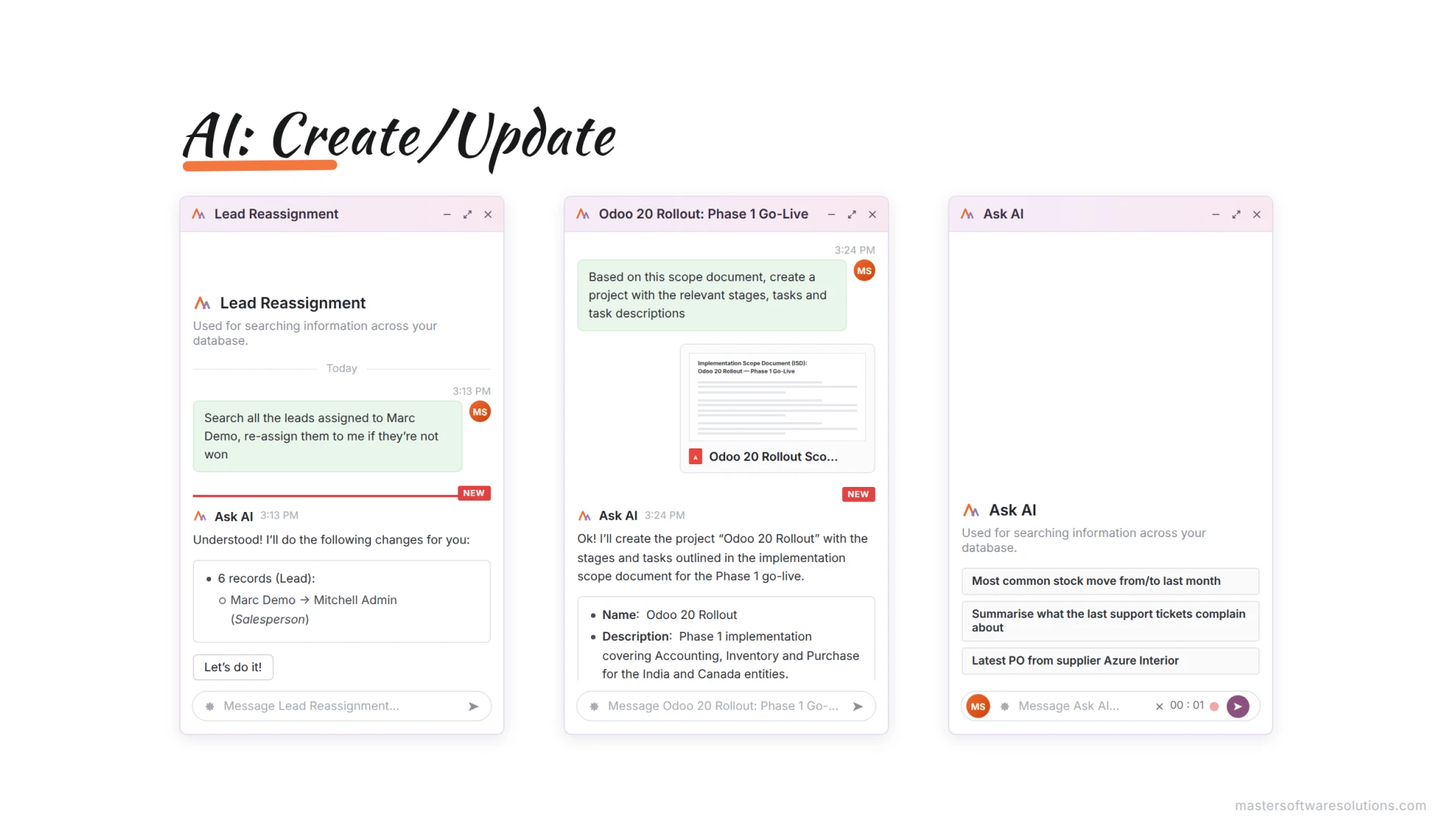
Odoo 20 leverages AI to create & update records, eliminating manual data entry & reducing errors.
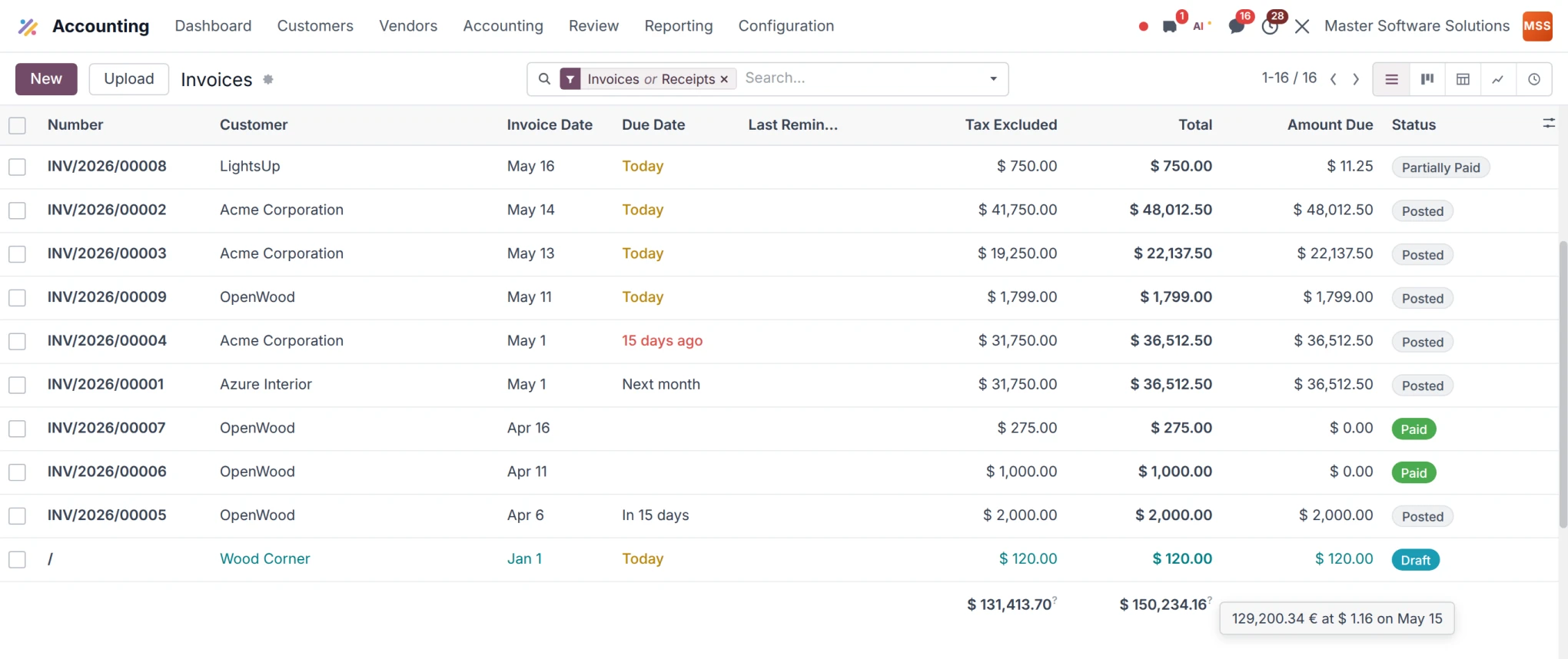
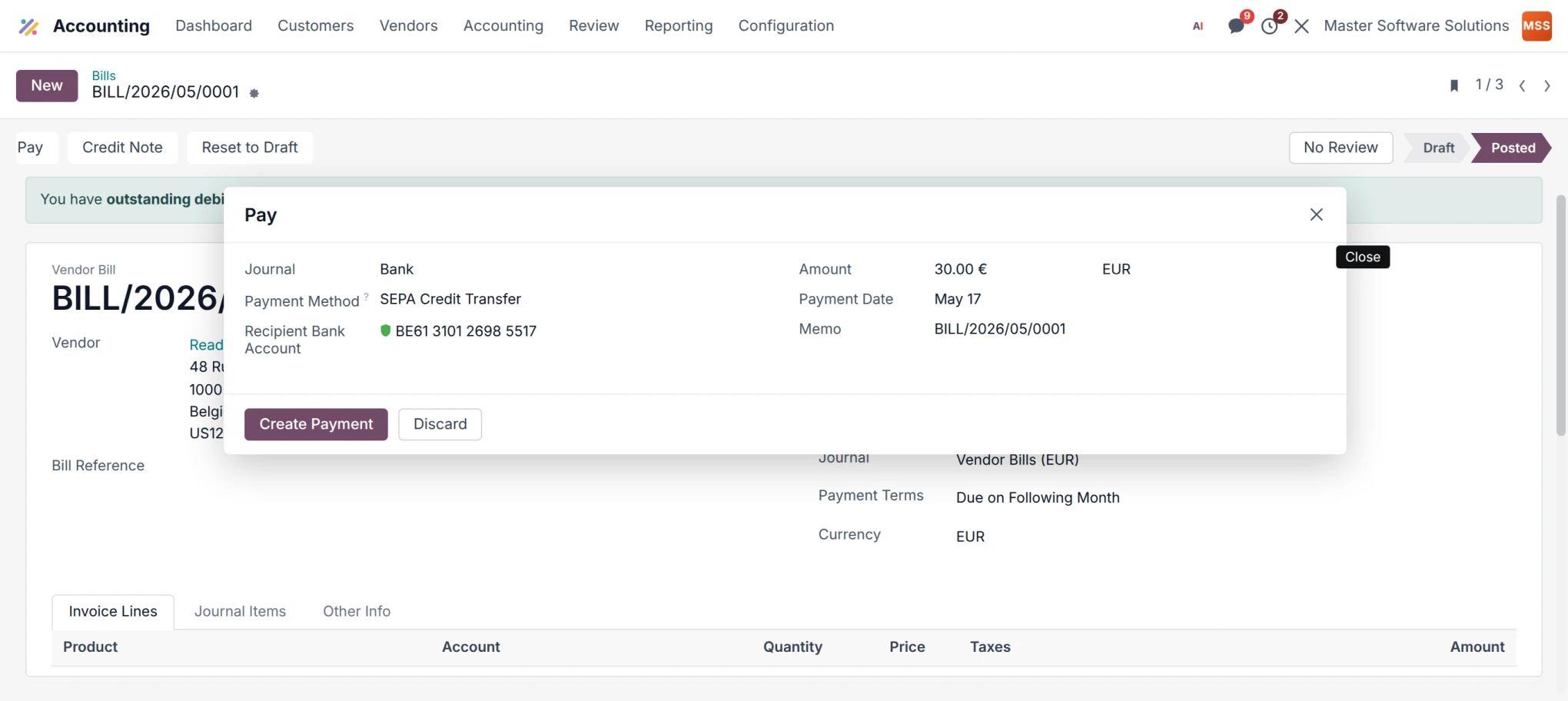
Odoo 20 Accounting is a new expected feature that specifically focuses on multi-currency management.
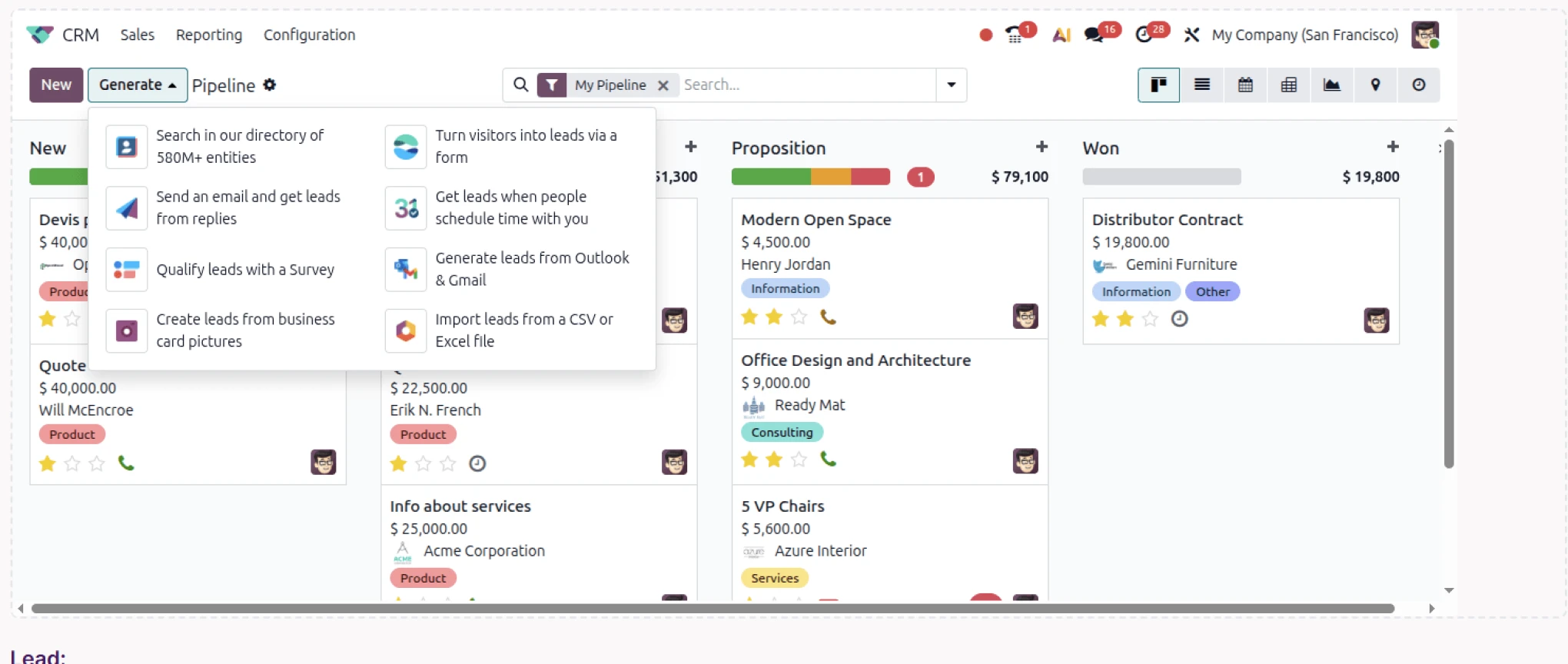
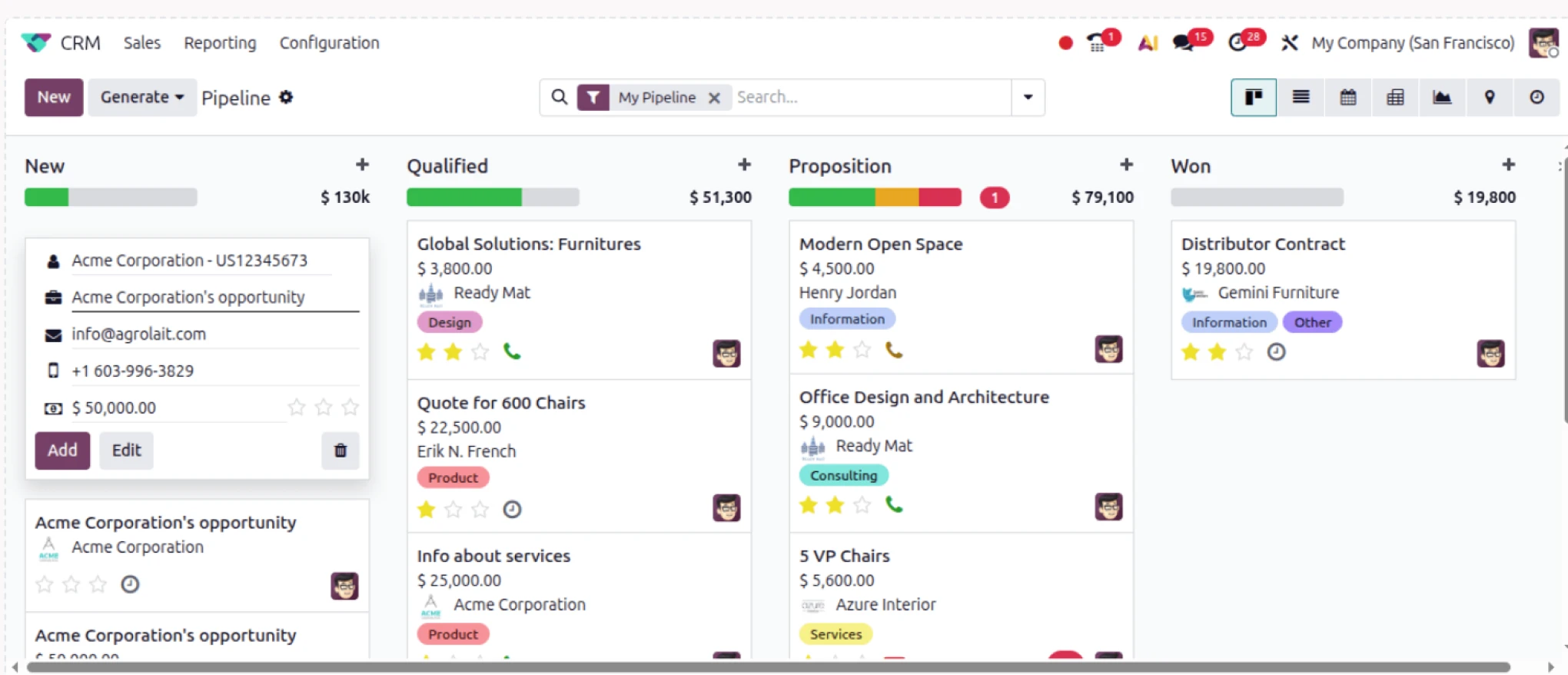
Odoo 20 CRM is another new feature introduced for lead optimization. By clicking on the generate button, different leads will be displayed.
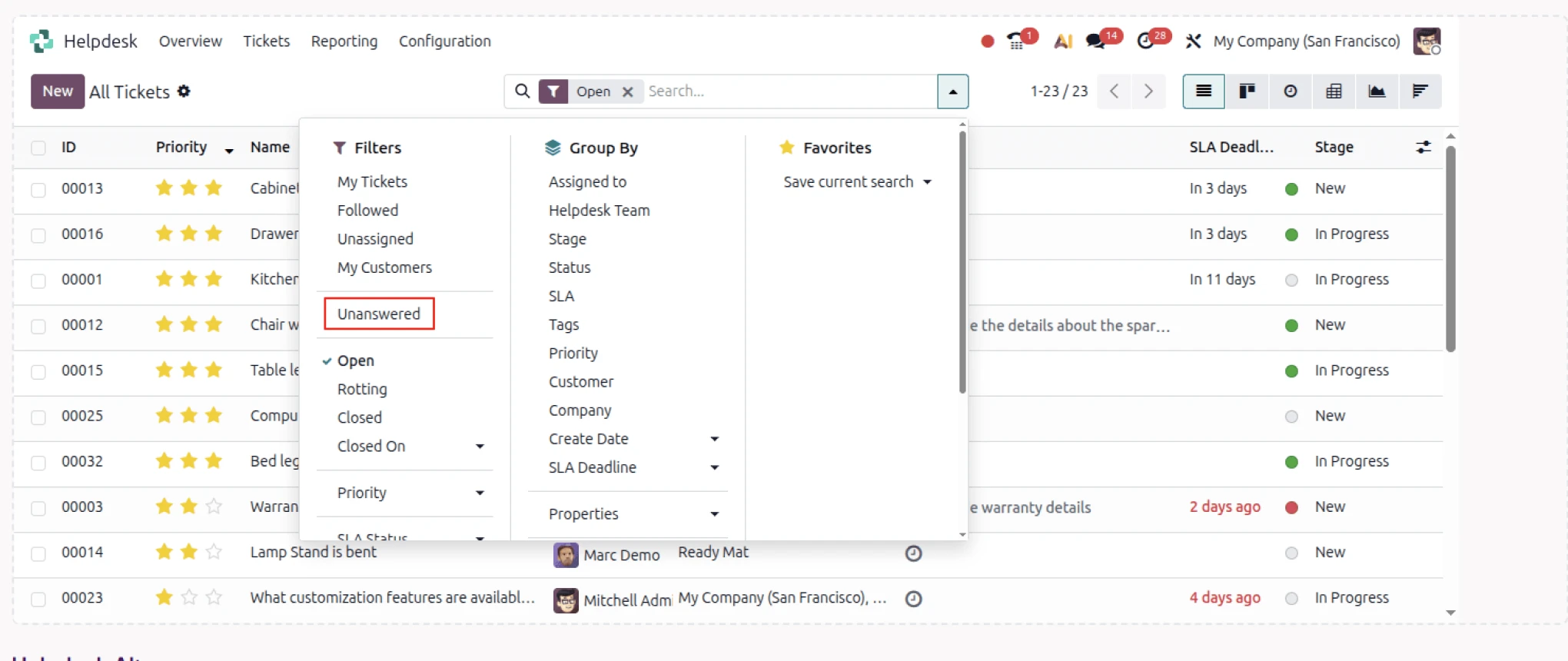
Odoo 20 Helpdesk Tickets is another introduced feature; users will be able to fetch the unanswered tickets.
AI + Odoo Studio
Traditionally, Odoo Studio helps businesses configure applications without developing requirements from scratch. The emerging AI+ Studio takes this process further. There was a discussion that Odoo officially scheduled a session named “Building Smarter Workflows with Odoo AI & Studio“. This session will be focused on smarter workflows, whether it’s design, functionality, integrations, or customizations. The combination of AI and Studio is a way to make customized Odoo workflows intelligent. This is a strategic move to simplify configurations.
AI-Assisted Development and Vibe Coding
There is another addition, i.e., Odoo sh. & Vibe Coding. The integration of both will be greatly helpful for developers who are used to creating code from scratch. Odoo created another master class session on Odoo.sh & Vibe Coding, which is the combination of Odoo development & AI. It works well for development teams that want AI-assisted coding for various tasks like code structuring, understanding existing modules, identifying errors, and code testing.
But still, there is one uncertainty: AI-generated code is not completely treated as production-ready, as Odoo developers still have to validate security, credentials, upgrade compatibility, module dependencies, and business logic.
Odoo 20 vs Earlier Versions: What’s Actually Worth Upgrading For
A common question every business asks while upgrading to a new version: “Will our Odoo system function smoothly with the growing upgrades?” Here, we will understand why shifting to an upgraded version is a strategic necessity rather than a technical luxury.
Stable System Does Not Guarantee Future Readiness
Your existing Odoo version will comply with the current requirements & support day-to-day operations. But the business environment evolve continuously, and as per the evolution, ERP also needs to be upgraded.
Changes occur in :
- Tax regulations such as invoicing, VAT, GST.
- Payment Gateways API’s
- Shipping & logistics platforms
- Security & regulatory compliance
- Browser & system compatibility
High Security Risk Over Time
As the business changes or adds a new feature or functionality, it requires continuous security reinforcement. The existing Odoo version does not provide official security support.
- No security patches released
- Frameworks like Python, Java, Javascript becomes outdated.
- Vulnerability exposure increases with time
- Attackers keep them updated with the security protocols.
Evolving Business Needs Do not Meet on Old Versions
As businesses grow in scale, operational complexity increases. It’s necessary to introduce new workflows, additional automation & strict reporting.
Older versions struggle with:
- Limited customization capabilities
- Needs Complicated workflows
- Harder to maintain
- Slow down innovation
Issues with Performance, Speed & Scalability with each Odoo release
Odoo invests heavily in performance optimization with every version. The need for improvements is:
- Faster object-related mapping (ORM)
- Enhanced caching mechanism
- Heavy load handling for large datasets
- Requires a cleaner & more responsive user interface.
Third-Party Integrations Drop Support for Older Odoo Versions
Most external platforms, like payment gateways, Marketing, and security maintenance, discontinue support for older versions.
- Stripe, Helcim, PayPal
- UPS, FedEx, DHL, ShipStation
- Shopify, Amazon, WooCommerce
The cost of not upgrading is higher than the cost of upgrading
Most businesses avoid upgrades to maintain their system functions, but delaying those upgrades will cost high with time.
- Emergency Fixes are costlier
- Developers work inefficiently in older versions
- Migration challenges that grow more complex every year.
- Technical expenses that degrade performance.
An upgraded version is a necessity to continue with evolution
Odoo’s latest versions come with new features & functionality to beat the evolving landscape.
- Engaging user interface design
- Improved mobile & tablet compatibility
- Requires more menu structures
- Reduced loading time across modules
Compliance Requirements Need to be upgraded over time
With time, government & industry regulations undergo frequent changes. Newer versions include upgraded compliance features in order to reduce legal as well as operational risk.
The changes are:
- Mandatory invoicing requirements
- Changes in digital Tax reporting formats
- Data protection & privacy laws
- Costly custom development.
- Industry-specific rules.
Additional Modules Introduced in Odoo 20
Odoo 20 extends beyond AI & customization into industry-specific functionality. It also introduces advanced features in various modules & provides support for other specialized industries like hotels, construction, HR, and many more.
It showcases expected improvements across accounting, payroll, communication, e-commerce, marketing, POS, etc. For well-established B2B organizations, these additions matter as they directly influence customization vs standardization decisions.
Key Benefits of Odoo ERP Modernization
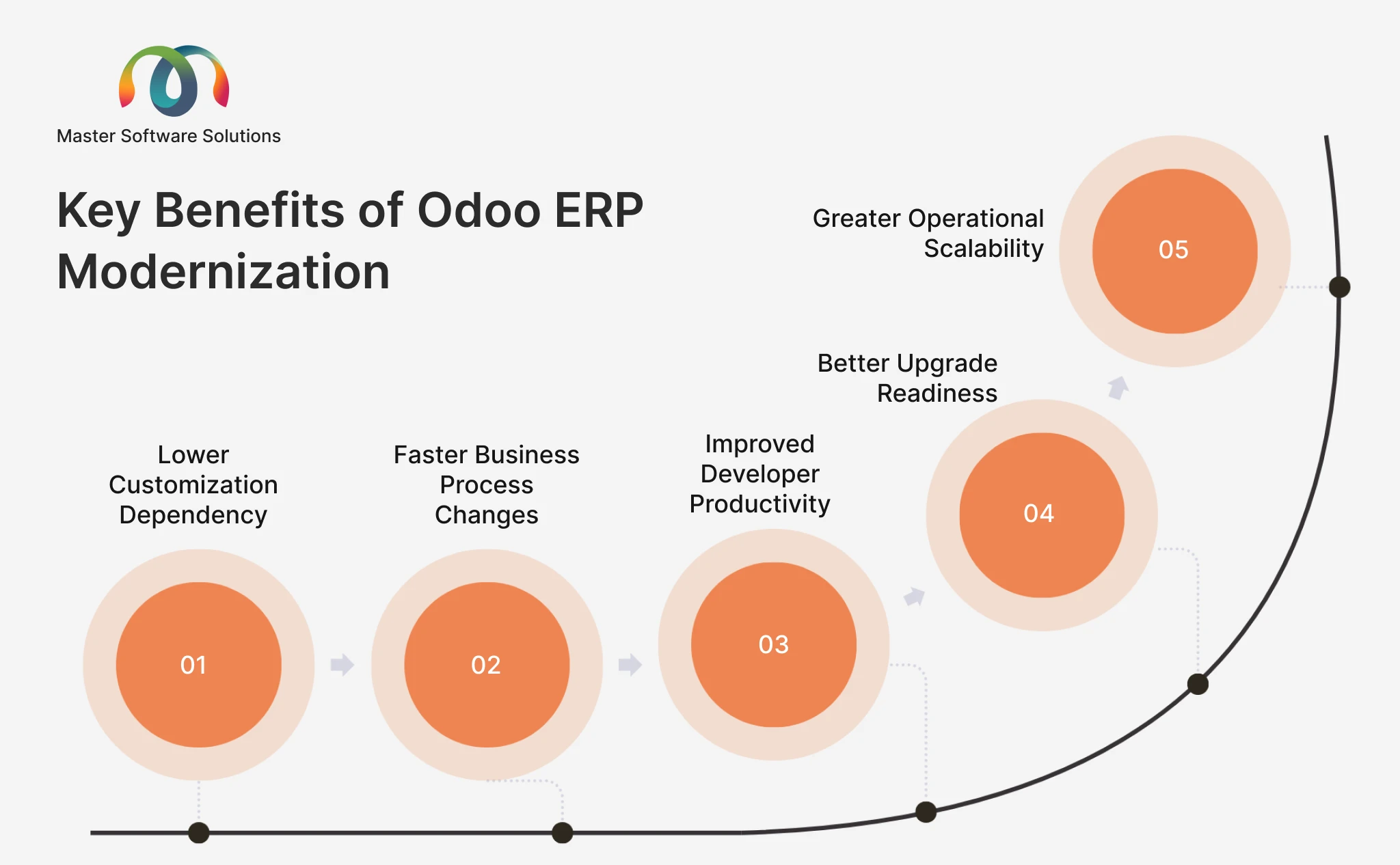
The objective is not only to adopt the newer version but to create a secure, transparent Odoo ERP environment to operate, scale, customize & upgrade.
Lower Customization Dependency
The key benefit comes from reducing unnecessary custom code. Integrating Odoo Studio & AI-assisted configuration can focus on configuration rather than independent development projects. This will be helpful during upgrades, as every custom module creates additional work.
Faster Business Process Changes
Business processes are changing faster than usual. The pricing model, new regulations & policies, sales channels are all evolving. This advanced approach will modify operational workflows. A configurable Odoo environment enables functional teams to respond quickly to changes instead of rebuilding the entire development cycle.
Improved Developer Productivity
Developers have to spend a lot of time in repetition activities such as code generation, documentation, debugging, and many more. This modern approach helps the team to focus on architecture, security protocols, integrations & complex business requirements.
Better Upgrade Readiness
The Odoo 20 approach is to provide clear & precise consideration for moving to further customizations, or the requirement can be rebuilt using Studio. This is an intelligent technical upgrade that allows organizations to rationalize their ERP architecture.
Greater Operational Scalability
ERP modernization supports large transaction volumes, more integrations, users, as well as complex workflows without making changes in every separate custom development project.
For enterprises and mid-sized businesses, this modernization plays a significant role because customizations directly influence the total cost of ERP.
Odoo 20 builds on Odoo 19 with stronger AI capabilities, improved Studio customization, improved automation, and advanced business functionality. Want to get information about Odoo 19? Get it through the Odoo 19 module guide.
Business and Technical Considerations for AI-Powered Odoo Customization
No doubt, AI is helpful for faster Odoo customization, but faster does not mean better customization. Businesses have to understand their goals and should establish clear controls when introducing AI in ERP platforms.
Understand Business Requirement
AI is not something that businesses always need. Before building an AI-powered workflow, businesses should determine whether the requirement can be handled through standard Odoo functionality, configuration, or Studio
Protect ERP Data
Odoo has the functionality to protect sensitive information like customer records, finances, employee data, pricing, inventory, and many more. AI, when interacting with ERP data, needs complete access control, policies & security protocols.
Maintain Human Oversight
Agentic workflows create a different risk profile from traditional assumptions, but rule-based automation follows a predefined pattern. AI interprets context and provides the results accordingly.
Validate AI-Generated Code
AI-generated code goes through various testing controls that include:
- Business logic
- Authentication
- Security
- Database behavior
- Performance
- Integration compatibility
- Upgrade compatibility
- Error fixing
The objective is to use AI to improve engineering quality with no repetitions.
Measure the Business Impact
Businesses should examine AI-powered customization by following measurable outcomes rather than perceptions. The useful metrics for identification include: Saved development time, no of custom modules eliminated, workflow processing time, manual task reduction, new upgrades, as well as cost per business process. This gives management a clear picture of where AI actually adds value.
Conclusion
AI is transforming Odoo customization conversations & this shift strategically plays a significant role for B2B organizations. AI-assisted development enables technical teams to move towards modernization and participate in multi-step business processes to beat the market.
AI is not something that’s a necessity for businesses to implement. It’s important to understand its importance, its pain points, and what it actually matters to your business. It gives business teams a better tool to build an ERP that is more adaptable, less dependent & easier to evolve.
Master Software Solutions is a trusted Odoo partner that offers tailored Odoo customization services to align the ERP with your business goals and objectives. We are headquartered in Toronto, Canada & tailor custom modules, workflows, dashboards, and integrations to meet operational needs. Contact our consultants today.