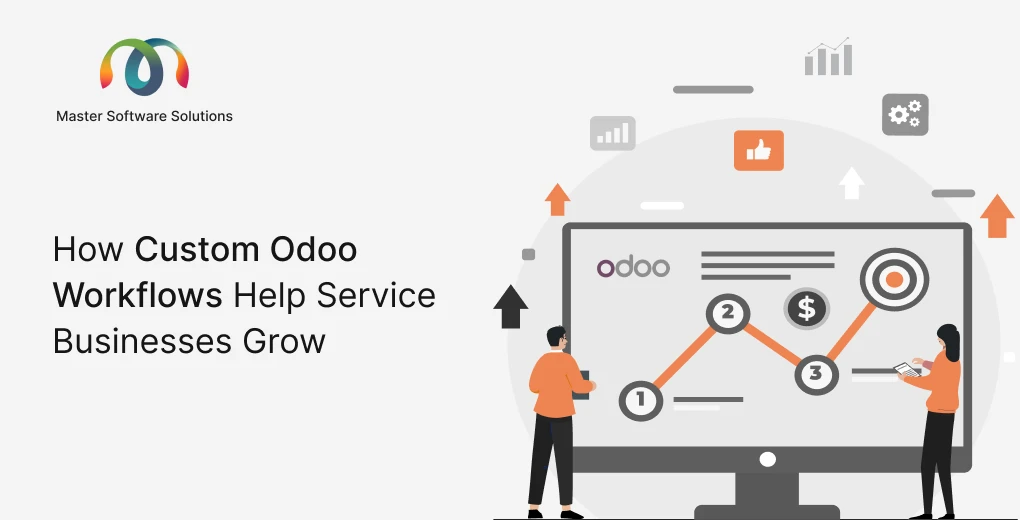
Service businesses don’t sell boxes. They sell time, expertise, and outcomes. Yet most off-the-shelf ERP software is still built as if every company ships physical products down a warehouse conveyor belt. That mismatch is exactly why so many consultancies, agencies, IT firms, maintenance providers, and professional service teams feel like they’re fighting their software instead of running their business.
This is where Odoo ERP customization changes the game. Odoo is modular, open, and flexible enough to be reshaped around your real processes: how you scope a project, how you assign resources, how you track billable hours, and how you turn a signed contract into an invoice. In this guide, we’ll walk through why custom workflows matter for service businesses, which Odoo modules to focus on, and how a specialized Odoo customization services provider can help you get there faster and safer.
Whether you’re evaluating Odoo for the first time or you already run it and feel boxed in by the defaults, this article will give you a practical, no-fluff roadmap.
Why Service Businesses Struggle With Standard ERP
Product companies have relatively predictable flows: procure, stock, sell, ship, and restock. Service companies are messier in the best possible way. Your “inventory” is people’s availability. Your “product” changes with every client. Your revenue depends on scoping accuracy, utilization rates, and how quickly you can bill for work already delivered.
Standard ERP configurations create friction because they assume:
- Every deliverable is a physical SKU
- Pricing is fixed rather than negotiated per engagement
- Work happens in discrete transactions rather than ongoing relationships
- Billing is triggered by shipment rather than by milestones, retainers, or time logged
The result? Teams end up duct-taping spreadsheets, standalone project tools, and manual invoicing onto their ERP. Data gets fragmented, reporting becomes unreliable, and leadership loses visibility into the numbers that actually matter: utilization, project margin, and cash flow.
Custom workflows fix this by molding the system to your operating model rather than forcing your operating model into the system. That’s the core promise of Odoo ERP customization services.
Ready to stop fighting your software? Talk to our Odoo experts about a workflow audit for your service business.
What “Custom Workflows” Actually Means in Odoo
A workflow is simply the sequence of steps a piece of work moves through and the automation that happens at each step. In Odoo, custom workflows can be built using several layers:
Automated actions and server actions
Trigger events automatically, like creating an invoice when a project stage changes or sending a follow-up email when a lead goes quiet.
Custom stages and pipelines
Redefine the columns in your CRM, project, and helpdesk boards so they mirror your real process, not a generic template.
Approval flows
Route quotes, expenses, and purchase orders through the right people before anything is committed.
Custom fields and models
Capture the data unique to your business, such as SLA tiers, engagement types, retainer balances, or certification requirements.
Cross-module logic
Connect CRM to Projects to Timesheets to Invoicing so a single client engagement flows end-to-end without re-keying data.
Done well, Odoo customization turns a stack of disconnected modules into one coherent system that reflects exactly how your service business earns money.
Core Odoo Modules for Service Business Workflows
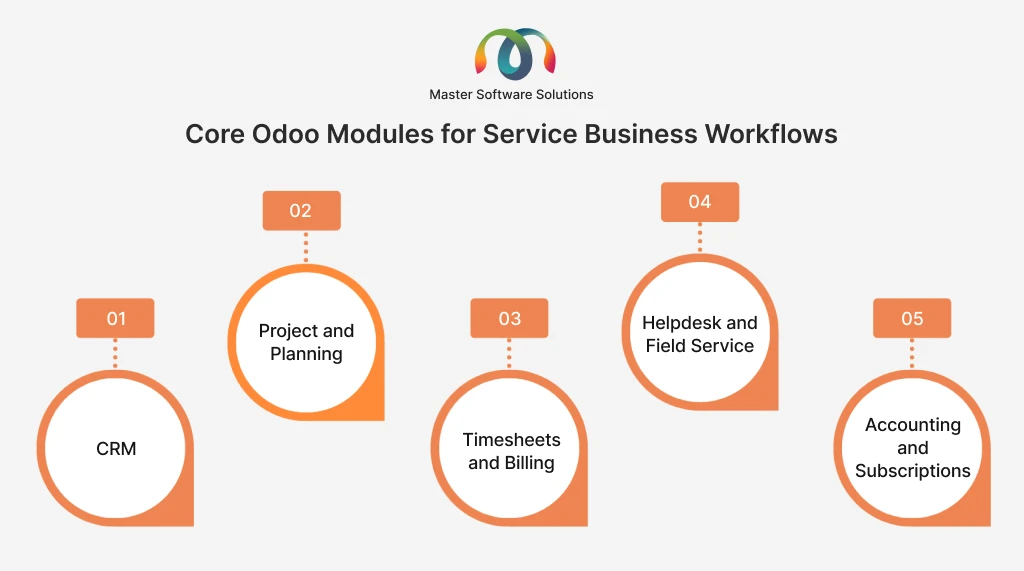
Let’s look at the modules that form the backbone of most service-oriented Odoo deployments and where custom workflows add the most value.
CRM: From Lead to Signed Engagement
Your pipeline is the front door of the business. With Odoo CRM customization, you can design a sales process that reflects how service deals actually close, which is rarely a single quote-and-buy transaction.
Useful customizations include lead scoring based on service fit, automated nurture sequences for slow-moving opportunities, custom stages for discovery and proposal review, and automatic handoff to project delivery the moment a deal is marked won. You can also tie CRM to reporting so leadership sees forecasted revenue by service line, not just by deal count.
Project and Planning: Delivering the Work
This is where service businesses live. Odoo’s Project module can be customized with task templates for repeatable engagements, milestone-based stages, resource planning that respects real availability, and automated status updates to clients. Notably, Odoo’s roadmap is bringing Services and Planning closer together, which strengthens capacity planning for teams that bill by time and availability.
Custom workflows here might auto-generate a project from a won opportunity, assign tasks based on skill tags, and flag projects that are trending over budget before they blow the margin.
Timesheets and Billing: Getting Paid for Every Hour
For time-and-materials and retainer businesses, the gap between work done and work billed is where profit leaks out. Custom Odoo workflows can enforce timesheet submission, convert approved hours directly into draft invoices, apply the correct rate card per client or role, and manage retainer drawdowns automatically. This is one of the highest-ROI areas of any Odoo ERP customization project.
Helpdesk and Field Service: Post-Sale Relationships
Recurring service and support are where client lifetime value is won or lost. Customizations include SLA-driven ticket routing, automated escalations, satisfaction surveys tied to closed tickets, and linking support activity back to the account so account managers have full context.
Accounting and Subscriptions: Predictable Revenue
For businesses moving toward recurring revenue, Odoo Subscriptions plus custom billing logic can handle tiered plans, usage-based charges, automatic renewals, and dunning for failed payments, all reconciled inside Odoo Accounting.
See how these modules connect for your specific model. Request a free Odoo workflow demo tailored to service businesses.
Real-World Custom Workflow Examples
To make this concrete, here are workflow patterns we frequently build for service clients through our Odoo ERP customization services.
Quote-to-project automation
A salesperson marks an opportunity as won. Odoo automatically creates the project, copies the scoped tasks from a template, assigns a project manager based on service line, and notifies the delivery team, all without a single manual step.
Milestone billing
As each project milestone is marked complete, Odoo generates a draft invoice for the associated percentage of the contract value and alerts finance for review. No more chasing “did we bill for phase two?”
Utilization dashboard
Custom reporting pulls timesheet data against capacity to show billable utilization per consultant, per team, and per month, giving leadership an early warning system for both overwork and idle capacity.
Renewal and upsell triggers
Thirty days before a retainer or subscription ends, Odoo creates a renewal opportunity in CRM, assigns it to the account owner, and drafts a renewal email, turning churn risk into a proactive conversation.
Each of these is achievable with configuration and targeted custom development, and each removes hours of manual coordination every week.
Odoo Website and Portal Customization for Service Clients
Client experience doesn’t stop at delivery. Odoo website customization lets you build service-specific booking pages, gated resource libraries, and lead-capture forms that feed directly into your customized CRM pipeline.
Just as importantly, the Odoo customer portal can be tailored so clients log in to see project progress, approve milestones, download invoices, and submit support tickets. For service businesses, a well-designed portal reduces status-update emails, speeds up approvals, and makes your firm look far more polished than competitors still trading spreadsheets over email.
Configuration vs. Custom Development: Knowing the Difference
Not every improvement requires code. A big part of the value a good Odoo customization services providing company delivers is knowing when to configure and when to build.
Configuration covers stages, automated actions, custom fields, reports, and access rights, and it’s fast, low-risk, and upgrade-safe. Custom development comes in when you need bespoke logic, deep third-party integrations, or entirely new models that Odoo doesn’t ship out of the box.
The right partner starts with configuration wherever possible, reserves custom code for genuine differentiators, and always weighs how a customization will behave through future Odoo upgrades. Odoo 19 arrived in September 2025 with the 19.1 refinement in January 2026, and Odoo 20 is expected around late 2026, so upgrade-safe design matters more than ever. You can review the modules yourself on the official Odoo Apps directory and the Odoo developer documentation to understand what’s native versus what needs building.
How to Choose an Odoo Customization Partner in the USA
The technology is only half the equation. The team implementing it determines whether you get a system that fits like a glove or a half-finished project that stalls. When evaluating an Odoo customization partner in the USA, look for the following.
Service-industry experience
A partner who has built utilization dashboards and milestone billing before will move faster and warn you about pitfalls you can’t see yet.
A discovery-first process
Great partners map your current workflows before touching the system. If someone quotes you a fixed build before understanding how you scope and bill work, be cautious.
Upgrade-safe engineering
Ask how they handle Odoo version upgrades. Poorly written customizations become a liability every release cycle.
Transparent communication
You want a team that explains trade-offs in plain language, not one that hides behind jargon.
Ongoing support
Your business will evolve, and your workflows should too. Choose a partner offering long-term support, not just a one-time launch.
Master Software Solutions checks each of these boxes as a dedicated Odoo customization services providing company, helping service businesses across the USA turn Odoo into a genuine competitive advantage.
Looking for a proven partner? Explore our Odoo customization services and see how we tailor Odoo to service teams.
Implementation Roadmap: From Audit to Go-Live
A successful Odoo ERP customization project for a service business typically follows five phases.
- First, a workflow audit documents how leads, projects, time, and billing move through your business today.
- Second, a design phase maps those flows to Odoo modules and identifies where configuration ends and custom development begins.
- Third comes the build, ideally in short iterations so you see progress and can course-correct.
- Fourth is user training and data migration, because even the best system fails if the team won’t adopt it.
- Finally, go-live and continuous improvement, where you refine workflows based on real usage and add automation as confidence grows.
Trying to boil the ocean on day one is the most common reason ERP projects stall. Start with the workflow that hurts most, prove the value, and expand from there.
Common Mistakes to Avoid
Even strong teams trip on a few recurring issues. Over-customizing early locks you into rigid processes before you understand the software’s native strengths. Skipping the discovery phase leads to building the wrong thing beautifully. Ignoring change management means a technically perfect system that nobody uses. And neglecting upgrade-safety turns every new Odoo release into a firefight.
A seasoned Odoo customization services provider helps you sidestep all four by pacing the work, prioritizing adoption, and engineering for the long term.
Final Thoughts
Service businesses win on relationships, expertise, and execution, not on wrestling with software. The right custom workflows turn Odoo from a generic ERP into a system that mirrors exactly how you sell, deliver, and bill. From CRM to project delivery to milestone invoicing and client portals, every step can be shaped around your reality.
The key is a thoughtful, phased approach guided by a partner who understands both Odoo and the service-business model. That combination is what separates a stalled ERP project from a system your team actually loves to use.
Turn Odoo into your competitive edge. Book a free consultation with us and let’s design custom workflows that fit your service business perfectly.