Quantity-Based Price Slabs
Set discounted prices that unlock when a customer's monthly order volume crosses each minimum quantity.
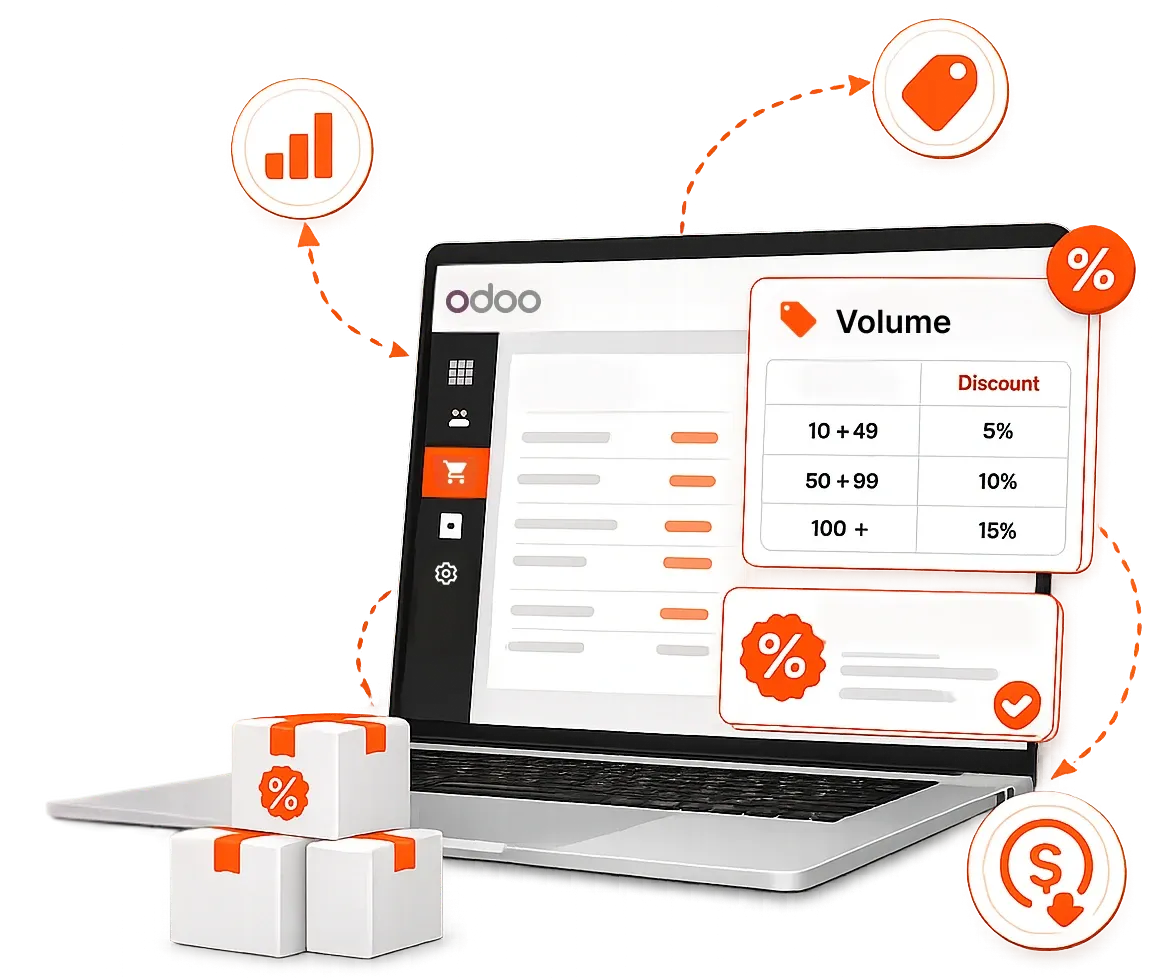
An Odoo plugin that automatically adjusts prices on sales orders based on predefined quantity slabs — the more a customer buys in the current month, the better the price they get.
Define multiple price tiers per product once, and every new order applies the right discounted rate against the customer's cumulative monthly volume with no manual checks or spreadsheets.
Founded
Professionals in our Team
Clients Served
Countries on Global Map
Everything you need to run volume-based B2B pricing inside Odoo. Define your slabs once, and the plugin keeps every sales order priced correctly against the month's running total.
Set discounted prices that unlock when a customer's monthly order volume crosses each minimum quantity.
Define as many tiers as you need for a single product, e.g., $15/liter over 100 liters, $10 over 150, and $8 over 200.
Slab prices apply automatically on new sales orders based on the current month's cumulative order quantity.
Choose how each price rule works: a fixed price or a discount off the list price.
Apply rules to specific products or product types, straight from the standard Odoo pricelist screen.
Add a date range to any rule so promotional slabs start and stop exactly when you want.
When a customer crosses a threshold mid-month, a pop-up prompts "Update Price," the new rate applies instantly on the order.
Pricing is evaluated against the current month's order quantity only, so every month starts fresh.
From slab definition to discounted order, all inside the standard Odoo Sales flow.
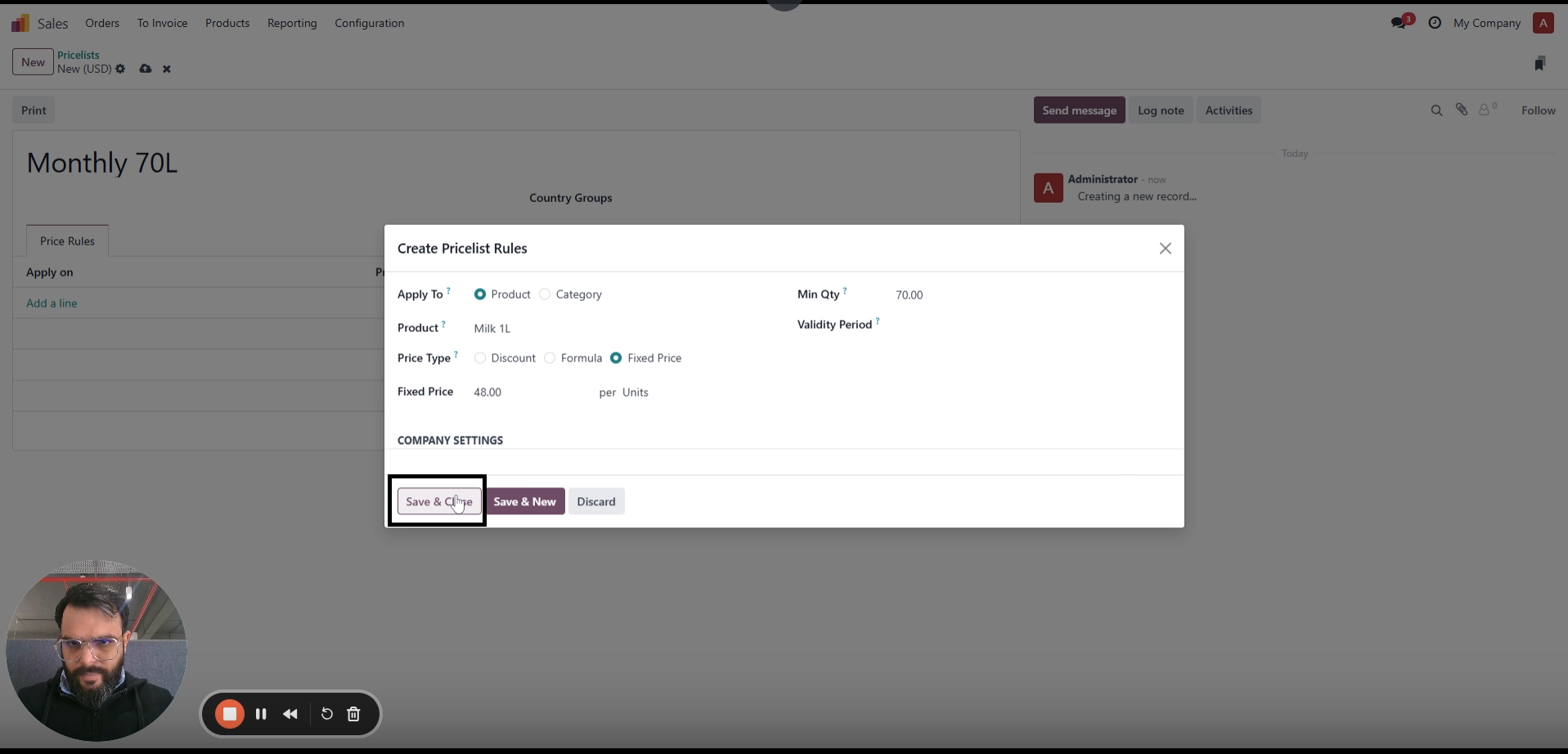
You can select the product, set its minimum quantity, and set the fixed discount amount. The price is applied based on the quantity ordered.
Open the Sales module in Odoo. Click "Products" from the menu and click on "Pricelist."
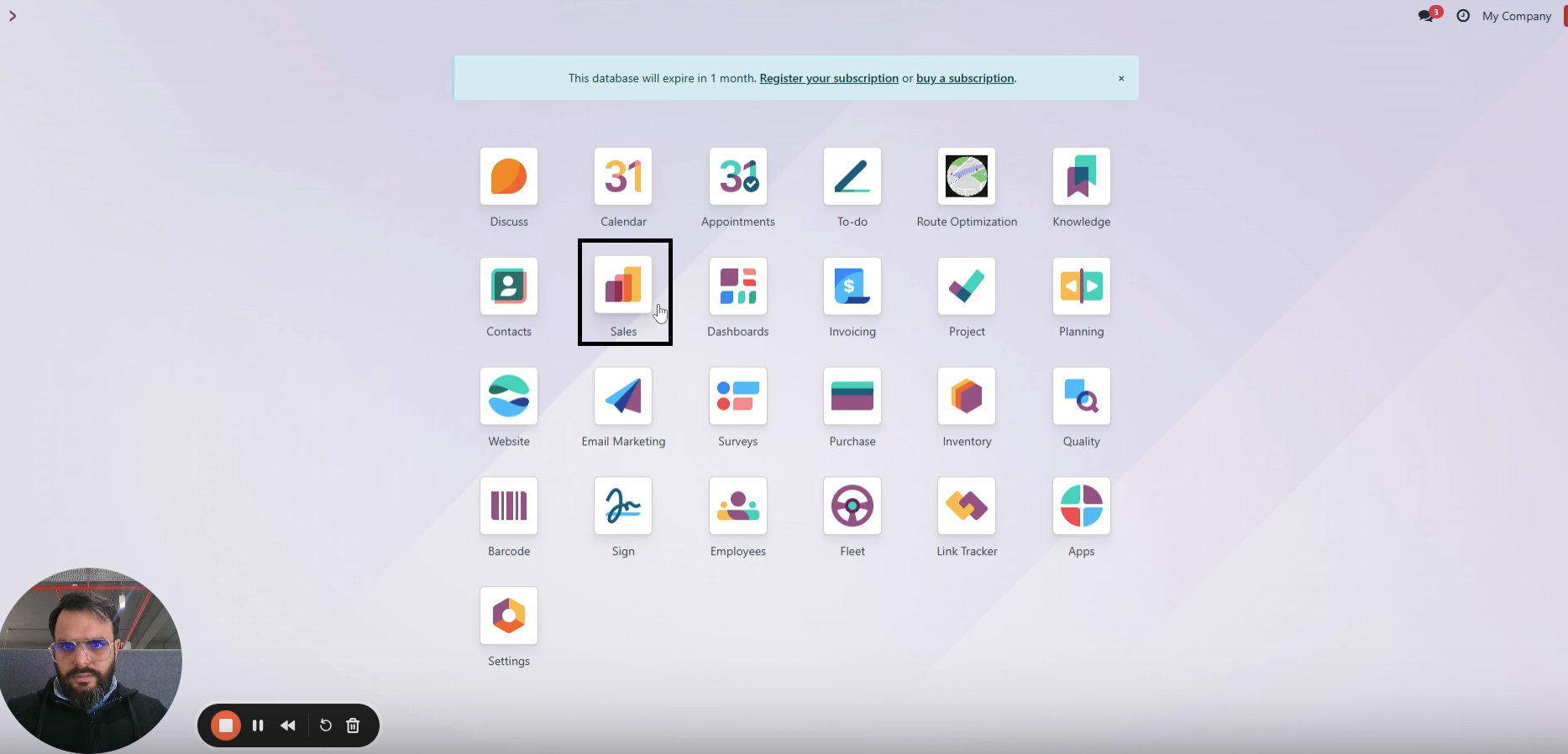
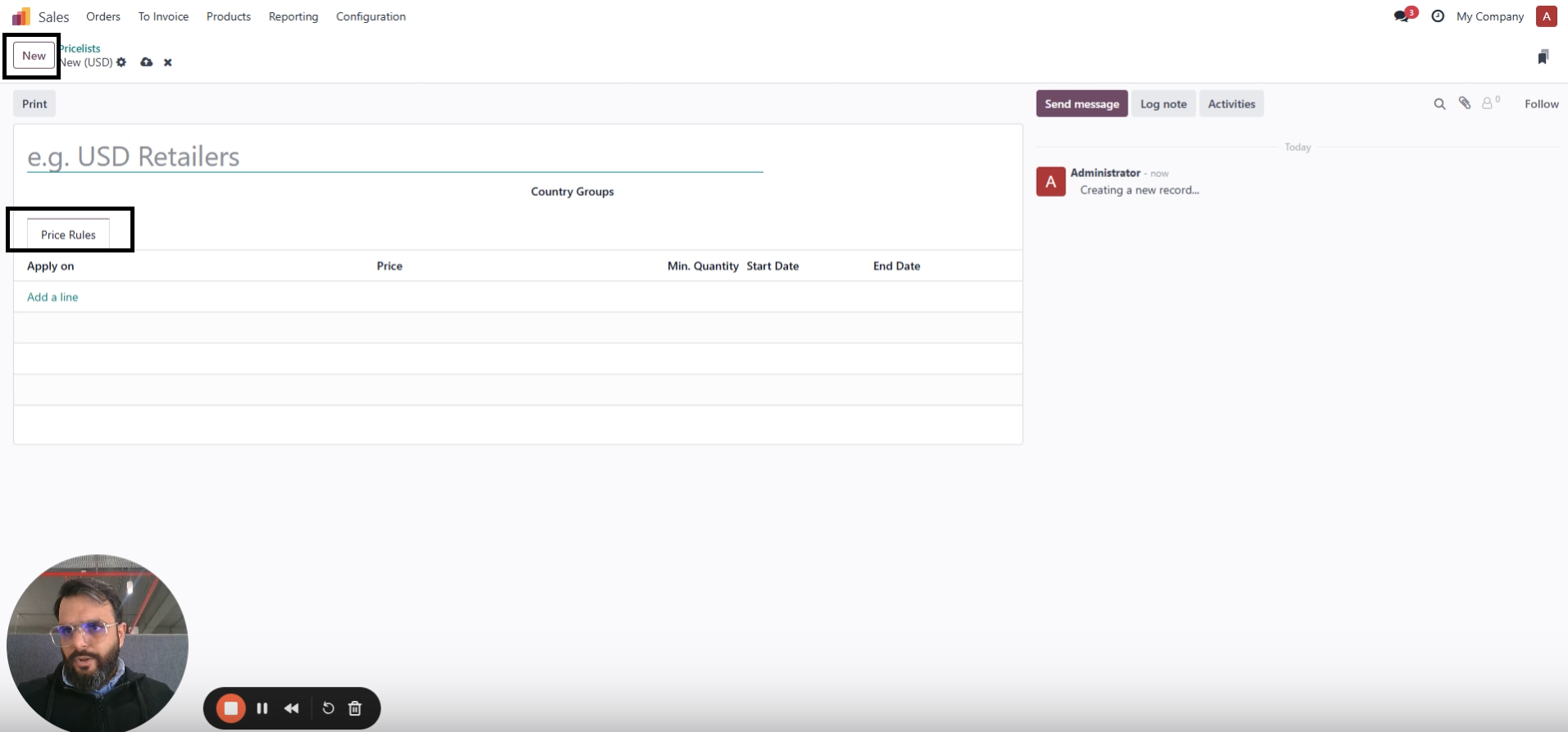
Click on "New" to define a price for a product.
Under the "Price Rule" tab, click on "Add Line."
Choose the type of price you want to define — Fixed amount or Discount — then select the type of products you want to apply the price to.
Define minimum quantity — the monthly volume a customer must cross before this slab price applies.
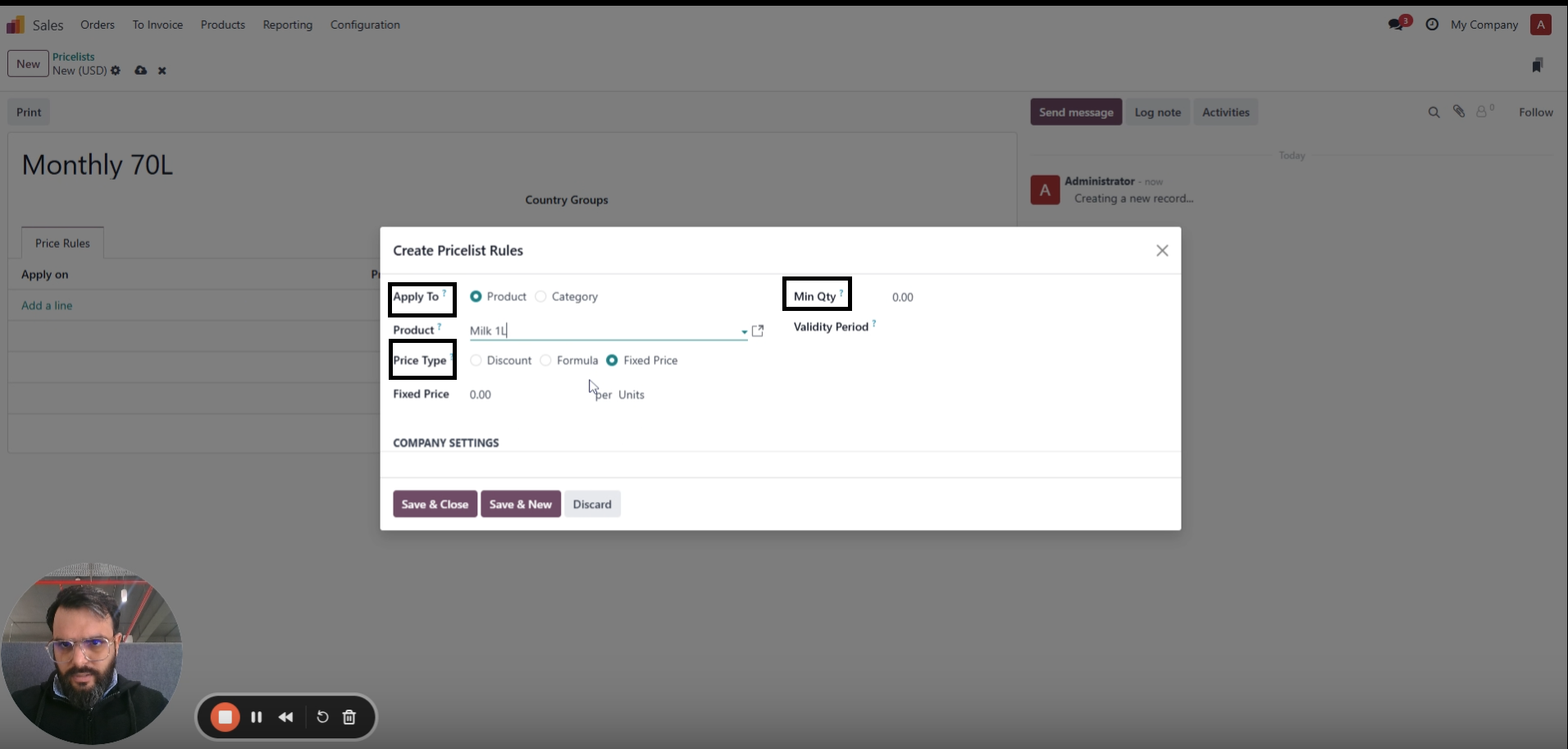
You can also add a time range to define its validity.
Click save.
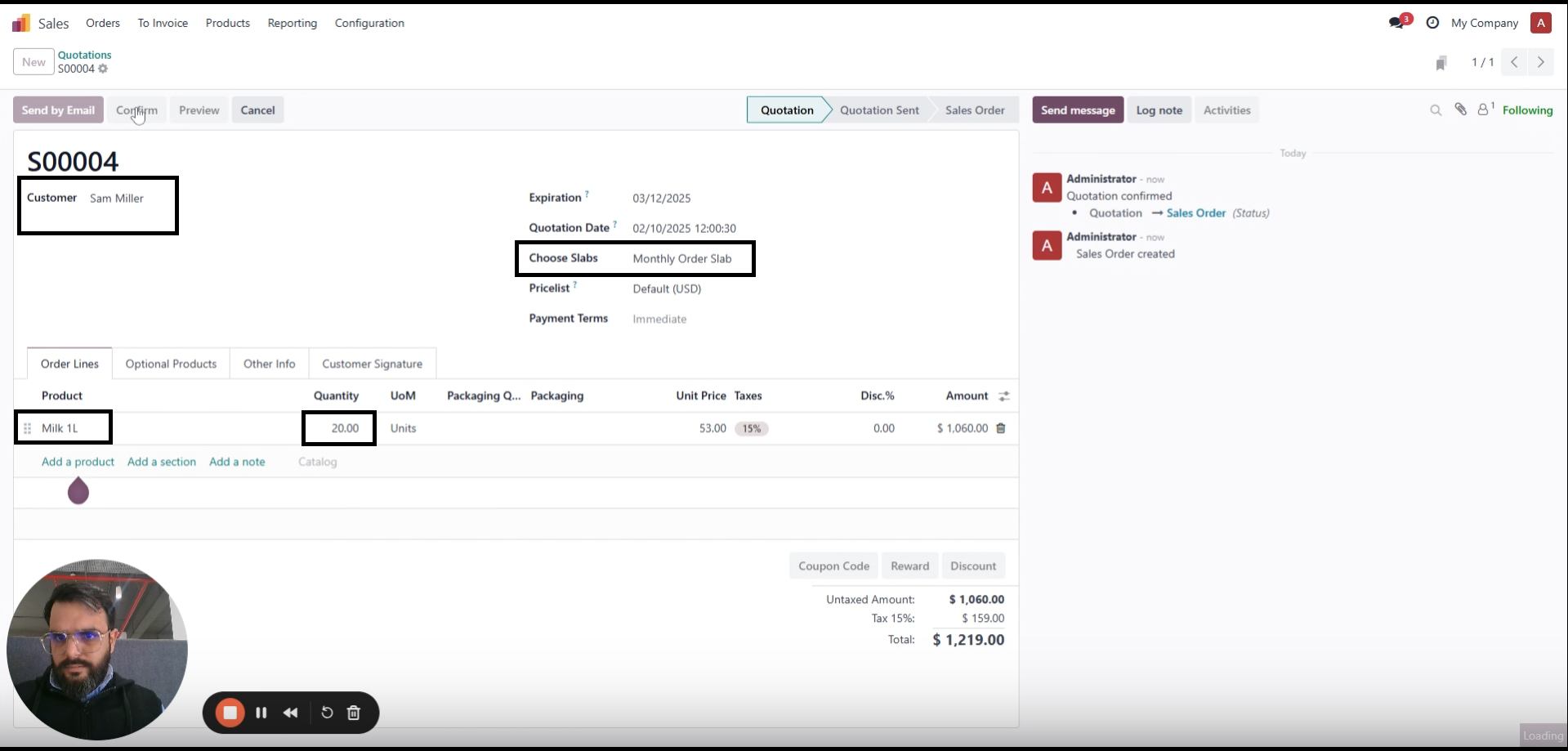
Open the sales module. Click "New" to create new orders.
Select customer, and choose price slab as "Monthly Order Slab."
Add product and quantity to be ordered.
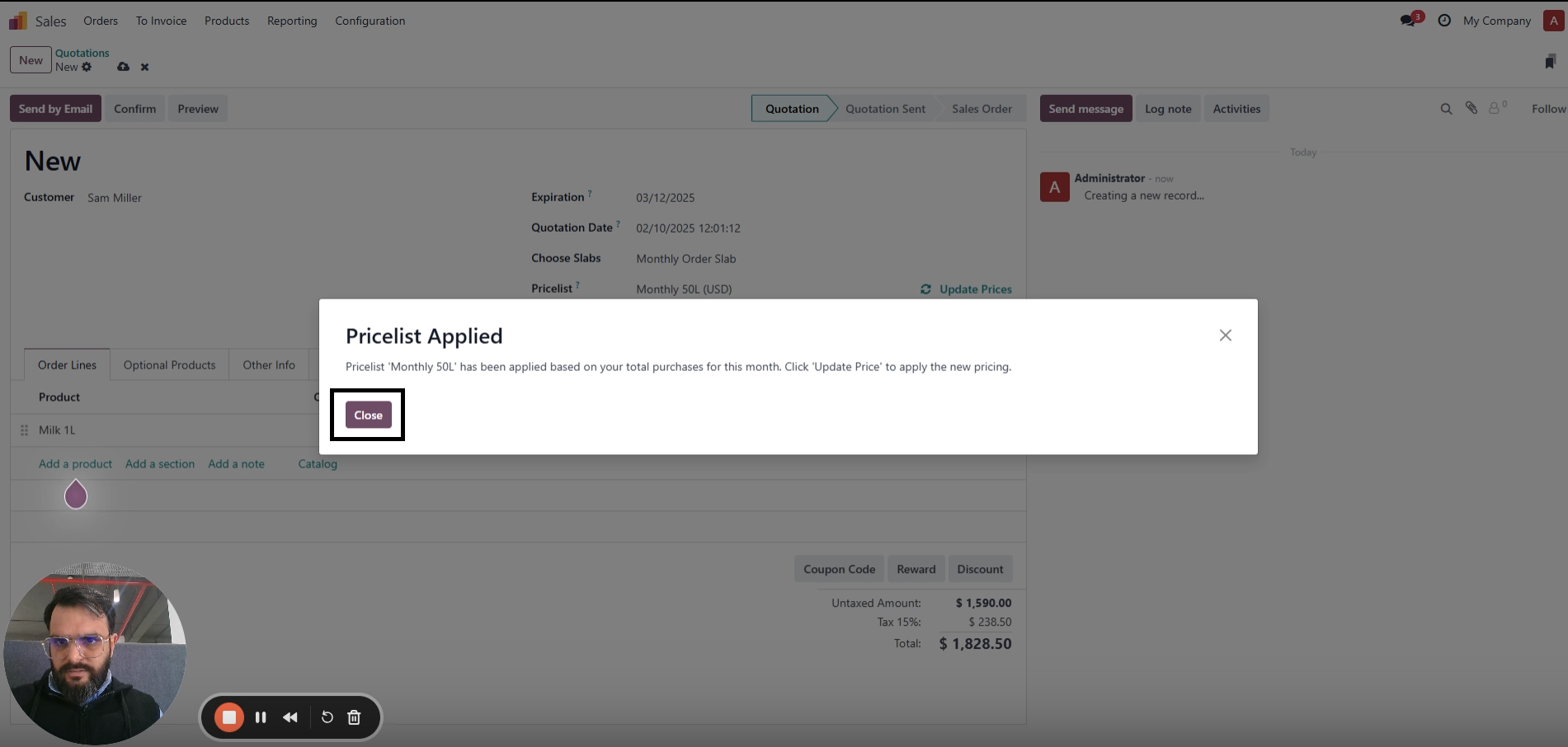
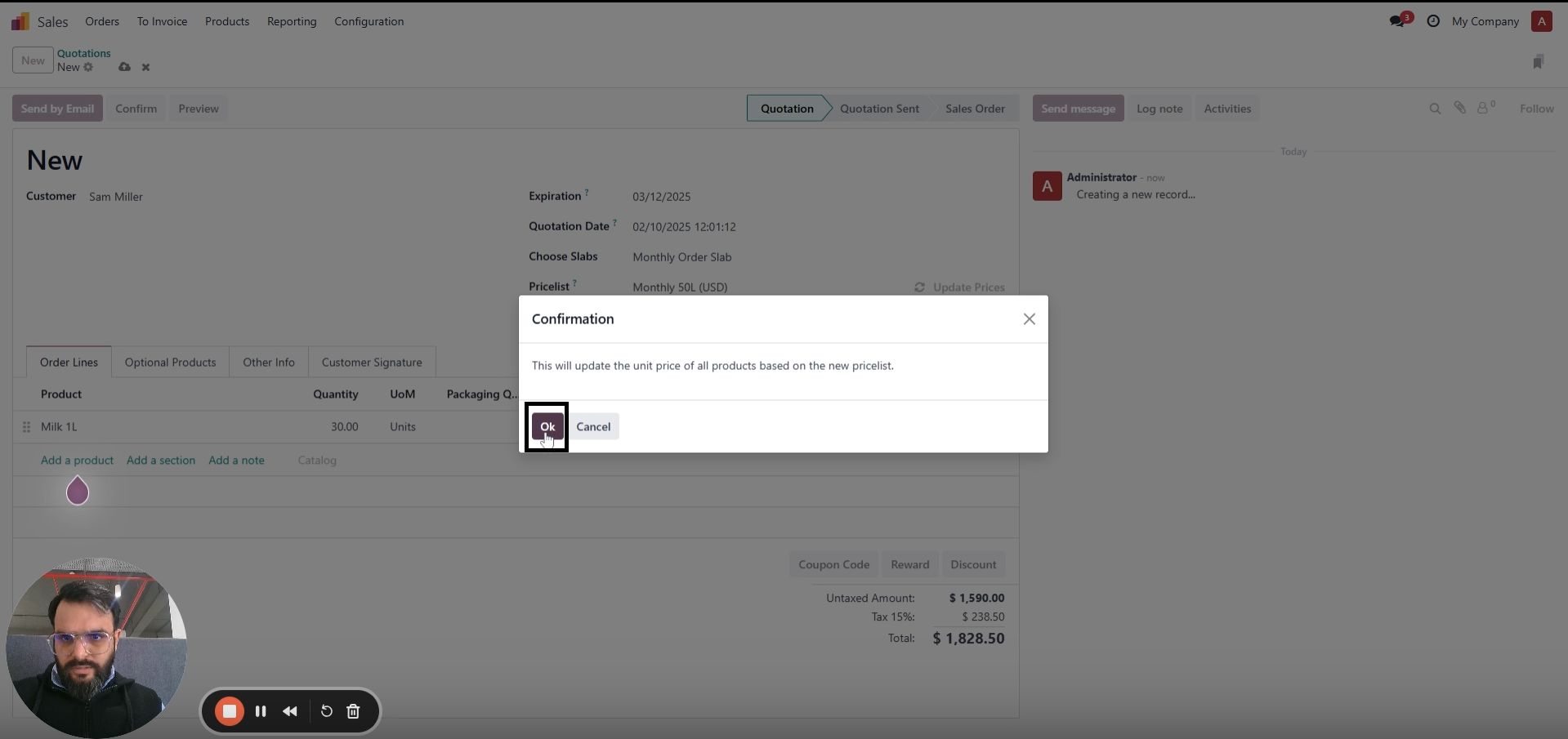
A pop-up appears: "Click on update price. The discount will be applied if your customer has exceeded the minimum quantity order for the month."
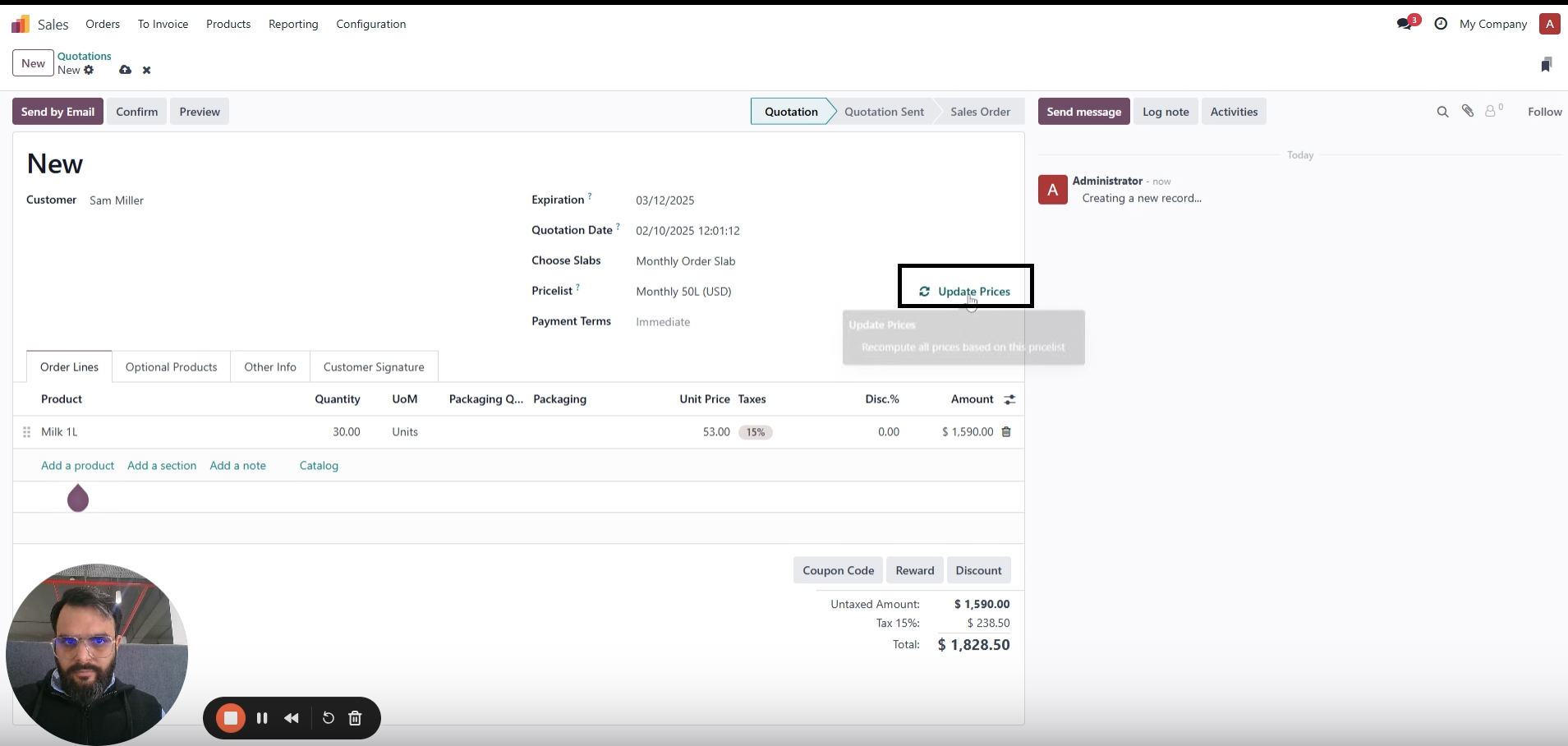
Click on "Update Price" and the discounted unit price is applied to the order lines.
Volume discounts are the backbone of B2B selling, but tracking who has bought how much this month and which rate they've earned is exactly the kind of manual work where money leaks.
Your best customers get their earned rates on every order; no one has to remember, calculate, or approve.
Slab rates come from predefined rules, not manual edits, so no more undercharging or overcharging on big accounts.
Visible volume tiers give customers a concrete reason to consolidate purchases with you and order more each month.
No more checking past orders before quoting, cumulative monthly volume is tracked and applied by the system.
Every salesperson applies the same slabs, and time-bound rules let you run promotions with a fixed start and end.
Built on the standard Odoo pricelist and sales order flow, nothing new for your team to learn.
See a sales order re-price itself the moment a customer crosses their monthly slab, on a live Odoo system. Request a live preview and bring your own pricing tiers to test.
mss_volume_based_pricing