First Launch: The Welcome Tour
The first time a user opens OdooLens Plus, a short "Welcome" tour pops up. It introduces the chat assistant and explains that it understands plain, everyday questions about using Odoo.

OdooLens Plus is a user guidance plugin that helps users build a basic understanding of the modules & their workflows.
No manuals to read, no guessing, just clear steps every time.
Founded
Professionals in our Team
Clients Served
Countries on Global Map
Are you a new Odoo user trying to understand various modules? It's not easy at the start. Odoo has many modules, and each one comes with its own menus, tabs, and settings, which leaves most new users guessing for the first few weeks.
As a new user, you don't know where to click to create a quotation, how to set up a workflow, or which app to install first. Mostly, the user gets stuck here on day one, and many give up before they even feel comfortable. To fix this, OdooLens Plus is a user guidance plugin that helps users build a basic understanding of the modules & their workflows. No manuals to read, no guessing, just clear steps every time.
OdooLens Plus is a user guidance plugin for Odoo. Instead of leaving new users to explore modules on their own or go through documentation, OdooLens Plus works like a built-in coach. Users type their questions into a chat window, and OdooLens Plus answers with clear, step-by-step instructions for the exact module and task they're asking about.
Here, we will go through the step-by-step working of OdooLens Plus, from the moment you open it for the first time to the point where you can handle any module with confidence.
The first time a user opens OdooLens Plus, a short "Welcome" tour pops up. It introduces the chat assistant and explains that it understands plain, everyday questions about using Odoo.
When the user is unaware of any of the modules, i.e, sales, inventory, purchase, etc., and does not know what questions should be asked. OdooLens Plus is there to help you. For example, you type sale & OdooLens Plus creates some specific questions specific to sales that help users to create a hook to move further.
The Questions will be:
Instead of guessing at the right phrasing, the user picks the closest match and moves straight into an answer.
In this use case, when the user asks something specific, like "How do I create the purchase order?" OdooLens will generate the answers via the OdooLens Plus plugin integrated in it, & provides information step by step for better understanding.
If you want to walk through every task in the purchase order, OdooLens Plus creates a "show me" button to perform the task step by step. Walking through the process doesn't just tell the user what to read; it shows them exactly where to click.
Not every new user has every app installed, and OdooLens Plus plans for that. If someone asks about a module that isn't active yet, like finance, it gives simple installation steps instead of an error message:
Once it's installed, OdooLens will generate the answers via the OdooLens Plus plugin to guide the user through finance right away.
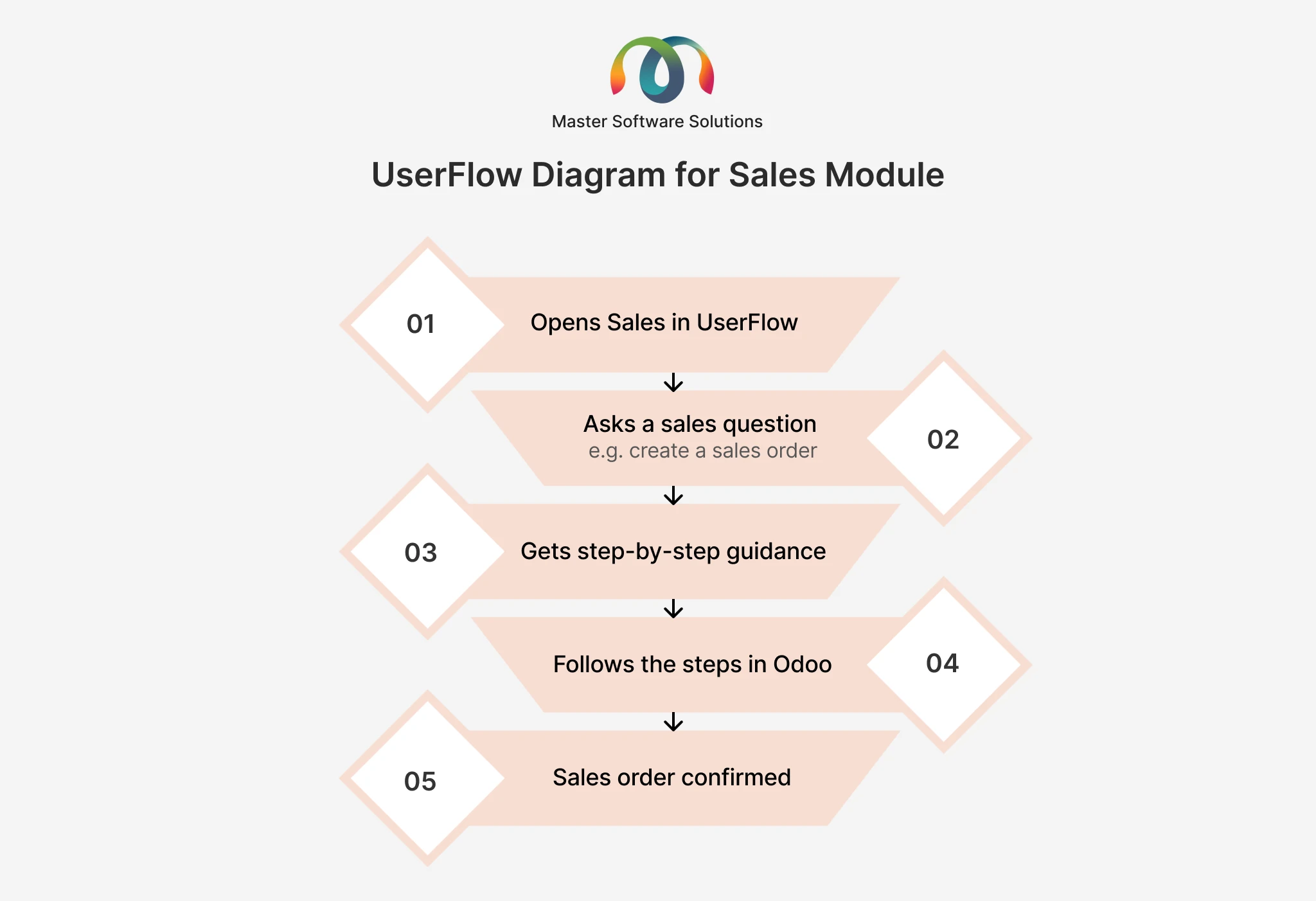
Just like Sales, OdooLens Plus guides you through every other module in the same way. Ask about Purchase, Inventory, Finance, CRM, or Reporting, and you'll get the same clear, step-by-step instructions to follow.
New employees don't need to sit through long training sessions before they can start working. They open OdooLens Plus, ask what they need to know, and get moving the same day. This means new hires become productive in days instead of weeks.
Most beginner questions, like how to raise a quotation or install an app, get answered right inside the chat. IT and support staff no longer have to handle repeated basic tickets, so they can focus on real technical issues.
Every employee gets the same accurate steps, no matter who trained them or when they joined. This removes the risk of one person learning a shortcut that's actually wrong, or two people doing the same task in different ways.
Instead of reading documentation before starting work, users learn while they work. They ask a question, follow the steps, and complete the task at the same time. This makes the learning stick faster than reading a manual in advance.
OdooLens Plus doesn't stop at the modules you already have installed. If a user asks about a module that isn't active, OdooLens Plus shows them how to install it first, so there's never a dead end in the conversation.
New users stop guessing which button to click and start acting with certainty. This lowers the number of mistakes made in daily work, like wrong entries or skipped steps, which saves time for the whole team later.
Teams don't need to keep writing and updating internal guides every time Odoo changes. OdooLens Plus answers questions directly, so the plugin itself becomes the always-up-to-date manual.
Whether you're onboarding one new employee or fifty, OdooLens Plus gives the same quality of guidance to everyone at once, without needing more trainers or more time from your team.
From setup to sales numbers, customer records, invoices, and inventory, get it all from one chat inside Odoo.

Are you a new Odoo user trying to understand various modules? It’s not easy at the start. Odoo has many modules, and each one comes with its own menus, tabs, and settings, which leaves most new users guessing for the first few weeks. As a new user, you don’t know where to click to create
Continue Reading
Here's the part that makes OdooLens Plus even more useful. OdooLens plugin comes along with OdooLens Plus to give the users complete information about the Odoo data, as well as a basic understanding of the modules.
Learning Odoo doesn't have to feel like extra work. OdooLens Plus guides new users through every module with simple, step-by-step answers, so they always know what to click and why, right from their first login. This leads to faster onboarding, fewer support requests, and a team that actually uses the tools they've been given.