Customer-Specific Benchmarks
Define product-specific sales benchmarks for each customer, with customizable targets and timeframes.

Monitor customer-wise product sales benchmarks, track expected vs. achieved revenue, and manage predefined trading agreements, all inside Odoo.
Built for B2B businesses operating under trading agreements, such as payment terms, delivery schedules, pricing, order minimums, and SLAs, where accuracy and accountability matter.
Founded
Professionals in our Team
Clients Served
Countries on Global Map
From customer-specific targets to deviation reports, the plugin automatically gives you enterprise-grade visibility into whether every trading agreement is being honored.
Define product-specific sales benchmarks for each customer, with customizable targets and timeframes.
Set benchmark rules by revenue or by quantity on individual products or entire product categories.
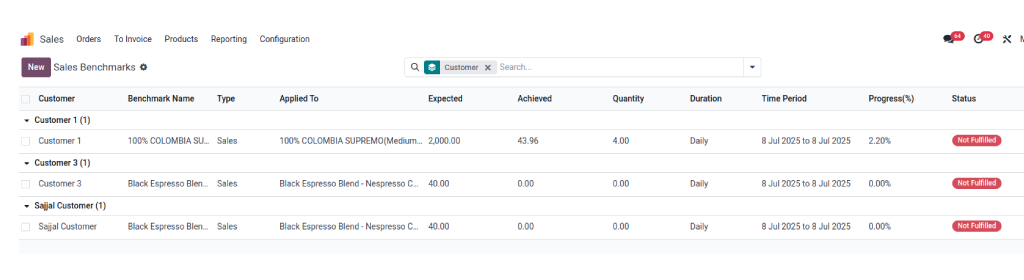
Compare expected and achieved revenue in real time, with a "Fulfilled" / "Not Fulfilled" tag on every benchmark.
Track predefined agreements, such as payment terms, delivery schedules, pricing, order min/max, and SLAs, with automated alerts.
See how every customer performs against their agreement, with KPIs, trends, and benchmark history.
Spot deflections from customer agreements early and reconcile benchmark data against current sales progress.
Track benchmarks over a standard or fully custom period; choose any duration and duration unit.
Assign several benchmarks to one customer for different products, right from the contact form.
Filter by customer, product, or period, and export reports to PDF, Excel, or CSV.
From setup to insight, inside the standard Odoo Sales and Contacts flow.
By Sales Module
Go to Sales Module > Products > Benchmark. Click on New. Choose the product to which you wish to apply the benchmark. You can set benchmark rules based on "Sales" and "Quantity."

By Sales
Create the name of the Benchmark and click on "Add a line" from the "Benchmark Section". Fill in the expected revenue and choose the period.
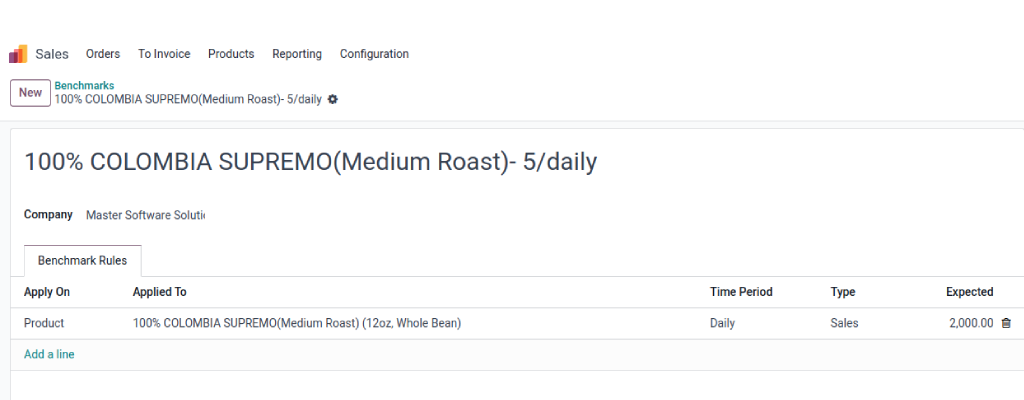
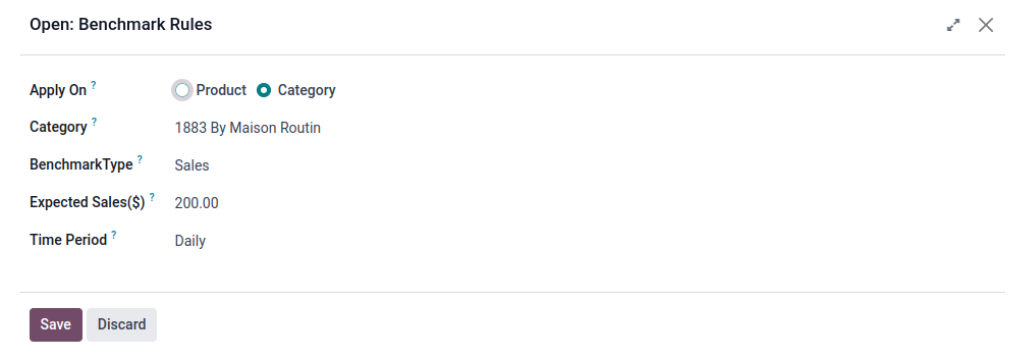
You can define benchmark rules by sales on a product or category.
On Product
On Category
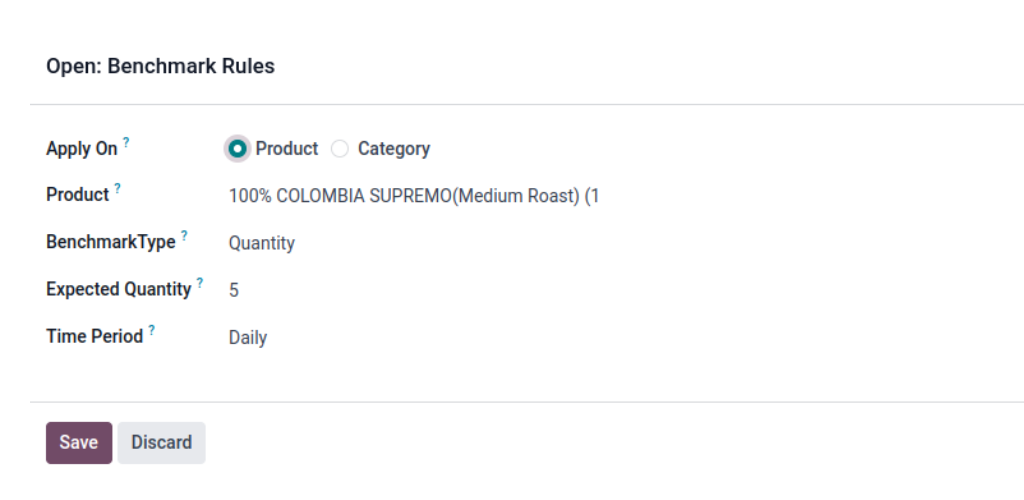
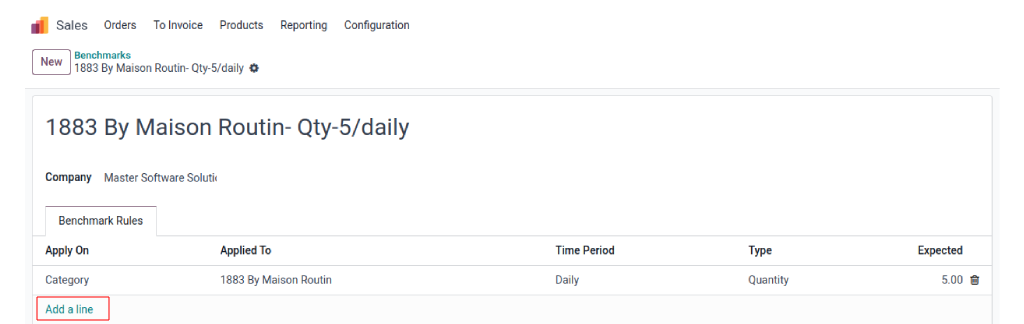
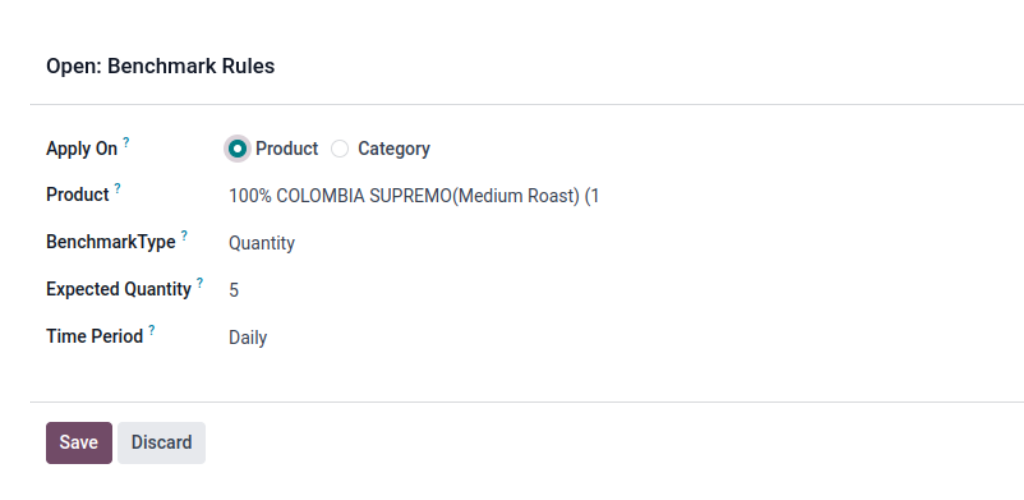
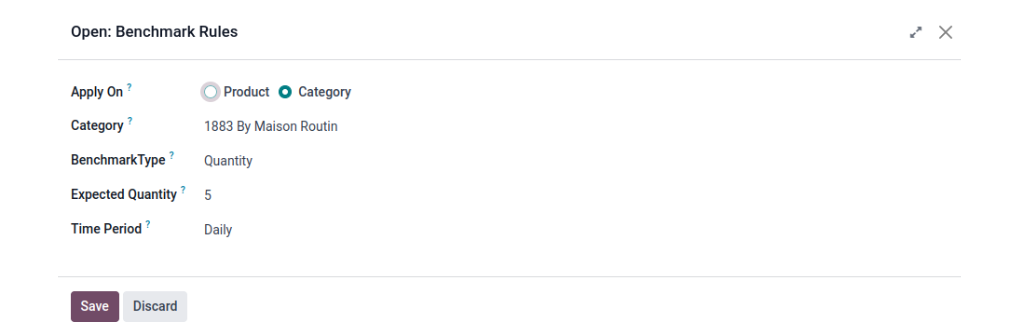
You can define benchmark rules by quantity on a product or category.
Fill in the expected quantity and choose the period. Create the name of the Benchmark and click on "Add a line" from the "Benchmark Section".
On Product
On Category
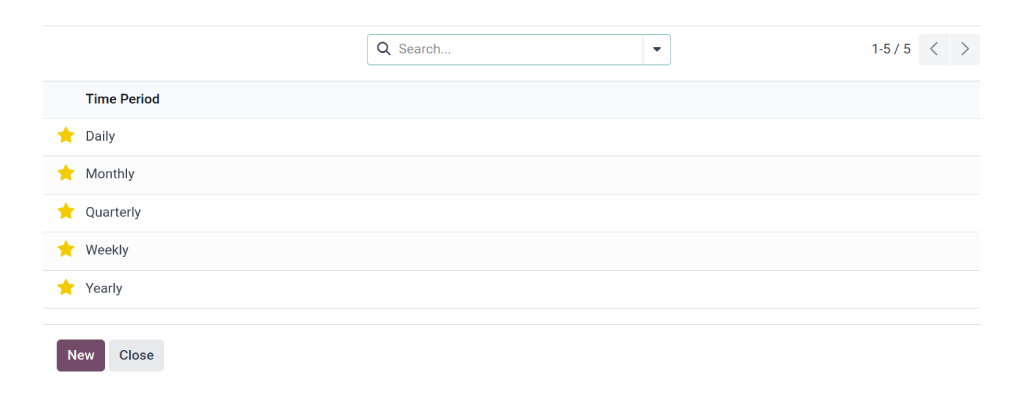
You can select the custom period. Click on the drop-down arrow and select "Search More."
A list appears, showing all the periods. Clicking on the "New" button allows you to create a custom period.
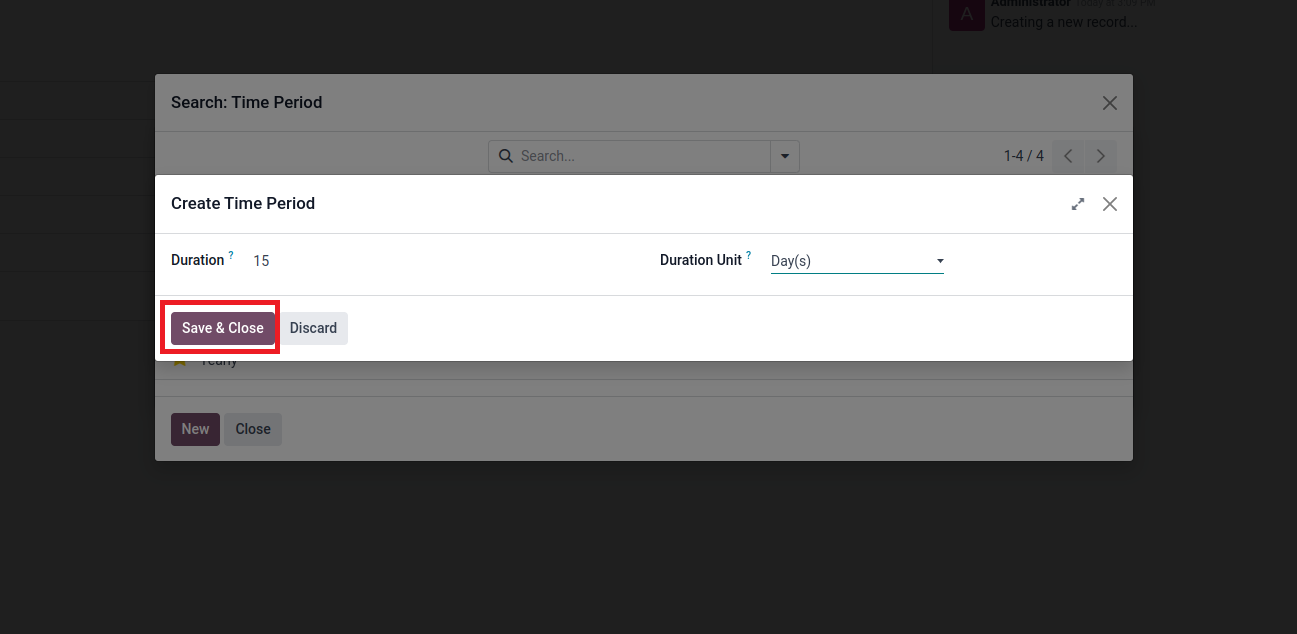
Select the Duration and the Duration Unit. Click on "Save & Close". The Benchmark is created.
You can assign the benchmark while creating a new contact from the Contact Module or the Sales Module.
Go to the Contact Module and click on "New." Once the contact information has been entered, select Benchmark from the drop-down menu. Choose a predefined Benchmark.
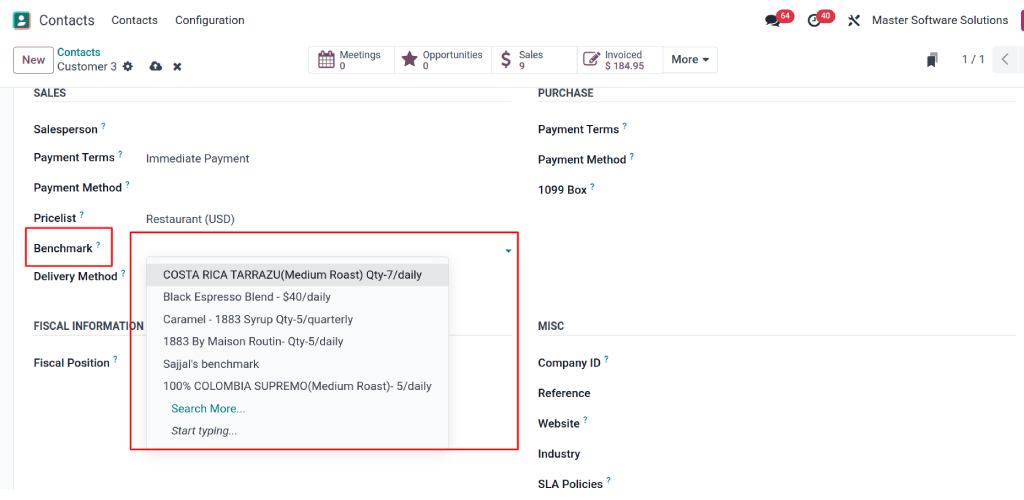
You can assign multiple Benchmarks to a single customer for different products.
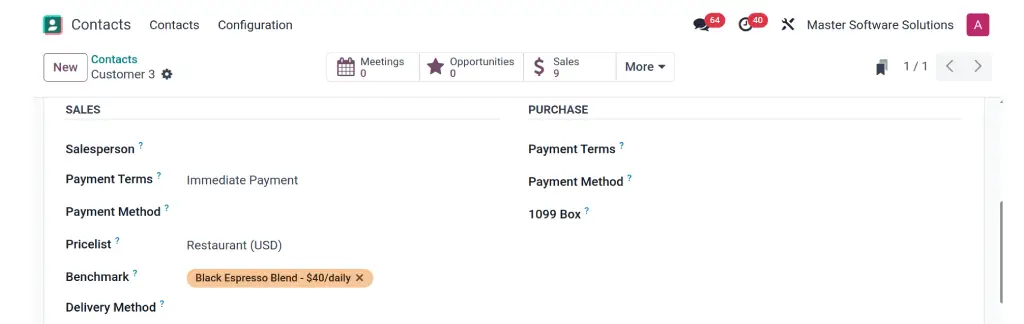
You can also create a new benchmark while creating a new contact.
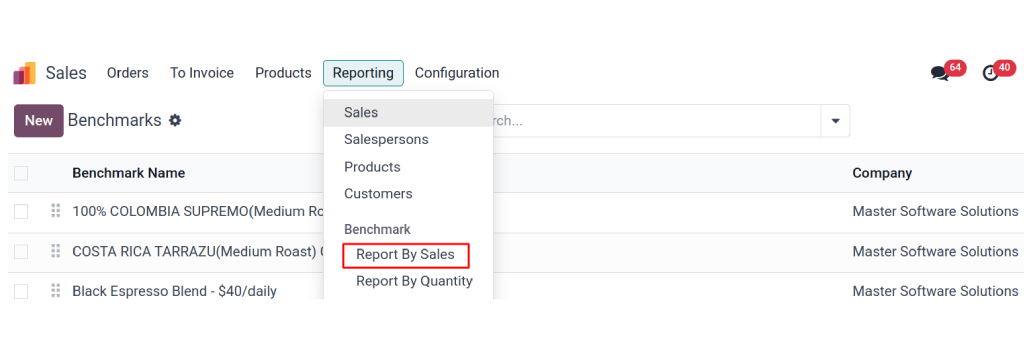
Reports by Sales
Sales Module > Reporting > Benchmark > Reports By Sales
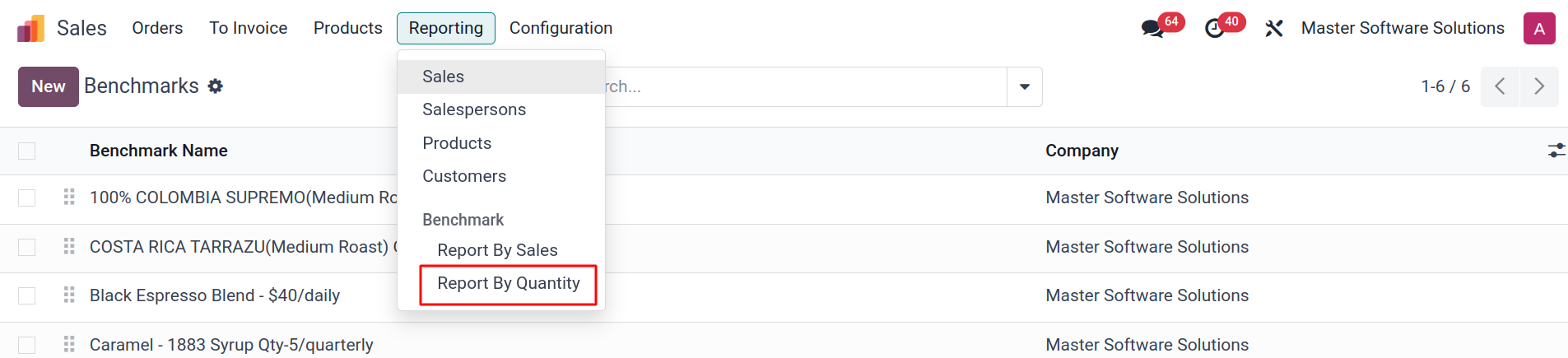
Reports by Quantity
Sales Module > Reporting > Benchmark > Reports By Quantity
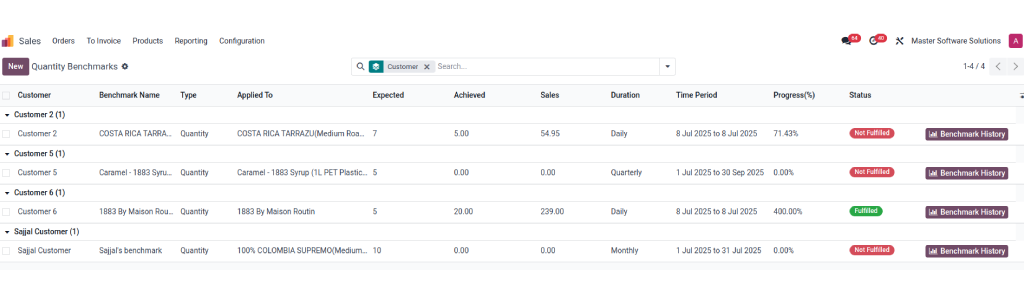
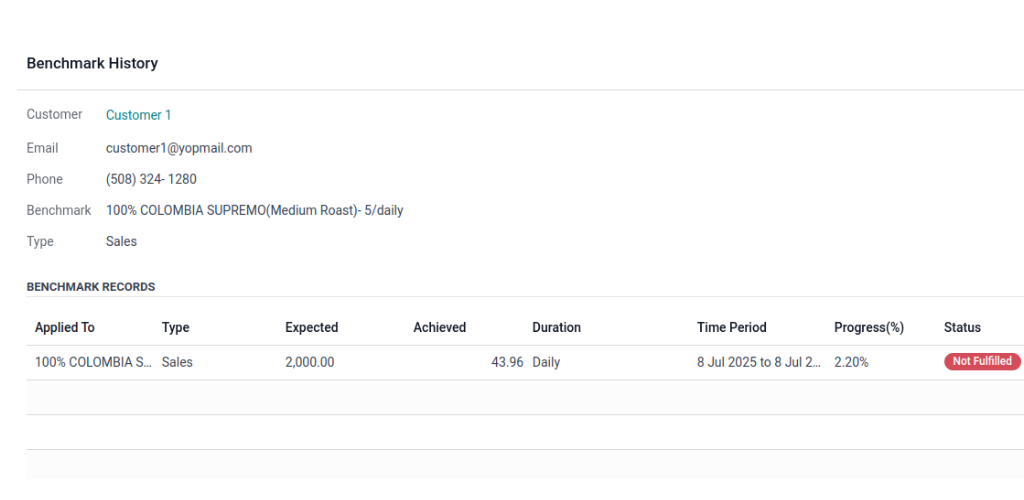
You can check the benchmark history in detail. Click on Benchmark history. All the data for the previous definite periods will appear here.
B2B relationships run on commitments, but when tracking them means manual checks across orders and spreadsheets, deviations surface too late. This plugin makes every agreement measurable and every customer accountable, automatically.
Negotiated terms, including SLAs, order quantities, and payment schedules, are monitored continuously, not just at renewal time.
Benchmark history shows how often each client meets their targets, so you can spot and resolve performance gaps early.
Identify high- and low-performing accounts at a glance and take corrective action where it pays off most.
Automated dashboards replace manual tracking, reducing time spent on reporting by up to 80%.
Tracked performance data feeds better revenue projections and stronger, evidence-based contract negotiations.
Clear agreement terms and a reliable track record strengthen long-term B2B relationships and improve retention.
See expected vs. achieved revenue for your key accounts live on an Odoo system with fulfilled and unfulfilled benchmarks flagged automatically. Book a personalized demo or try the live preview today.
mss_benchmark_tracking
Master Software Solutions has developed a B2B Sales Benchmark Tracking Odoo plugin for version 18.0 and can be deployed on Odoo.sh or on-premises. The plugin can be downloaded from the Odoo website. To use this plugin, you need to install the Contacts, Discuss, Sales, and Invoicing modules. What is B2B Sales Benchmark Tracking? B2B Sales
Continue Reading