Running Shopify and Odoo as two disconnected systems means someone on your team is copying order data, updating stock counts, and re-entering customer details by hand every single day. It works until it doesn’t. A missed stock update leads to overselling. A delayed order sync delays fulfillment. A duplicate customer record breaks your reporting.
Odoo-Shopify integration solves this by connecting your storefront directly to your ERP so inventory, orders, and customer records move between the two systems automatically in real time. This guide breaks down how it works, what it fixes, and how to choose the right partner to implement it.
Looking for hands-on help? Master Software Solutions’ Odoo Integration Services team builds and supports Odoo–Shopify connections for growing e-commerce brands.
What Is Odoo Shopify Integration?
Odoo-Shopify integration is the process of connecting your Shopify storefront with Odoo ERP so data flows between the two platforms without manual intervention. Instead of managing inventory in Shopify and bookkeeping in Odoo as separate silos, the two systems talk to each other through Odoo API integration, keeping product stock, sales orders, and customer profiles consistent across both.
For merchants running on Shopify, this is one of the most requested forms of Odoo e-commerce integration because it turns Odoo into the single source of truth behind a Shopify storefront while Shopify continues to handle the customer-facing experience.
Shopify continues to handle the customer-facing experience. Worth noting that Odoo ships with its own storefront module too — our breakdown of Odoo eCommerce features and benefits covers how it compares if you’re still deciding between the two.
Why Businesses Need Odoo Shopify Integration in 2026
As order volumes grow, manual data entry between Shopify and back-office systems becomes a liability rather than an inconvenience. Common triggers for investing in integration include:
- Selling across multiple channels (Shopify, marketplaces, POS, wholesale) and needing one accurate inventory count
- Finance teams spending hours reconciling Shopify payouts with accounting records
- Warehouse teams shipping against outdated stock numbers
- Customer service unable to see order history because customer data lives in two places
- Scaling SKU counts to a point where spreadsheets and CSV exports no longer keep up
If any of these sound familiar, it’s a sign your business has outgrown manual processes and is ready for proper Odoo integration services.
Key Benefits of Integrating Odoo with Shopify
Real-time inventory accuracy. Stock levels update in Odoo the moment a Shopify order is placed, and vice versa, eliminating overselling and stockouts across channels.
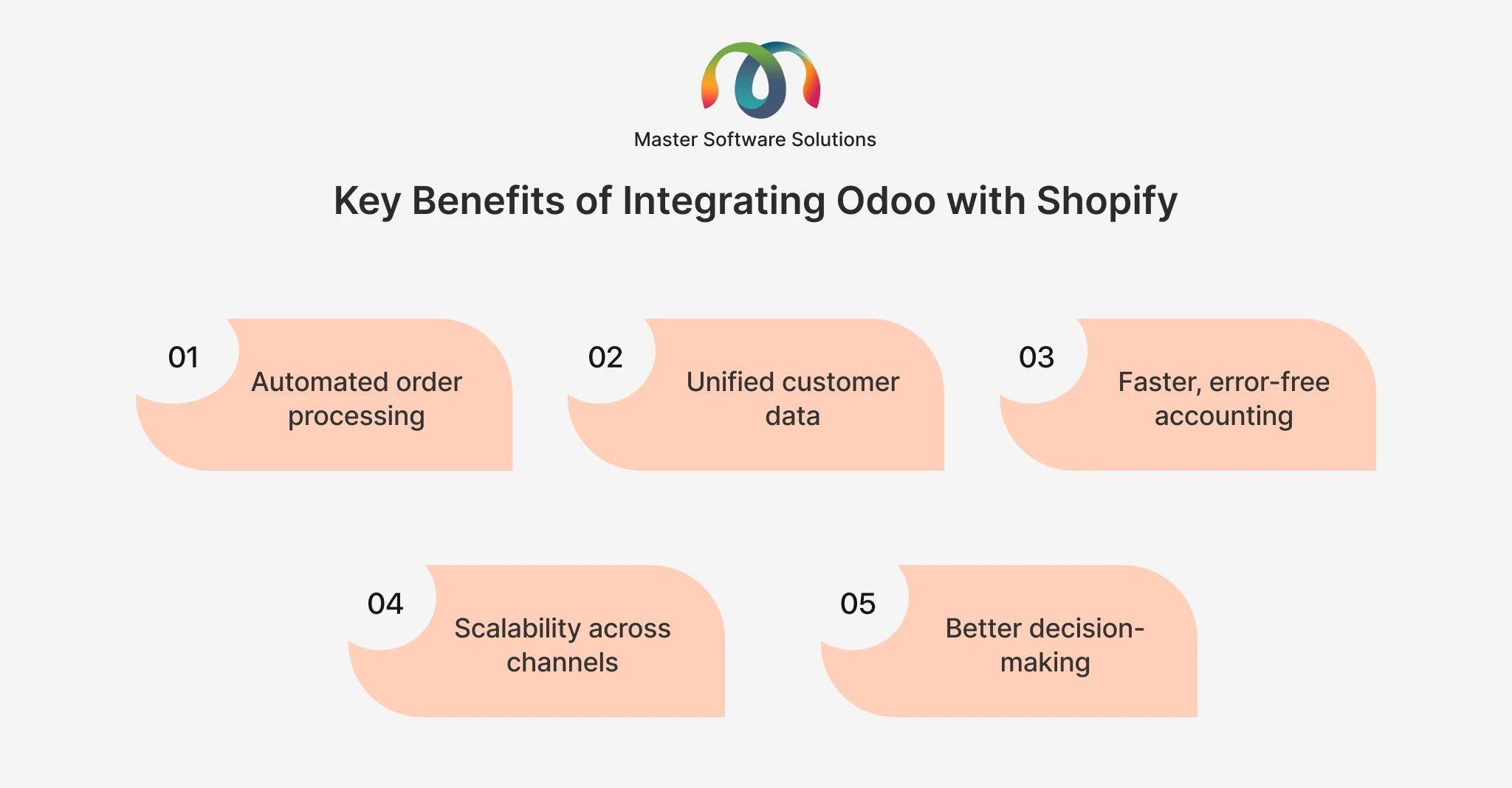
Automated order processing
Shopify orders flow into Odoo automatically, triggering fulfillment, invoicing, and shipping workflows without manual entry.
Unified customer data
Customer profiles, purchase history, and contact details sync between platforms, giving sales and support teams a complete view.
Faster, error-free accounting
Combined with Odoo accounting integration, sales, taxes, and payments recorded in Shopify are posted directly to your Odoo books, cutting reconciliation time significantly.
Scalability across channels
Once Shopify is connected, the same integration foundation extends to POS, marketplaces, and wholesale operations as the business grows.
Better decision-making
With inventory, sales, and financial data centralized in one ERP, leadership gets accurate, real-time reporting instead of data pulled from multiple disconnected tools.
What Gets Synced: Inventory, Orders & Customers Explained
Inventory Sync
Product quantities, variants, and warehouse locations sync bi-directionally. A sale on Shopify decreases stock in Odoo; a stock adjustment, purchase order receipt, or manufacturing update in Odoo reflects back on the storefront, critical for businesses managing multiple warehouses or fulfillment centers.
Order Sync
New Shopify orders automatically create matching sales orders in Odoo, complete with line items, taxes, shipping, and discounts. From there, Odoo can trigger invoicing, delivery orders, and payment reconciliation without any rekeying.
Customer Sync
Customer records, addresses, and order history sync so your Odoo CRM and accounting modules always reflect the latest Shopify activity, with no duplicate contacts and no mismatched records.
How Odoo-Shopify Integration Works (Odoo API Integration)
Most Odoo-Shopify integrations are built using Shopify’s REST/GraphQL Admin API paired with Odoo’s own external API (XML-RPC/JSON-RPC) or through a pre-built connector module. At a high level:
- Authentication: A secure API connection is established between the Shopify store and the Odoo instance.
- Field mapping: Products, variants, price lists, tax rules, and customer fields are mapped between the two systems so data lands in the right place.
- Sync configuration: Rules are set for sync direction and frequency: real-time (webhook-based) or scheduled batch sync.
- Testing: Orders, refunds, partial shipments, and stock edge cases are tested before go-live.
- Monitoring: Ongoing logs and error alerts catch failed syncs (e.g., a SKU mismatch) before they affect operations.
Businesses with more complex needs, multi-currency stores, custom pricing rules, or several sales channels typically need custom Odoo API integration work rather than an out-of-the-box connector.
You can review Shopify’s own developer documentation on the Shopify Admin API and Odoo’s official Odoo Apps Store to see the range of native and third-party sync tools available before deciding whether a custom build is needed.
Odoo Integration Services: Beyond Shopify
Shopify is rarely the only system a growing business needs connected to Odoo. A complete Odoo ERP integration strategy often includes the following:
- Odoo QuickBooks integration: for businesses that keep accounting in QuickBooks while running operations in Odoo
- Odoo WooCommerce integration: for brands running a WordPress/WooCommerce storefront alongside or instead of Shopify
- Odoo payment gateway integration: connecting Stripe, PayPal, or other processors so payments reconcile automatically
- Odoo POS integration: syncing in-store point-of-sale transactions with online inventory for true omnichannel accuracy
- Odoo accounting integration: ensuring every sale, refund, and tax entry flows correctly into the general ledger
An experienced Odoo integration expert will design these connections to work together, not as isolated point-to-point fixes that break every time one platform updates its API.
Real-Time vs. Batch Sync: Choosing the Right Approach
Not every business needs instant, webhook-driven sync. High-volume stores with multiple warehouses usually need real-time inventory sync to avoid overselling. Lower-volume or B2B-heavy stores may be fine with scheduled batch syncs every 15–30 minutes, which are simpler to maintain and less prone to API rate-limit issues. The right choice depends on order volume, number of sales channels, and how tightly finance needs data to match.
Common Challenges in Odoo Shopify Integration & How Experts Solve Them
- Duplicate orders or customers: usually caused by incorrect ID mapping; solved with unique external ID references between systems. See how we audited and rebuilt their SKU mapping to stabilize the sync.
- Stock mismatches during high traffic: resolved by using webhook-based real-time sync instead of slow polling intervals.
- Tax and currency mismatches: fixed by properly mapping Shopify tax settings to Odoo’s fiscal positions, especially for multi-region sellers.
- API rate limits: managed through batching, queuing, and retry logic built into the integration layer.
- Breaking after platform updates: avoided with proper version control and a support plan that tests integrations after Shopify or Odoo releases updates.
This is where working with a dedicated Odoo integration expert pays off; most of these issues are predictable and preventable with the right architecture from day one.
Choosing the Right Odoo Integration Expert
When evaluating a partner for Odoo integration services, look for:
- Proven experience with both Odoo’s API and Shopify’s Admin API, not just one side
- A track record across related integrations, Odoo Quickbooks integration, odoo woocommerce integration, and odoo pos integration, showing they understand the broader ecosystem
- A clear testing and rollback plan before go-live
- Post-launch monitoring and support, since e-commerce integrations need maintenance as both platforms evolve
- Odoo partner-level certification or official recognition
Master Software Solutions is an official Odoo partner with hands-on experience across e-commerce, retail, and distribution businesses, building integrations that are stable, scalable, and easy to hand off to internal teams.
Step-by-Step: How Master Software Solutions Implements Odoo-Shopify Integration
- Discovery: Map current Shopify and Odoo setup, sales volume, and pain points.
- Architecture design: Decide between native connector, third-party app, or custom API build.
- Data mapping: Align products, variants, taxes, and customer fields between systems.
- Development & configuration: Build the sync logic, error handling, and monitoring dashboards.
- Testing: Run real order scenarios, refunds, and stock edge cases in a staging environment.
- Go-live & support: Launch with monitoring in place, followed by ongoing Odoo support and maintenance.
Ready to stop reconciling spreadsheets by hand? Talk to our Odoo integration experts about connecting your Shopify store the right way.
Final Thoughts
Odoo-Shopify integration isn’t just a technical nice-to-have; it removes the manual work that slows down fulfillment, accounting, and customer service as order volume grows. Whether you need a straightforward inventory sync or a full Odoo ERP integration spanning Shopify, QuickBooks, POS, and payment gateways, the right setup pays for itself in hours saved and errors avoided.
Want it done right the first time? Contact Master Software Solutions, an official Odoo integration expert, to scope your Shopify integration project today.