Enterprise Resource Planning (ERP) systems have helped businesses manage their core operations, such as finance, inventory, manufacturing, human resources, and distribution, for the past few decades. Originally, these systems were designed to be operated on desktops and required employees to be at their desks to access important business data.
However, with workplaces becoming more flexible, this approach is no longer sufficient. Today, you expect your employees to be available at any time and from anywhere. With the increasing use of smartphones and tablets, businesses have started moving towards mobile-first operations. This shift has led to the rise of mobile ERP that can be accessed through mobile devices.
These mobile ERPs use real-time data, approve requests, track performance, and manage tasks even while travelling. It enables your teams to respond faster, improve productivity, and stay competitive in a constantly changing environment.
What is mobile ERP?
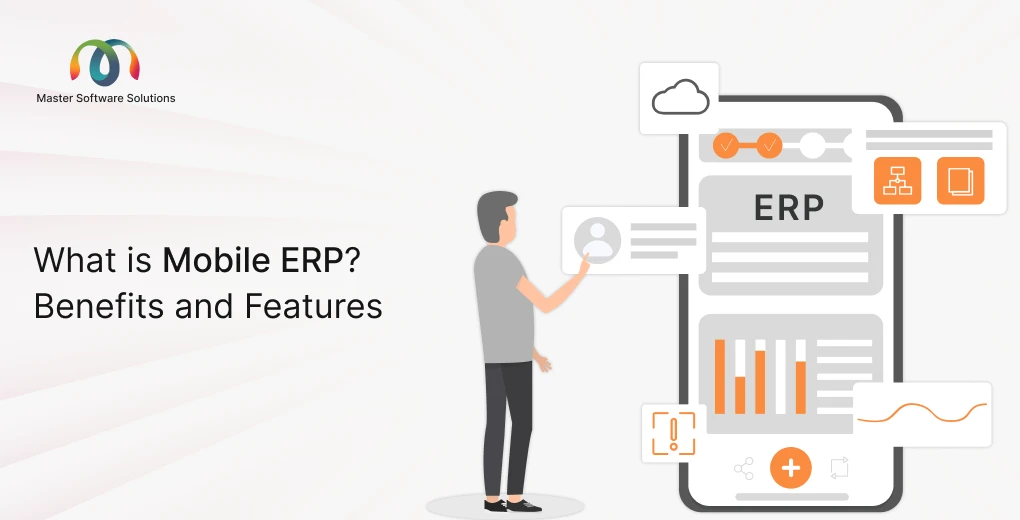
Mobile ERP is a mobile version of an ERP system that is accessible on devices such as smartphones and tablets. It enables employees to access important business information anytime and from anywhere, instead of being limited to a desktop computer.
How is a mobile ERP different from a traditional ERP?
A traditional ERP system usually works only on computers and requires users to be at a desk. On the contrary, mobile ERP is designed for mobile devices, and users can check data, update records, or approve requests even when they are outside the office.
Native mobile apps vs. mobile web access
Native mobile apps: You can download them from an app store. They are fast, easy to use, and can work offline in some cases.
Mobile web access: They work through a browser on your phone. It does not require installation but may have fewer features.
Common mobile ERP use cases
- Approving purchase orders or leave requests on the go.
- Managing field staff and service tasks.
- Viewing real-time reports and dashboards.
- Updating inventory or sales data instantly.
*Mobile ERP helps businesses stay connected and make faster decisions.
How does mobile ERP work?
Mobile ERP enables users to access the company’s main ERP system from their mobile devices. The core ERP system stores all important business data, such as finance, inventory, sales, and employee information. Mobile ERP adds a mobile-friendly layer to this system so that the same data is easily viewed and managed on smartphones and tablets.
When the user logs in to a mobile ERP app or mobile web portal, the app connects to the main ERP system and displays real-time data. This means any updates made on a mobile device, including approving a purchase order, updating stock levels, or checking reports, are instantly reflected across the entire system. Similarly, changes made in the main ERP system are immediately visible on mobile devices.
Most mobile ERP solutions use cloud technology and secure APIs to transfer data smoothly between the ERP system and mobile apps. Many also support offline access, allowing users to continue working even without an internet connection. Once the device reconnects, all data is automatically synced. To protect sensitive information, mobile ERP systems use secure login methods, encryption, and role-based access controls.
Benefits of mobile ERP
Mobile ERP helps businesses work faster and smarter by giving employees access to important information anytime and anywhere. Instead of waiting to return to the office or log in on a desktop, users can complete tasks, check updates, and make decisions directly from their mobile devices. Below are the key benefits of using a mobile ERP system.
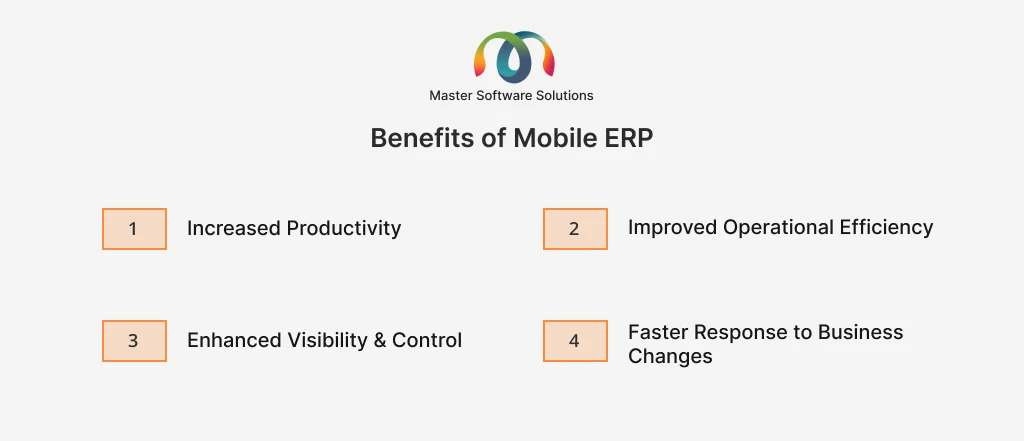
Increased productivity
Mobile ERP allows employees and managers to work on the go. Approvals, updates, and decisions can be made instantly using a mobile device. This reduces delays caused by waiting for emails or system access, helping teams complete tasks faster and stay productive throughout the day.
Improved operational efficiency
With mobile ERP, daily processes become simpler and more organized. Tasks such as data entry, reporting, and approvals are automated and easily accessible. This reduces manual work, minimizes errors, and ensures that workflows run smoothly across the organization.
Enhanced visibility and control
Mobile ERP provides real-time access to business data from different departments. Managers can monitor performance, track inventory, and review financial data at any time. This improved visibility helps businesses maintain better control over operations and identify issues early.
Better employee experience
Mobile ERP makes work easier for remote employees and field staff. Employees can access tools and information from anywhere, reducing frustration and improving job satisfaction. A simple and user-friendly mobile interface also helps employees adapt quickly.
Faster response to business changes
With real-time data and instant alerts, businesses can respond quickly to changes and challenges. Mobile ERP enables faster decision-making, helping organizations stay flexible, adapt to market demands, and remain competitive.
Key elements of mobile ERP
Mobile ERP is built around a few important elements that make it easy, reliable, and safe to use on mobile devices. These elements ensure that users can work efficiently, even when they are away from the office.
Mobile interface
The mobile interface is the way users interact with the mobile ERP system on their smartphones or tablets. It is designed to be simple, clean, and easy to use on smaller screens. Buttons, menus, and dashboards are touch-friendly, making navigation and completing tasks quick. A good mobile interface helps users find information fast and reduces the need for training.
Offline access
Offline access allows users to continue working even without an internet connection. Mobile ERP apps can temporarily store data on the device, enabling users to update records or complete tasks while offline. Once the internet connection is restored, the system automatically syncs the data with the main ERP system. This is especially useful for field workers and remote teams.
Security
Security is critical in mobile ERP because it can handle sensitive business data. Mobile ERP systems use secure login methods, data encryption, and role-based access to protect information. This ensures that only authorized users can access specific data and that information remains safe, even if a device is lost or stolen.
Features of a mobile ERP solution
Mobile ERP offers several features that make it useful for employees and managers who need quick access to business systems even when they are on the move. These features and functionalities help businesses improve speed, accuracy, and overall efficiency.
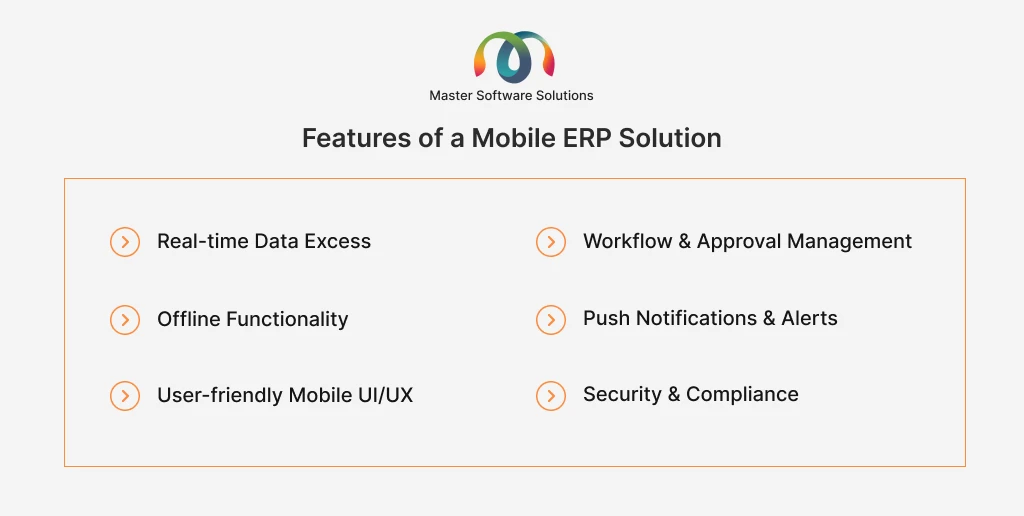
Real-time data excess
Real-time data access means users can view the latest business information instantly on their mobile devices. Dashboards, KPIs, and reports are always up to date, helping managers track performance, monitor sales, and check inventory levels at any time. This allows faster and more informed decision-making.
Workflow and approval management
Mobile ERP makes it easy to manage approvals and daily workflows from anywhere. Users can approve purchase orders, invoices, and leave requests directly from their phones. This reduces delays, speeds up processes, and ensures work continues smoothly even when decision-makers are not in the office.
Offline functionality
Offline functionality allows users to keep working even without an internet connection. The system temporarily stores data on the device, enabling users to enter or update information. Once the device reconnects to the internet, all data is automatically synced with the main ERP system.
Push notifications and alerts
Push notifications are sent instantly to users about important updates and tasks. These can include approval requests, payment reminders, or system updates. Notifications help users stay informed and ensure that critical actions are not missed.
User-friendly mobile UI/UX
Mobile ERP is designed with a simple and touch-friendly interface. This layout is optimized for small screens, making it easy to navigate and use. Personalization options allow users to see only the information that is relevant to their role, improving usability and efficiency.
Security and compliance
Security is a key feature of Mobile ERP. It uses data encryption, mobile device management (MDM), multi-factor authentication (MFA), and role-based access to protect sensitive information. These measures ensure that business data stays secure and compliant with industry standards.
Challenges and limitations of mobile ERP
While mobile ERP offers many benefits, it also comes with certain challenges that businesses should be aware of. Understanding these limitations helps organizations plan better and choose the right solution.
Compatibility issue with the existing ERP system
The most common challenge is ensuring that the mobile ERP works smoothly with the existing ERP system. Older or highly customized ERP systems may not fully support mobile access. This can lead to integration issues, limited features, or additional customization needed, which may increase time and cost.
Security concerns related to mobile devices
Mobile devices are more likely to be lost, stolen, or used on unsecured networks. This increases the risk of data breaches if proper security measures are not in place. Businesses must use strong authentication, encryption, and device management tools to protect sensitive data and control access.
Limited functionalities compared to the desktop version
Mobile ERO apps are designed for convenience and quick tasks, so they may not offer all the features available in the desktop version. Complex reports, detailed configurations, or advanced data analysis may still require desktop access. This means users may need to switch between mobile and desktop systems for certain tasks.
Conclusion
Mobile ERP has become an important tool for modern businesses that want to stay fast, reliable, and connected. Giving employees real-time access to data, easy approvals, and mobile-friendly workflows helps improve productivity and decision-making. While there are some challenges, choosing the right ERP partner can make adoption smooth and successful.
Master Software Solutions (MSS) helps businesses make the most of mobile ERP through end-to-end ERP implementation services. We ensure that ERP systems are aligned with your business needs and growth goals, from planning and customizations to deployment and ongoing support.
MSS offers custom ERP solutions using leading platforms such as Odoo and Microsoft Dynamics 365. Odoo is ideal for businesses seeking flexible, cost-effective ERP solutions, while Microsoft Dynamics 365 is well-suited for enterprises that need powerful, scalable, and integrated business systems applications. Leveraging these platforms, we deliver user-friendly, mobile-ready, and tailored systems for specific industries.
Get in touch with us to explore custom ERP solutions that fit your business perfectly.