With the increased demand for high-quality real-time communication, Jitsi Meet has become a popular open-source platform to build advanced real-time communication platforms. One of the main processes for Jitsi configuration.
Jitsi Meet configuration includes setting up the server environment, setting customizations, and ensuring the platform is secure.
The blog covers:
What is Jitsi Meet?
Jitsi Meet is an open-source framework that Jitsi developers use to build advanced real-time communication solutions. Jitsi is a WebRTC-based technology that ensures real-time connectivity. WebRTC Jitsi Meet uses VideoBridge to establish scalable and high-quality video conferencing.
What is the Jitsi Meet configuration?
Jitsi Meet configuration is the process of setting up, customizing, and optimizing the components and settings of Jitsi Meet. It enables you to create secure and efficient video conferencing solutions.
Jitsi Meet Configuration includes configuring
- XMPP server (Prosody)
- Media Bridge (Jitsi VideoBridge)
- Conference controller (Jicofo)
- Web server (NGINX – for reverse proxy, load balancing, and caching)
- Jitsi settings (for security, scalability, UI customization, and third-party integrations)
Aspects of Jitsi Meet configuration
- Core setup – Install and link core components: Prosody, Jicofo, and Videobridge.
- Network and domain – Set up the domain, DNS, and firewall rules for secure connectivity.
- Performance – Adjust service and media settings to optimize resource usage and user experience.
- Customizations – Modify UI/UX, add branding, and enable advanced features: recording or live streaming.
- Integrations – Connect Jitsi Meet with external APIs or platforms for extended functionality.
Basic Jitsi Meet Configuration
The basic configuration of Jitsi Meet includes setting up core components for a functional Jitsi Meet instance. Here are the details of these core components:
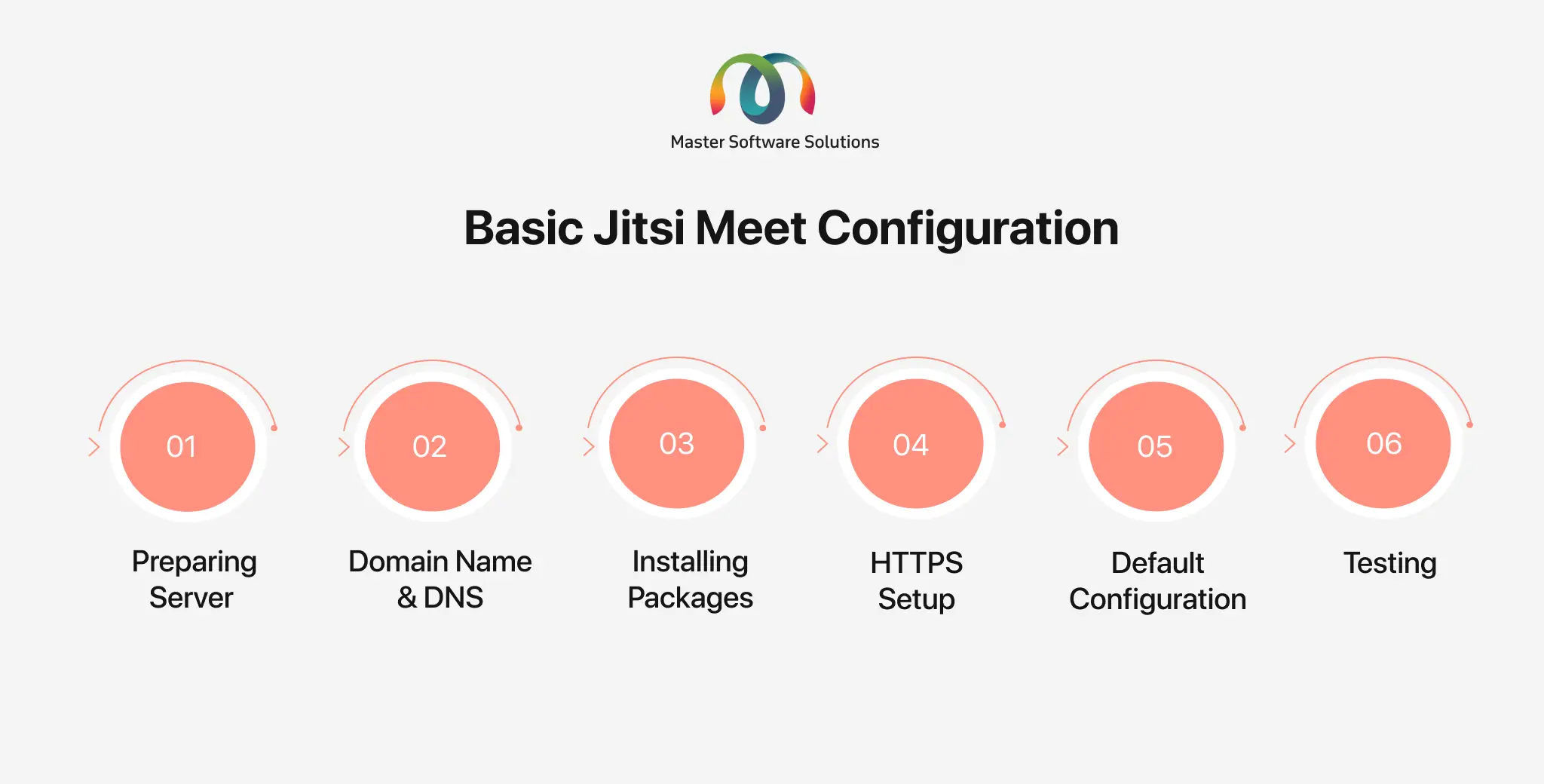
Preparing server
- Operating systems – Linux server (Ubuntu 20.04 or later, Debian 10 or later)
- System updates – Ensure that the system is updated.
- Network configuration – Assign a public IP to the server and configure firewall routes to allow ports.
Domain name and DNS
- Set a Fully Qualified Domain Name.
- Update DNS records of the domain to point to the server’s IP address.
Installing the packages
- Add the Jitsi Meet repository and install it.
HTTPS setup
- Use an SSL certificate. Use Let’s Encrypt to secure the server with HTTPS. For a custom certificate, encrypt the server manually.
Default configuration
- Add our domain name. Decide whether you want to use a self-signed or Let’s Encrypt certificate.
- The installer sets up Prosody (XMPP server) for signaling, configures Jicofo (meeting management) and Jitsi VideoBridge (Video Handling), and sets up NGINX as a web server.
Testing
- Test the configurations. Open your domain in a browser. Start a meeting and verify the basic configuration.
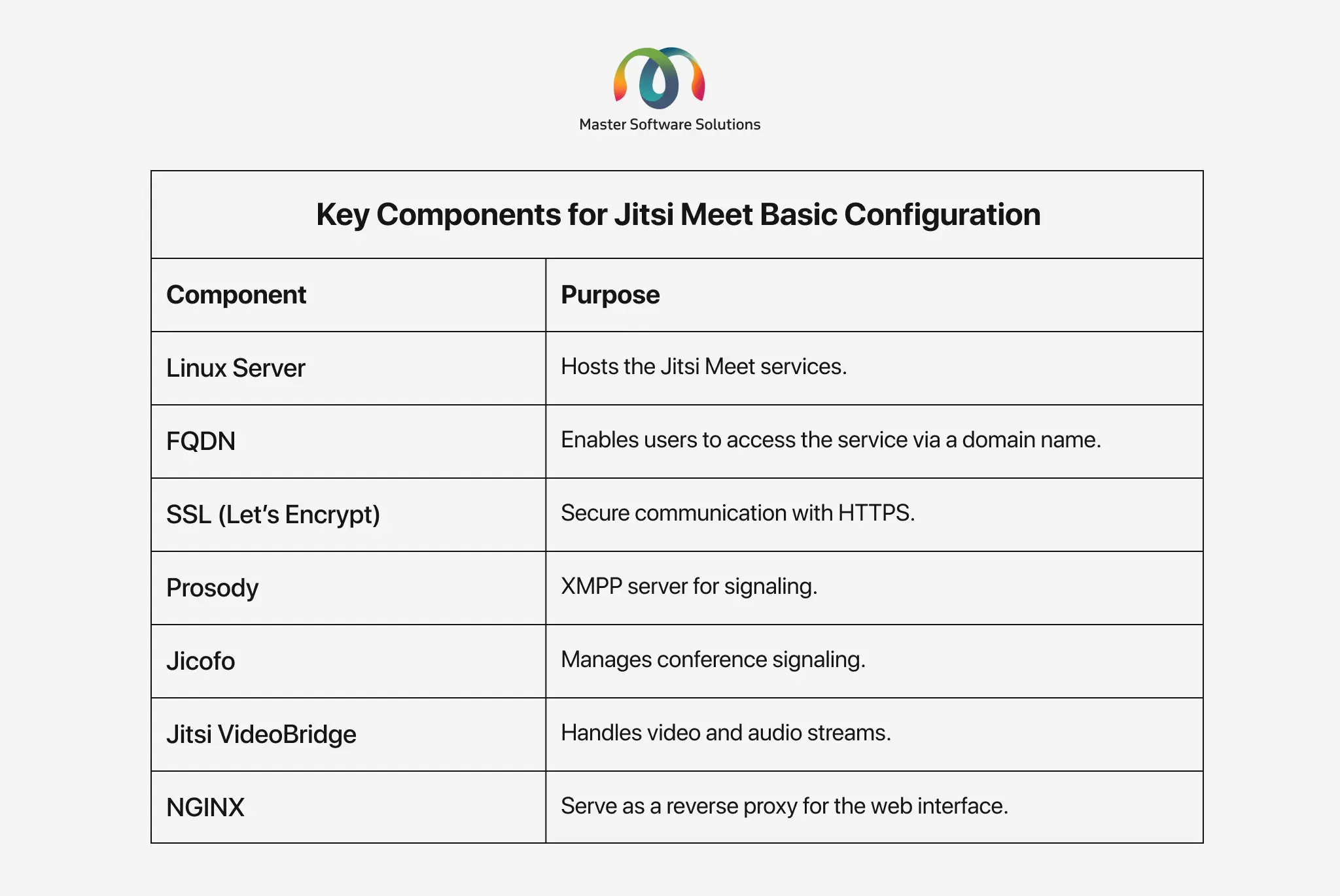
What are the key components for Jitsi Meet’s basic configuration?
There Jisti Meet offers various components to build an efficient video-conferencing platform. The WebRTC Jitsi Meet experts configure these components to build real-time video-conferencing applications. Below is the table that shows the essential components needed for the basic configuration of Jitsi Meet.
What are the core components of Jitsi Meet?
The core components are the building and fundamental blocks for developing a fully functional Jitsi Meet solution. Configuring these core components is crucial to establishing successful audio/video streaming and maintaining the platform’s stability. The core components for Jitsi Meet configuration are:
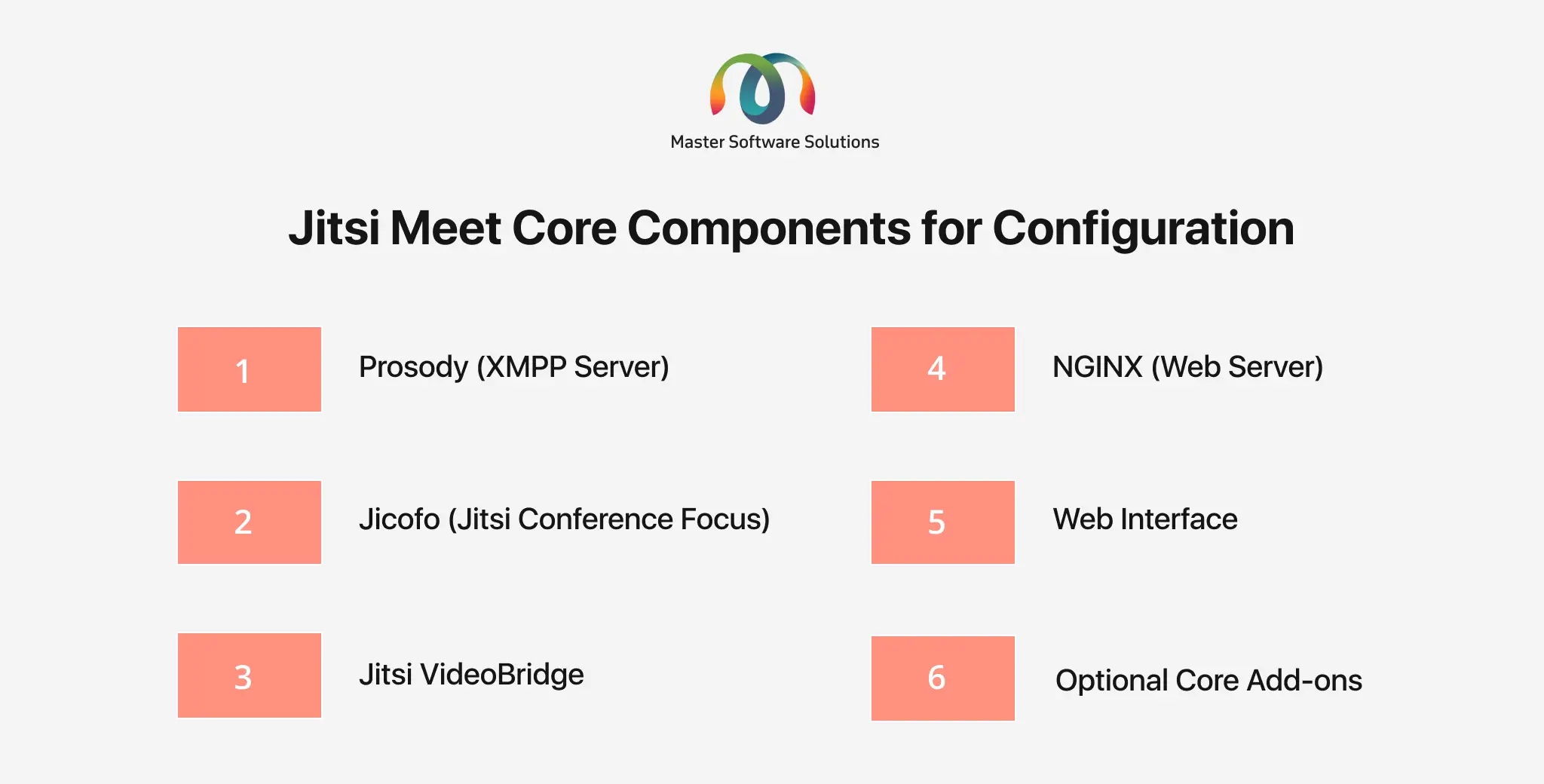
Prosody (XMPP server)
Prosody is an XMPP server that handles real-time communication signaling, including authentication and message exchange. The key configuration options in Prosody are:
- Virtual host (guests and authenticated users)
- Authentication methods (JWT, LDAP)
- Secure domain for moderator control
- Enabling BOSH (Bidirectional-streams Over Synchronous HTTP) and WebSocket for signaling
Jicofo (Jitsi Conference Focus)
Jicofo is responsible for the lifecycle of a video conference (it includes participants’ roles and media routing). The key configuration options in Jicofo are:
- Authentication and permissions for the moderator
- Load balancing strategies (bridge selection)
- Jibri integration for video recording or streaming
Jitsi VideoBridge
It establishes user connections and relays audio, video, and data streams to participants. The key configuration options for Jitsi VideoBridge are:
- Setting ports for media traffic
- Enabling WebRTC features like simulcast and bandwidth estimation
- STUN/TURN servers for NAT traversal
- Resource allocation (heap size and threading)
NGINX (Web Server)
NGINX is a web server that acts as a reverse proxy and serves the Jitsi Meet web interface. The key configuration options for NGINX are:
- Setting SSL/TLS for HTTPS
- Configuring WebSocket for signaling
- Handling load balancing and BOSH requests
Web interface
This focuses on providing a user interface to join and host meetings. The key web interface configuration options are:
- Enabling or disabling features (recording or screen sharing)
- Setting default options
- Customizing UI (color, theme, Logo)
Optional core add-ons
They are not the core elements but are used to enhance the platform’s functionalities. The key configuration options include:
- Jibri (recording meetings and live streaming)
- Jigasi (SIP Gateway integrations for joining meetings)
- Turnserver (improve connectivity behind NAT and firewalls)
How can Jitsi consultants help you configure Jitsi Meet?
Jitsi Developers are experts in deploying, configuring, and optimizing Jitsi Meet for a variety of use cases. Whether you are looking for secure team meetings, large-scale webinars, or custom integration, Jitsi Meet developers ensure that the platform fulfills your specific business needs. Ways in which Jitsi consultants can help are:
Install and set up
The Jitsi Meet server experts can help you install and set up the platform on a private or cloud-based server. They ensure that all the dependencies and services, like Prosody, Jicofo, or Jibri, are correctly installed and linked. These consultants can help you set the domain names, DNS records, and SSL certificates for safe and seamless access.
Customizations
The Jitsi consultants can help you customize the UI/UX (logo, theme, welcome message), modify the platform to reflect your brand, and add or remove features like chat or screen sharing. They can add advanced features like breakout rooms, live streaming, and polls.
Configure security
The Jitsi Meet consultants can help you set up authentication methods and implement a secure domain for moderators and guest roles. They are also WebRTC experts, which enables them to implement WebRTC encryption and compliance with privacy standards. The consultants can help you configure a TURN/STUN server for NAT traversal.
Optimize performance
They optimize the server resources to provide a scalable and flexible video conferencing app for large meetings or webinars. They understand core Jitsi concepts and help you balance the load using multiple VideoBridge instances. The Jitsi Meet consultants use simulcasts and adaptive video quality for efficient bandwidth management.
Integration services
The Jitsi Meet experts are also Jitsi integration specialists who can help you integrate Jitsi Meet with tools like Slack, Microsoft Teams, or other custom business apps. They can help you configure Jibri for live streaming on platforms like Facebook, YouTube, or a custom RTMP server.
Why work with Jitsi Meet consultants?
Collaborating with a Jitsi Meet video conferencing app development company, like Master Software Solutions, has various benefits. They can assist you in building an efficient and scalable solution while reducing your launch-to-market time. The benefits of working with Jitsi Meet consultants are:
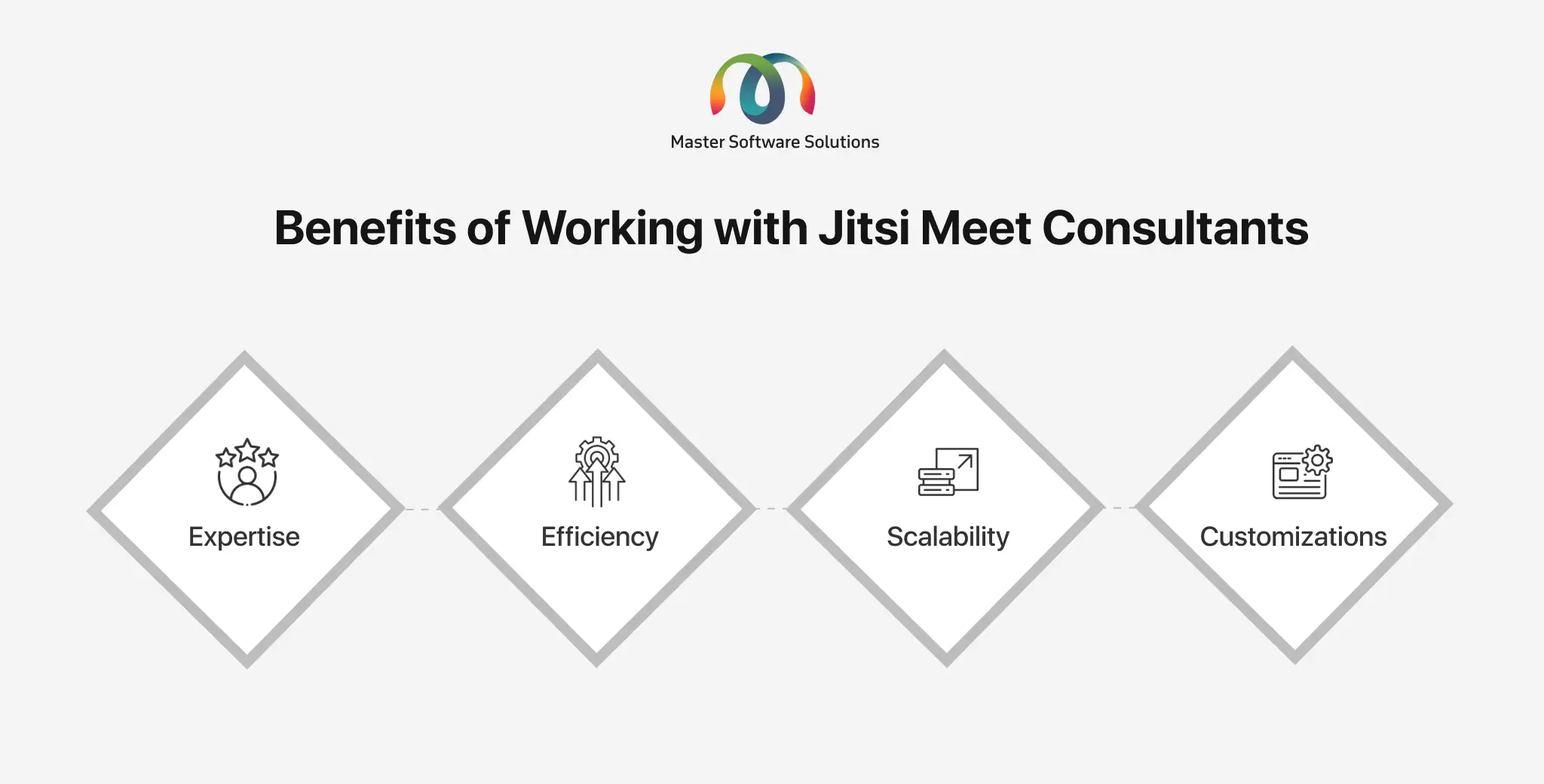
- Expertise – They can prevent you from taking a steep learning path of learning the Jitsi Meet configuration, making the configuration smooth and seamless.
- Efficiency – Accelerate the configuration process and run the platform faster with expert assistance.
- Scalability – The experts can help you build future-proof solutions that can adjust themselves to changing demands or the database.
- Customizations – They can build a custom platform that aligns with your particular business requirements.
Conclusion
Master Software Solutions offers end-to-end video conferencing app development services using real-time communication technologies such as WebRTC, Jitsi Meet, Kurento, Twilio, and OpenVido. Hiring Jitsi consultants can bring invaluable expertise and ensure a seamless, optimized deployment of the Jitsi Meet platform tailored to your unique needs. Their expert guidance and skills can help you maximize Jitsi’s potential and create reliable and real-time communication solutions, saving time and enhancing performance.
If you are looking for experienced Jitsi Meet consultants, we can help you. Schedule a brief call with our team to discuss your business requirements and see how we can help.
Frequently Asked Questions
Q1. What is Jitsi Meet?
A1. Jitsi Meet is an open-source video conferencing platform built on WebRTC technology. It enables real-time audio, video, and data communication directly through web browsers without requiring additional plugins or software.
Q2. What is Jitsi Meet configuration?
A2. Jitsi Meet configuration refers to the process of setting up, customizing, and optimizing the platform’s components, such as servers, networking, and security settings, to deliver a stable and scalable video conferencing solution.
Q3. What are the main components involved in Jitsi Meet configuration?
A3. The key components include:
- Prosody (XMPP server for signaling)
- Jicofo (conference controller)
- Jitsi VideoBridge (media handling)
- NGINX (web server and reverse proxy)
- Web interface (user-facing UI)
Q4. What is the role of Prosody in Jitsi Meet?
A4. Prosody is an XMPP server responsible for signaling, authentication, and message exchange between participants. It manages user roles, domains, and communication protocols like BOSH and WebSockets.
Q5. Why is Jitsi VideoBridge important?
A5. Jitsi VideoBridge handles the actual transmission of audio, video, and data streams between participants. It ensures scalability and high-quality conferencing by efficiently routing media traffic.
Q6. What does Jicofo do in Jitsi Meet?
A6. Jicofo (Jitsi Conference Focus) manages conference sessions, participant roles, and media routing decisions. It also helps in load balancing across multiple VideoBridge instances.
Q7. What are the basic requirements for setting up Jitsi Meet?
A7. To configure Jitsi Meet, you need:
- A Linux server (Ubuntu or Debian preferred)
- A public IP address
- A domain name with DNS configured
- Open network ports and firewall rules
- SSL certificate for HTTPS
Q8. How do you secure a Jitsi Meet deployment?
A8. Security can be implemented by:
- Enabling HTTPS with SSL certificates (e.g., Let’s Encrypt)
- Configuring authentication (JWT, LDAP)
- Setting up secure domains for moderators
- Using STUN/TURN servers for secure connectivity
Q9. Can Jitsi Meet be customized?
A9. Yes, Jitsi Meet offers extensive customization options, including the following:
- Branding (logo, theme, UI colors)
- Feature control (chat, recording, screen sharing)
- Advanced features like breakout rooms and live streaming
Q10. What are the optional add-ons in Jitsi Meet?
A10. Optional components enhance functionality:
- Jibri for recording and live streaming
- Jigasi for SIP integrations
- TURN server for improved connectivity behind firewalls
Q11. How can Jitsi Meet performance be optimized?
A11. Performance can be improved by:
- Using multiple VideoBridge instances for load balancing
- Enabling simulcast and adaptive bitrate streaming
- Optimizing server resources (CPU, memory, threading)
- Configuring efficient network routing
Q12. What integrations are possible with Jitsi Meet?
A12. Jitsi Meet can integrate with:
- Collaboration tools like Slack or Microsoft Teams
- Streaming platforms like YouTube or Facebook
- Custom applications via APIs and SDKs
Q13. Why should you hire Jitsi Meet consultants?
A13. Jitsi consultants provide the following:
- Expert deployment and configuration
- Faster setup and reduced errors
- Advanced customization and integrations
- Scalable and secure architecture design
Q14. Can Jitsi Meet support large-scale meetings?
A14. Yes, with proper configuration (e.g., multiple VideoBridge instances, load balancing, and optimized network settings), Jitsi Meet can support large-scale webinars and enterprise-level conferencing.
Q15. How long does it take to configure Jitsi Meet?
A15. A basic setup can take a few hours, but a production-ready, scalable, and secure deployment may take several days, depending on customization and integration requirements.