Virtual meetings and online collaborations have become a trend, and finding a reliable and secure video conferencing solution has become crucial. Jitsi is an advanced, powerful, open-source video conferencing platform that has become popular in communication technology for its flexibility, security, and user-friendly interface.
In the blog article, we will explore everything about Jitsi:
- What is Jitsi?
- History of Jitsi
- What are the challenges faced in videoconferencing?
- What are the key features of Jisti
- What are the benefits of using Jitsi for videoconferencing?
- Jitsi and other platforms: Comparison
- Jitsi – Used cases
What is Jitsi?
Jitsi is an open-source software project that provides tools for building and deploying audio calls, video conferencing, and instant messaging platforms. It offers flexibility, security, and ease of use, making it a popular choice for individuals and businesses. It doesn’t require you to create an account or download software. Users can directly start or join meetings from their browsers.
The free Jitsi videoconferencing projects are:
- Jitsi Meet – It is an open-source Jitsi JavaScript application. It uses the Jitsi videobridge to provide high-quality and scalable video conferences. Users can access high-quality video and audio, screen sharing, and chat without installing software. The platform offers Jitsi Meet developers high flexibility to customize and configure it.
- Jitsi videobridge – Videobridge handles the actual video routing. In contrast to traditional video conferencing, it sends data through a decentralized server instead of a central one. Jitsi videobridge helps reduce latency and improve video quality.
- Jibri – It is a tool used in Jitsi Meet for recording or streaming the conference. This works by launching the Chrome instance.
- Jicofo – Jitsi COnference FOcus is a server-side focus component. This is used in Jitsi Meet to manage media sessions between users and the videobridge.
- Jigasi – Jitsi GAteway to SIP is a server-side application. It acts as a gateway to SIP that allows telephone dial-in and dial-out for the Jitsi Meet conferences.
- Ice4j – It is an Interactive Connectivity Establishment (ICE) protocol. Ice4j combines NAT traversal utilities for Offer/Answer-based protocols, like SIP and XMPP, to traverse NATs.
- Jitsi Desktop – It was previously known as SIP Communicator. This desktop application is for audio and video calls, instant messaging, and presence, which supports OS and IM networks. It is the most advanced and complete open-source communicator.
- Libjitsi – It is an advanced Java media library. Libjitsi captures, plays back, streams, encodes/decodes, and encrypts audio and video flow. It ensures secure real-time audio/ video communication.
History of Jitsi
The journey of Jitsi started with the creation of the SIP Communicator by Emil Ivov, a student at the University of Strasbourg, France, in 2003. People were still experiencing NAT traversal issues and one-way audio calls, regardless of Voice Over IP (VoIP) at its best practice.
The SIP communicator adopted an OSGI-based design and was completely rearchitected in 2005. It made writing plugins for the project easier.
Emil Ivov and Yana Stamcheva, founders of Blue Jimp, employed Jitsi using WebRTC in 2009. In 2011, SIP Communicator was renamed Jitsi, as it now supported audio and video over XMPP’s Jingle extensions. The video capabilities of Jitsi were extracted from a separate server application, bringing Jitsi Videobridge into existence in 2013.
In 2014, Jisti Meet WebRTC started as an open-source project for web conferencing. Atlassian acquired Blu Jimp in 2015 and decided to keep the project open-source and community-based. Then, 8×8 acquires the Jitsi technology from Atlassian. 8×8, a cloud communication provider, is the major contributor to the growth of Jisti.
What are the challenges faced in videoconferencing?
Videoconferencing has become popular and essential in various fields, from business meetings to virtual classrooms and social gatherings. However, it is not untouched by challenges, from technical glitches to participant engagement issues. These issues are to be addressed to ensure a seamless and effective experience.
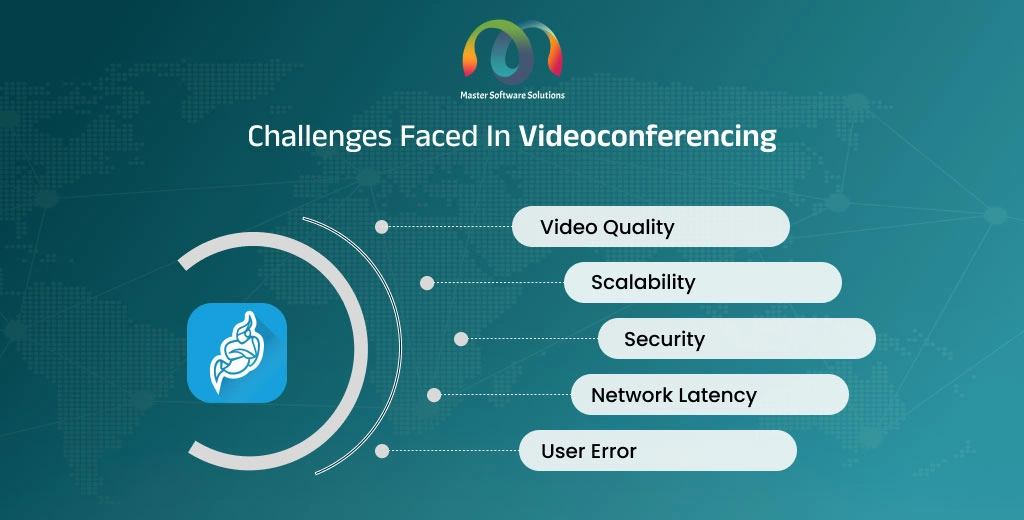
Here are the challenges faced in videoconferencing:
Video quality
- The issues with video quality in videoconferencing can impact the overall communication experience.
- Bandwidth determines video quality, which isn’t available to all users. Devices’ video capture and rendering capabilities can affect video conferencing quality.
- The video compression techniques can introduce artifacts and reduce the quality.
- It is challenging to balance resolution and frame rate, which ensures a smooth and clear video.
Scalability
- Handling a large number of users simultaneously is overwhelming for servers.
- The high demand for video conferencing leads to network congestion, reducing quality for all users.
- It is difficult to scale peer-to-peer connections for large meetings.
Security
- Sensitive information shared during meetings can be intercepted.
- Uninvited participants can join the meeting if not properly secured. Gaining unauthorized access to video conferences is commonly known as “Zoom Bombing.”
- Ensuring end-to-end data encryption is complex.
Network latency
- Users with great distances face latency.
- Power network infrastructure can result in jitter and delays.
- The large number of users can cause congestion and increase latency.
User error
- Users may find using videoconferencing platforms complex. Not all are tech-savvy.
- Hardware and software setup issues can be confusing to deal with.
What are the key features and functionalities of Jisti?
Jitsi offers powerful features that provide quality and functionality without affecting the user interface. Jitsi features allow developers to deploy APIs and other integrations, enhancing platform functionality. Here are the features of Jitsi:
Open-source
Jitsi is a videoconferencing platform that is free to use. It uses WebRTC for real-time connections. It allows extensive customizations and offers transparency.
Jitsi Videobridge
It is used for large events and webinars. It passes audio and video to all the participants, avoiding premixing to enhance quality and reduce latency.
WebRTC compatibility
Jitsi uses WebRTC (web- real-time communication) for real-time communication. It is standard for web communication and offers the least latency.
Video routing
Jitsi offers advanced video routing for simulcast, bandwidth estimations, and scalable video coding.
Integrations
Jitsi allows users to integrate third-party modules and refine existing modules. It supports whiteboard integration, client-side recording, an auto recording module, JWT authentication, and secure domain authentication.
Cross-platform compatibility
Users can access Jitsi via desktop, laptop, or mobile device, including iOS and Android. The users can connect easily without compatibility issues.
Audio and video quality
The Jitsi platform offers HD audio and video quality even at low bandwidth. It ensures minimal latency for a seamless conversation experience. The technology adjusts video quality based on network conditions to maintain performance.
Screen sharing and recording
Jitsi allows users to share screens for presentations and demonstrations. It also enables users to record meetings for future reference or share them with participants absent from the meeting.
Meeting management
– Jitsi allows you to set up a moderator who controls and manages the meeting. They can mute/unmute participants, remove users, and manage permissions. It enables you to integrate a calendar for easy meeting scheduling and reminders. It offers an in-meeting chat feature for text communication during meetings.
Security and privacy
Jitsi provides end-to-end encryption, ensuring secure and safe connections. You can use password protection and lobby mode to control access.
Integrations and extensions
Jitsi offers multiple APIs for integrating Jitsi features into other applications. The platform is highly flexible and is compatible with various third-party tools and services for greater functionality. Jitsi offers flexible options for branding and customer feature implementation.
User-experience insights
Jitsi offers a user-friendly interface that is easy to navigate. It supports multiple platforms and is available on web browsers, mobile apps, and iOS and Android. It provides tools for monitoring call quality and the user experience.
What are the benefits of using Jitsi for video conferencing?
Jitsi offers advanced, secure, and highly customizable videoconferencing solutions that are highly scalable, catering to a range of needs, from small meetings to large webinars. It puts a great emphasis on user experience and data security.
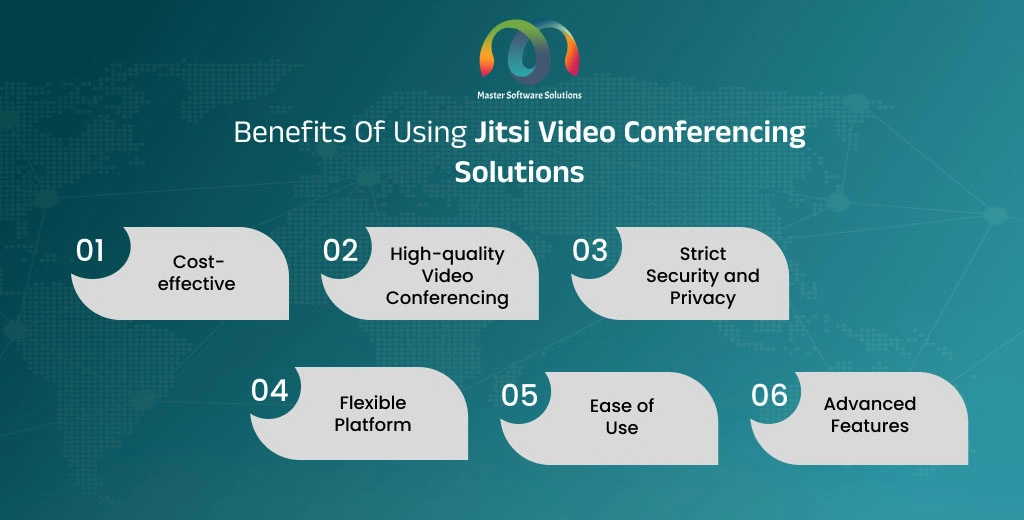
Some of the major benefits of using Jitsi are:
- Cost-effective – Jisi is free to use. Users can modify or add customizable features, reducing software licensing costs. You can scale the platform depending on your requirements without incurring additional costs.
- High-quality video conferencing – Jitsi provides high-definition audio and video with low latency. The platform automatically adjusts the video quality of the conference based on the network conditions for a smooth experience.
- Strict security and privacy – Jitsi ensures secure communication. It is compliant with data protection regulations to safeguard user information. It provides password protection and lobby mode to control meeting access.
- Flexible platform – Jitsi allows integration with other applications and services. It offers customization features to tailor the features to specific needs. It is compatible with various third-party tools for extended functionality.
- Ease of use – Jitsi is a simple and intuitive interface for hosts and participants. It is available on web browsers and mobile devices. It is easily accessible to users.
- Advanced features – Jitsi offers advanced features, like facilitating screen sharing for presentations, demonstrations, and recording meetings. It provides tools to manage participants in conferences and meeting settings. It supports advanced video routing.
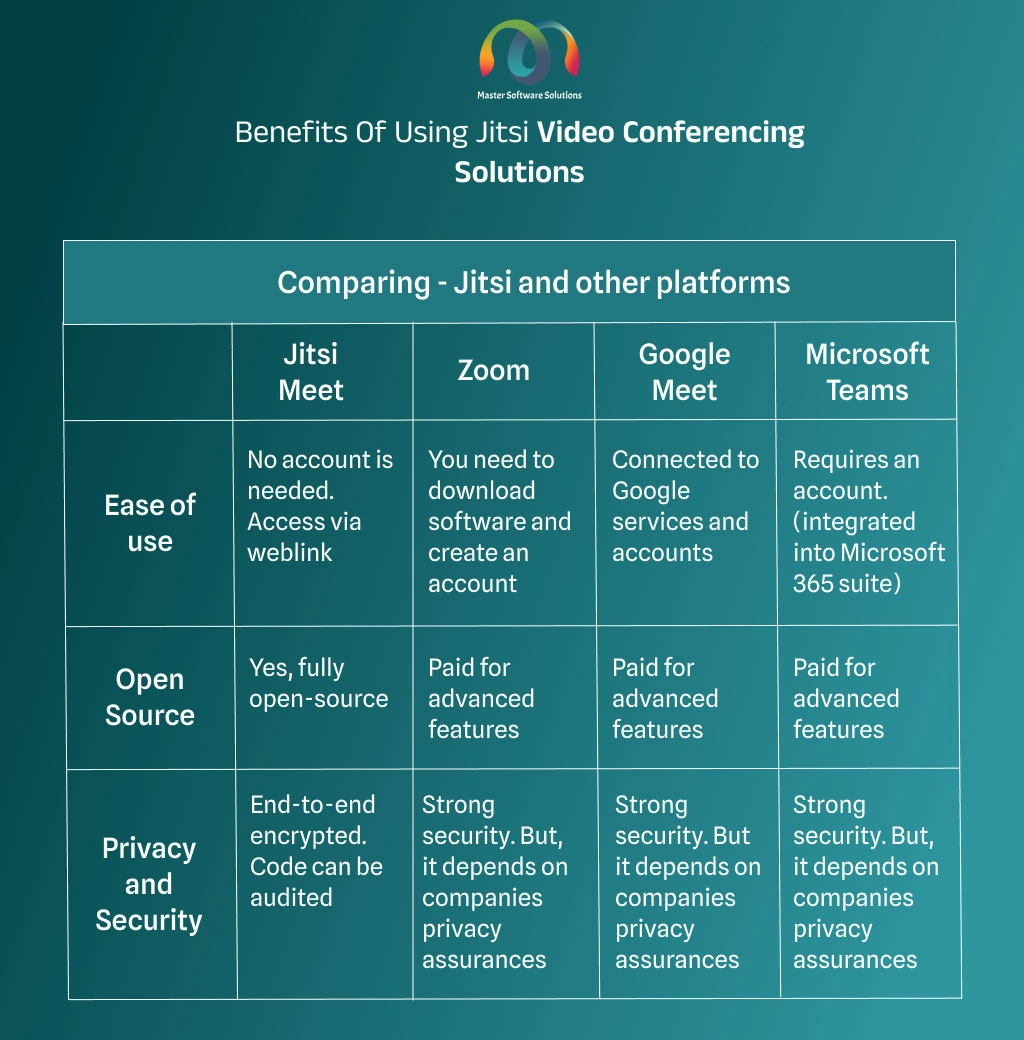
Comparing – Jisti with other platforms
Jitsi has become a popular choice for a reason. Here is a comparison of Jitsi with other platforms you should know about:
Jitsi – Used cases
The digitally connected world makes using efficient and reliable communication tools more critical. Jitsi is an open-source video conferencing solution that has transformed how we connect and collaborate. It offers a flexible and secure platform tailored to cater to the various needs of multiple industries. Jitsi is implemented in several industries, including healthcare, education, event planning, fitness, and legal advisory. Here are the industrial applications of the Jitsi videoconferencing solution.
Industries where Jitsi – a videoconferencing platform, is used are:
- Healthcare – Jitsi is used in telemedicine and remote patient care. Doctors can take consultation sessions with their customers online using Jitsi, a video calling platform. Jitsi configuration and customization, such as integrating features for prescription or lab report sharing and instant messaging during the call. The Healthcare Video Conferencing Solutions Market size was valued at USD 88.3 million in 2023 and is expected to exhibit growth at a CAGR of 5.7% from 2024 to 2032.
- Education – After COVID-19, the trend towards virtual classes took off and is still growing. The platform allows collaboration between the educator and the students. The platform integrates features like screen sharing, real-time evaluation, and note sharing, aligning the platform with e-learning.
- Event planning and management- Jitsi assists in event planning, allowing the team to collaborate from different places in real time. This type of remote collaboration saves travel and accommodation expenses. Jitsi customization can help you improve attendee engagement by introducing features like video conferencing, live chats, and screen sharing. You can also white-label the application for branding purposes.
- Fitness solution – You can go live, allowing your clients to join your live workout sessions using the Jitsi platform. You can also give personalized training sessions to your clients. Group workout sessions can help you improve participant engagement.
- Legal professions – Jitsi offers a secure platform, ensuring the confidentiality and privacy of information for clients and their attorneys. Virtual meetings have made legal services more accessible and convenient for clients. Real-time collaboration among legal teams has made case discussions more effective.
Conclusion
Jitsi stands out as a powerful and cost-effective solution for real-time communication needs. The platform commits to providing privacy, security, and user-friendliness, ensuring it maintains its high standards while meeting the demands of various sectors. The platform is customizable, so you can tailor it to your precise needs, increasing its utility and appeal. Leveraging Jitsi, you can streamline your communication process, foster better collaboration, and achieve your objectives more efficiently. You can also build your white-label videoconferencing platform using Jitsi technology. Master Software Solutions provides end-to-end video conferencing development services and offers custom solutions tailored to businesses’ requirements. We work on WebRTC, Kurento, Jitsi, Twilio, and OpenVido real-time communication platforms to provide these tailored video conferencing solutions.
Contact us to discuss your project and hire Jitsi WebRTC developers.
Frequently Asked Questions
Q1. What is Jitsi? What is it used for?
A1. Jitsi is an open-source software built on WebRTC that enables developers to build and deploy real-time audio, video, video conferencing, and instant messaging applications. The platform can be white-labeled, configured, and customized based on the business requirements.
Q2. Why did Jitsi become popular?
A2. Jitsi, being an open-source platform, became a great alternative for ZOOM and Google during the pandemic, when remote work surged. It follows a privacy-focused approach, requires no registration, and offers end-to-end encryption, making it popular.
Q3. Is Jitsi safe to use?
A3. Yes, Jitsi has a privacy-focused approach and offers end-to-end encryption for all real-time communication. It is a fully encrypted, open-source video conferencing platform and doesn’t require you to register on the platform.
Q4. Is Jitsi free or paid?
A4. Jitsi is an open-source video conferencing platform that is 100% free to use. It enables developers to customize it based on the unique demands of the business.
Q5. What are the advantages of using Jitsi?
A5. The advantages of using Jitsi are the following:
- Open-source and completely free to use
- Real-time communication with the least latency
- End-to-end encrypted communication
- Doesn’t need users to register on the platform
Q6. Are there any duration limits on Jitsi?
A6. No, there are no duration limits on Jitsi, unlike ZOOM. However, 100 participants can join at a time in a single room or meeting, and adding more can impact the quality of the video.
Q7. How long does it take to build a video conferencing app using Jitsi?
A7. The timeline for building a video conferencing app using Jitsi depends on the customization you need. If the customizations are fewer or easier, it may take up to two to three months. And building a video conferencing app with complex customization requires 4-5 months.
Q8. Jitsi vs. Zoom: Which is best for you?
A8. Jitsi is a better alternative to Zoom if you are looking for customizations, privacy control, and cost-efficiency. Jitsi is free to use and doesn’t charge or restrict the user like ZOOM or Google Meet.