ravi garg, master software solutions, odoolens odoo plugin, ai chatbot for odoo, usa, uk, canada, india, odoo implementation partner company, image

2012

Founded

90+

Professionals in our Team

800+

Clients Served

40+

Countries on Global Map

Key Features of OdooLens

Business Intelligence, as Easy as Asking a Question. OdooLens doesn't just look up your data; it understands, analyzes, and delivers it in the format you need, in the language you speak, with built-in enterprise-grade controls.

Ask in Plain Language

No training, no report-building skills. Anyone who can type a question can use it.
Instant Answers

Insights in seconds as clean tables or charts, not "I'll ask IT and get back to you next week."

Beyond Basic Lookups

Spots churn-risk customers, identifies your most profitable products, flags restocking needs, and generates sales forecasts.

Keep What's Useful

Pin answers for quick access, export to Excel in one click, or schedule automatic email digests for your team.

Speaks Your Language

Ask in English, French, or whichever language your team uses to answer; come back in the same language.

Safe and Controlled

Read-only, permission-aware, and fully auditable; admins control costs and monitor everything.

How Does OdooLens Work?

No new screen to learn, no special skills needed; if you can type a question, you can use OdooLens.

01

Open OdooLens

Open the OdooLens chat inside Odoo. The launcher is one click away from every screen, so there is no separate reporting tool to switch to.
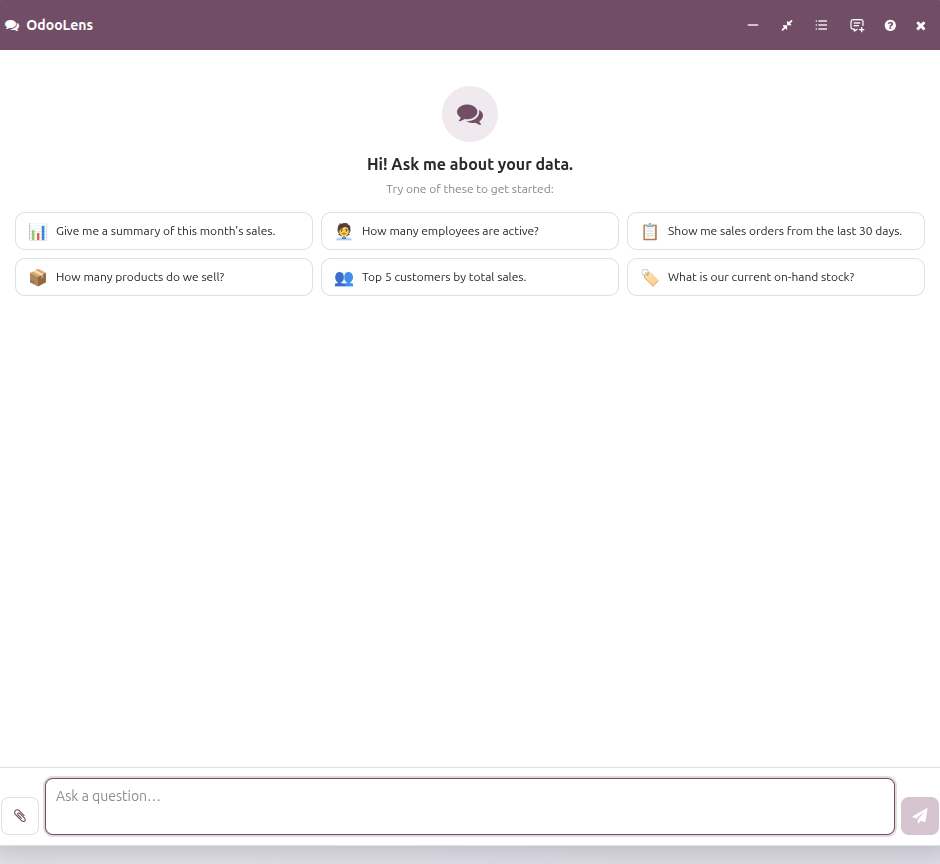
OdooLens — open the chat inside Odoo (placeholder screenshot)
02

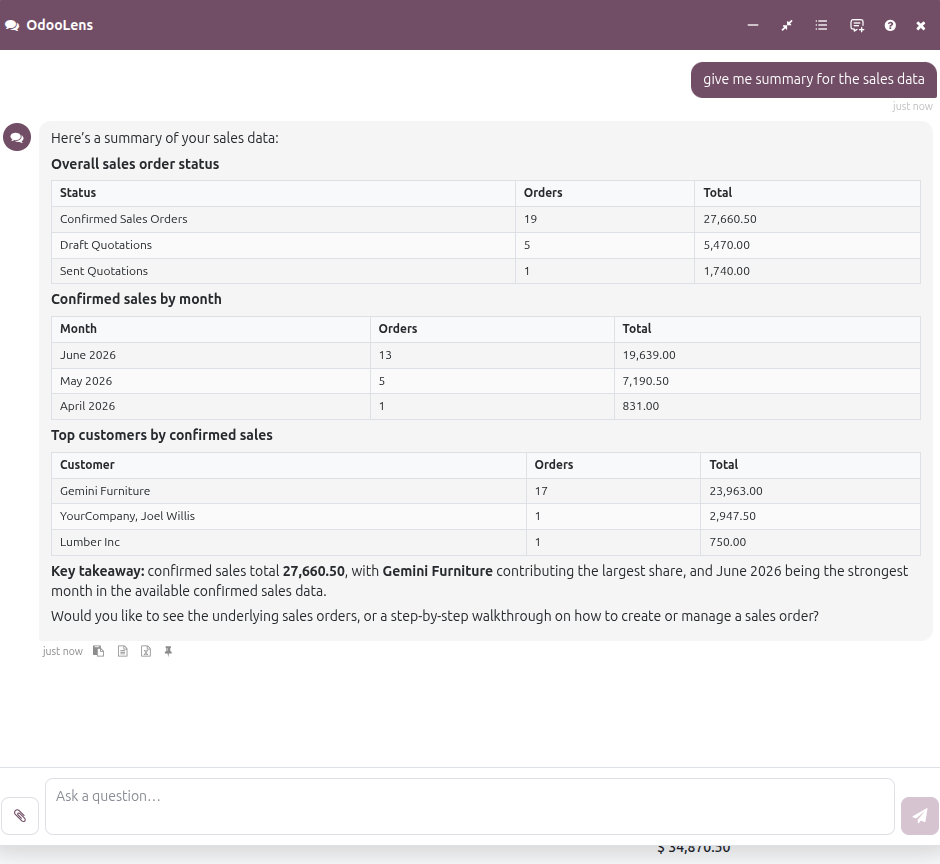
Ask & Get Answer

Type your question in plain English (or French, or whichever language your team uses).
img
03

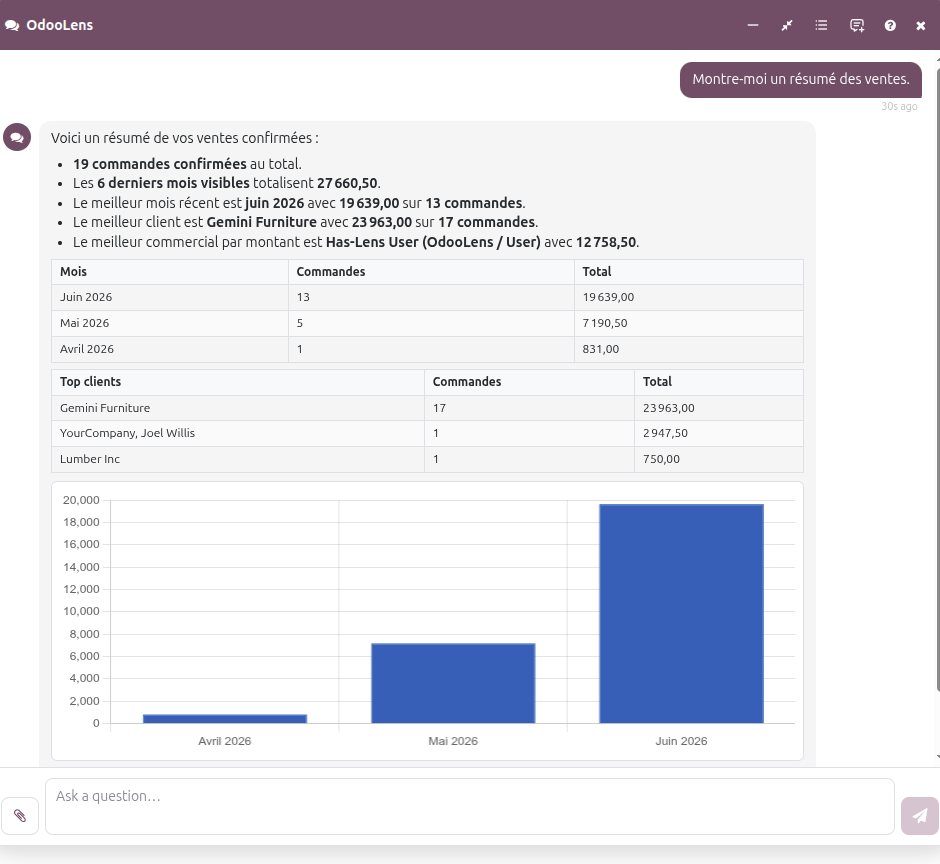
Ask in Any Other Language

OdooLens is multilingual and provides answers in any language preferred by the user.
img
04

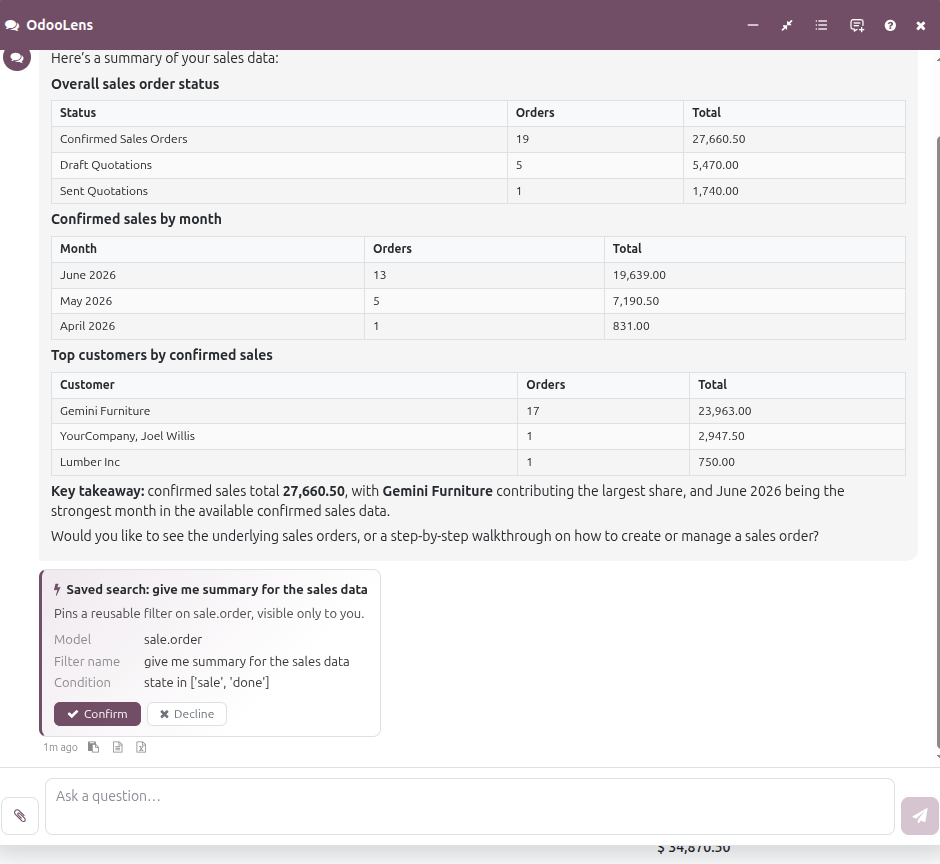
Keep It

Pin the answer for quick reference, export it to Excel, or set up an automatic email summary so your team gets it on a schedule without anyone having to ask again.
img
05

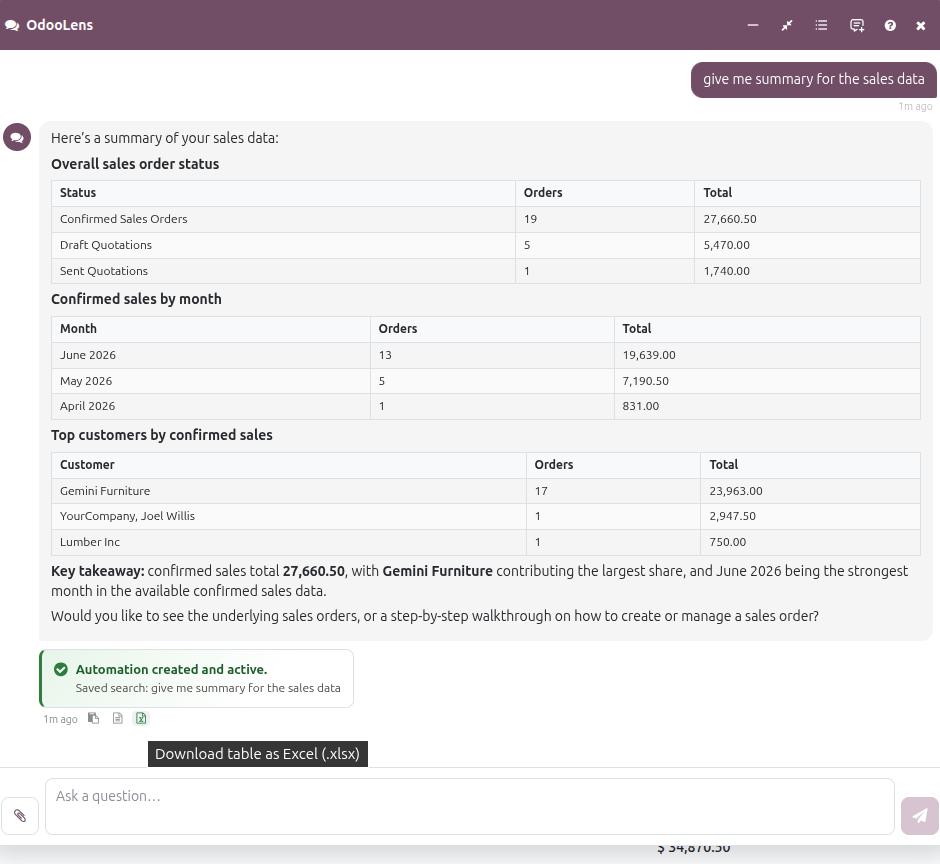
Export Your Excel Reports

You can download the Excel reports that you have generated on OdooLens.
img

How OdooLens Empowers Businesses

Every business runs on questions: Who's buying? What's owed? What's running low? OdooLens removes the gap between asking and knowing, so decisions are made on live data.

Decisions in Seconds, Not Days

Every team member gets instant answers from live data, has no report backlog, and doesn't have to wait on IT.

Insights for Everyone

Sales, finance, and operations teams self-serve their own analytics, no technical skills required.

Proactive, Not Reactive

Churn risks, restocking needs, and revenue forecasts surface before they become problems.

Reports That Run Themselves

Automatically scheduled email digests, like a daily summary of new leads for your sales team, keep everyone informed.

Works Where Your Team Works

It lives inside Odoo and works across the data you already have: sales, customers, invoices, inventory, opportunities, and more.

See What Your Odoo Data Has Been Trying to Tell You

Watch OdooLens answer live questions from your own Odoo data, such as top customers, unpaid invoices, revenue forecasts, and more. Book a free demo and get your first answers in minutes.

OdooLens at a Glance

What it is
AI reporting chatbot embedded in the Odoo backend The launcher is one click away from every screen
Platform
Odoo 18 & 19 (Community & Enterprise) Odoo Online Odoo.sh On-Premise
Technical name
odoolens Requires MSS AI Base, installed automatically as a dependency
Answer formats
Formatted tables and charts, each with a concise written insight
Exports
One-click PDF and XLSX export from any answer
Conversations
Pin useful results, reopen past conversations from searchable history, ask natural follow-up questions with full context
AI setup
Bring your own LLM, any OpenAI-compatible endpoint With your own provider, key, and model
Security
Strictly read-only, runs under each user's own access rights (ACL-respecting) No data transmitted until an endpoint is configured
Admin controls
Built-in dashboard for token and credit usage per user Endpoint configured under Settings → AI Services
License
OPL-1
Built by
Master Software Solutions A Trusted Odoo Ready Partner

Frequently Asked Questions

A1. OdooLens is an AI-powered chatbot that lives inside your Odoo environment and connects directly to your live business data. You type a question; it replies with a clear answer, usually a clean table or chart, in seconds.
A2. Anything about your Odoo data: "Who were my top 10 customers last month?" "Which customers haven't ordered in 90 days?" "List unpaid invoices over €5,000," "Forecast next month's revenue," and "Show me sales by product category this quarter."
A3. No. There's no new screen to learn and no report-building skills needed. If you can type a question, you can use OdooLens.
A4. It works across the data you already have in Odoo sales, including customers, invoices, inventory, opportunities, and more.
A5. No. OdooLens is strictly read-only. It's also permission-aware; users only see data they're allowed to see, and every interaction is fully auditable.
A6. It goes well beyond lookups: OdooLens can spot customers at risk of churning, identify your most profitable products, flag items that need restocking, and generate sales forecasts.
A7. OdooLens answers in whichever language you write in English, French, or whatever your team uses.
A8. Yes. Pin answers for quick reference, export them to Excel in one click, or schedule automatic email summaries, for example, a daily digest of new leads sent to your sales team every morning.
A9. Standard reporting means building a report, asking IT, and waiting. OdooLens answers ad hoc questions instantly, in plain language, from live data, with no configuration per question.
A10. Admins have full oversight: they control costs, monitor usage, and can audit every question and answer.
Contact Us - Click to open form
Restore Widget