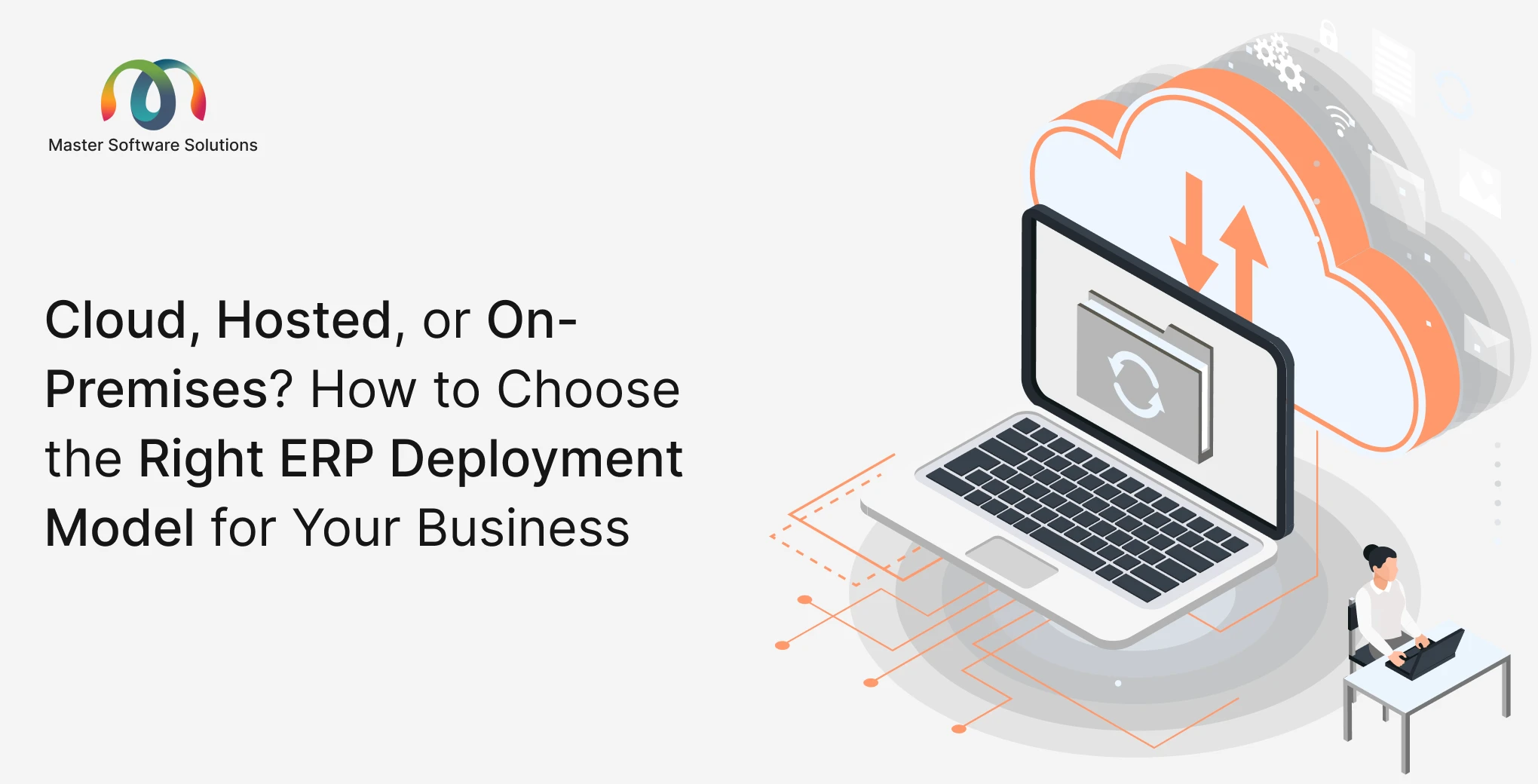
When businesses start evaluating an ERP system, most of the early conversation centers on features, what it can do, how it handles manufacturing, and whether it integrates with existing tools. Deployment rarely comes up until later. And that’s a problem.
How and where your ERP is deployed affects your costs, security posture, IT workload, and the control you retain over your own data. Getting this decision wrong doesn’t just create headaches at go-live; it can shape your operational constraints for years.
There is no one-size-fits-all answer. But there is a right answer for your business. This article explains the three main ERP deployment models, the trade-offs each one carries, and how to work with your implementation partner to make the call confidently.
Why Deployment Deserves More Attention Than It Usually Gets
Most ERP conversations lead with functionality and end with deployment as an afterthought. But the deployment model you choose determines the following:
- Who manages uptime and infrastructure: your IT team, your ERP vendor, or a cloud provider
- Where your data lives, whether on your own servers, in a managed environment, or in the cloud
- What do you pay and how? Whether it is upfront capital costs vs. predictable monthly fees
- How quickly you can scale, adding users and capacity, is very different depending on the model
- Your security and compliance obligations are especially relevant in regulated industries or businesses handling sensitive customer data
A trustworthy implementation partner won’t just list the options and let you guess. They’ll ask about your business size, IT capacity, data sensitivity, and budget, and then give you a clear recommendation backed by reasoning.
The Right Questions to Ask Before Choosing a Deployment Model
Before committing to any deployment path, ask your implementation partner to be specific:
- What are the realistic ongoing costs for each model, not just the headline price?
- Who is responsible for updates, patches, and security in each scenario?
- What happens if the system goes down? What is the SLA, and who resolves it?
- How difficult will it be to transition from cloud to on-premises (or vice versa)?
- Do you support all three deployment models, or do you only recommend one because it’s easier for you?
- How does each model affect our ability to customize the ERP over time?
If your partner deflects these questions or can only support one deployment model, that limits your options before you’ve even started.
Not sure which deployment model suits your business? Book a free consultation with our team
What Are the Three ERP Deployment Models
There are three major ERP deployment options when implementing an ERP system. They are:
Cloud Deployment (Third-Party Hosted)
With cloud deployment, your ERP instance is hosted on a third-party cloud platform, typically AWS, Azure, or GCP. The cloud provider manages the infrastructure, and your implementation partner handles the ERP layer on top.
Best for
Businesses that want the scalability and reliability of enterprise-grade infrastructure without building or managing it. If your team doesn’t have dedicated IT staff or you anticipate rapid growth, cloud deployment removes infrastructure from your list of concerns.
Cost structure
Typically subscription-based, combining cloud hosting fees with your ERP licensing costs. Also, there is no large upfront capital expenditure.
Control and customization
You retain full control over your ERP configuration and data. The infrastructure is managed for you, but the application is yours.
Security
Cloud providers like AWS and Azure operate some of the most secure infrastructure in the world. That said, your data does live outside your own walls, a consideration for businesses in regulated industries.
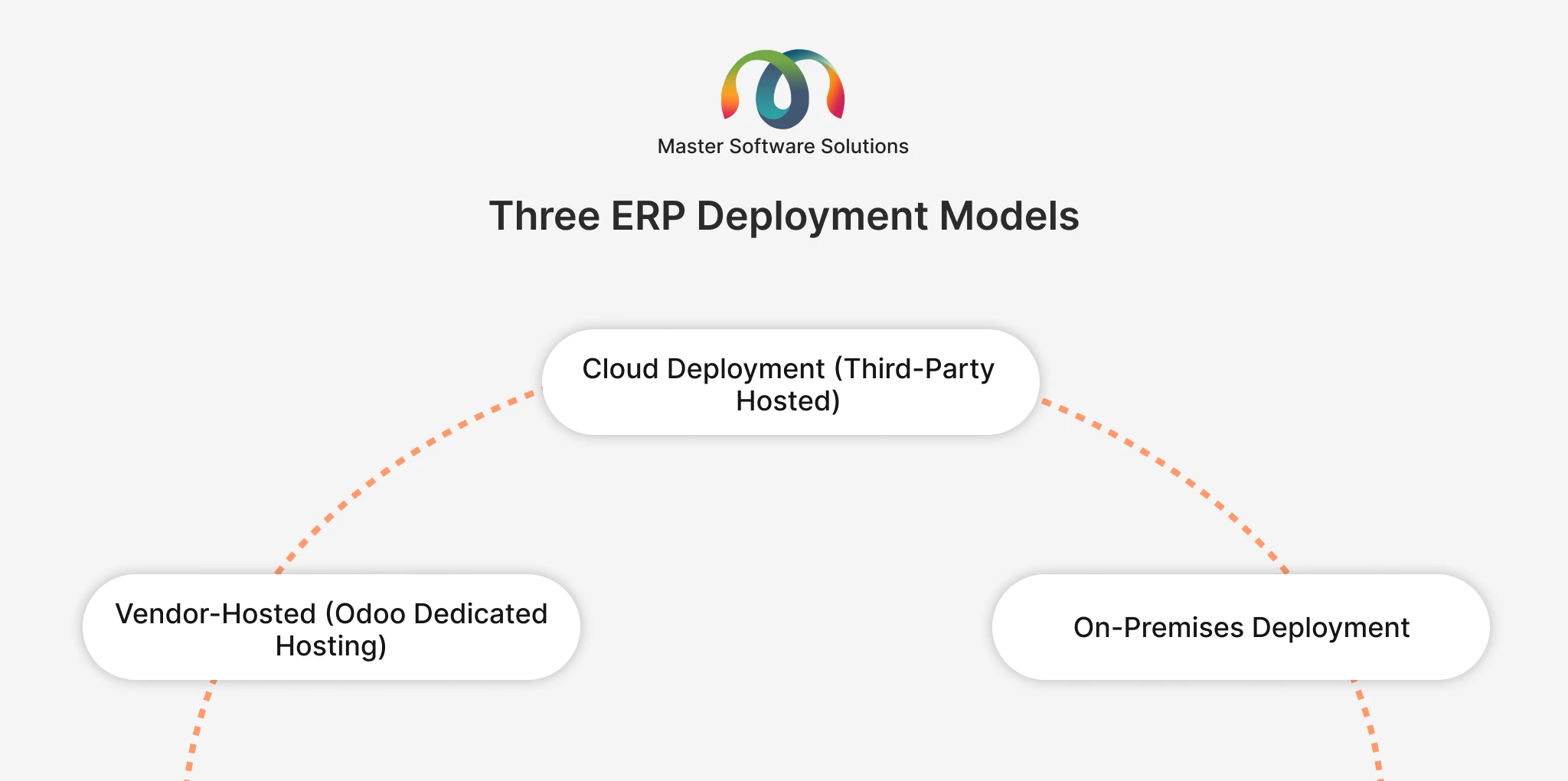
Vendor-Hosted (Odoo Dedicated Hosting)
In the case of vendor-hosted deployment, Odoo’s managed hosting environment puts both the infrastructure and the ERP platform in the software vendor’s hands. You pay a monthly fee, and the vendor owns uptime, maintenance, and updates.
Best for
Businesses that want the simplest possible operational model. If you’d rather not think about hosting at all and trust your ERP vendor to keep things running, this is the most hands-off option.
Cost structure
A monthly subscription fee that bundles hosting and platform maintenance. Predictable and straightforward to budget for.
Control and customization
Some customisation constraints may apply depending on the vendor’s managed environment. Worth clarifying upfront how much flexibility you retain.
Security
The vendor manages security and compliance for the hosting environment. Uptime SLAs are typically clearly defined and contractually backed.
On-Premises Deployment
On-premises deployment means the ERP is hosted on your own servers, inside your own infrastructure. You own the hardware, you manage the environment, and you retain maximum control over every aspect of the system.
Best for
Businesses with existing server infrastructure, in-house IT capability, and a strong preference or regulatory requirement for data entirely in-house. Also common in industries where data sovereignty is non-negotiable.
Cost structure
Higher upfront investment in infrastructure and setup. Ongoing costs include IT staffing, maintenance, and licensing. No recurring hosting fee, but the total cost of ownership can be significant.
Control and customization
Maximum control. You can customize the system extensively, manage your own update schedule, and integrate with internal systems on your own terms.
Security
Your data never leaves your premises. But security is entirely your responsibility — patching, access control, disaster recovery, and backup all fall to your team.
How We Approach Deployment at Master Software Solutions
Master Software Solutions offer all three deployment models for Odoo ERP, and we don’t push one over another for our own convenience. Here’s how we match each option to the right kind of business:
Cloud deployment (AWS, Azure, GCP)
We host your Odoo instance on your preferred cloud provider. This is our recommendation for businesses that want enterprise-grade scalability without the overhead of managing infrastructure. Your team focuses on the business and the cloud provider, and we handle the environment.
Odoo dedicated hosting
Odoo’s own managed hosting environment is billed at a monthly fee. We recommend this for businesses that want the ERP vendor to own uptime and maintenance end-to-end, the most streamlined operational model available.
On-premises
If you have your own servers and want to keep everything in-house, we deploy the full system on your infrastructure. Odoo license costs apply, but you retain full control over your data, your environment, and your customisation roadmap.
Because we work directly with Odoo’s source code, every deployment option is fully supported; we’re not steering you toward the cloud because it’s easier for us. We’ll help you weigh the trade-offs and make the right call for your specific situation.
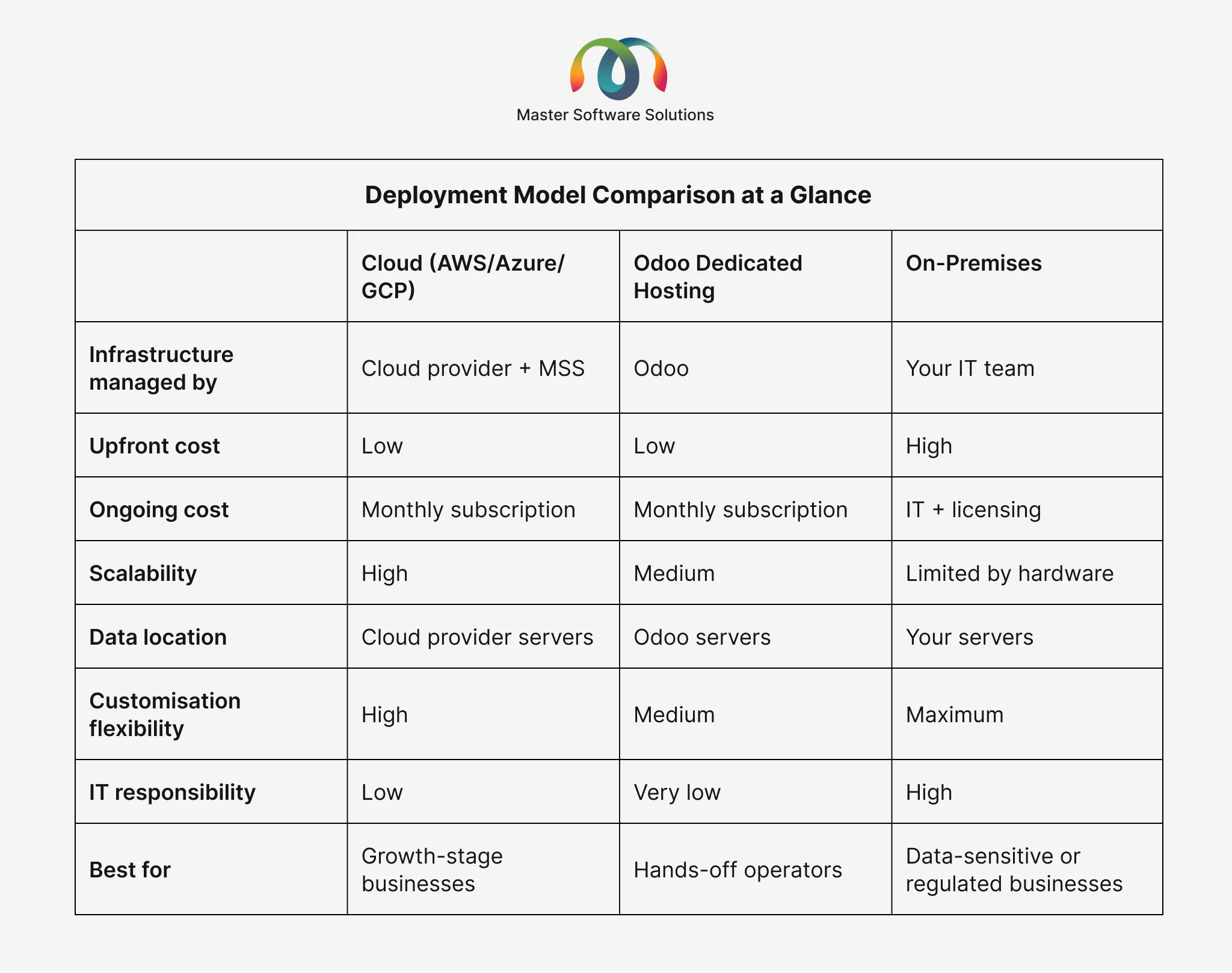
Deployment Model Comparison at a Glance
Common Deployment Mistakes to Avoid
Choosing on-premises because it feels more secure without the IT team
On-premises does give you maximum control, but that control comes with maximum responsibility. If your IT team isn’t resourced to manage patching, backups, and disaster recovery properly, on-premises can introduce more risk than it removes.
Defaulting to the cloud without understanding the data implications
Cloud is often the right choice, but businesses in regulated industries, such as healthcare, finance, and legal, need to understand exactly where their data sits and whether their chosen cloud provider meets their compliance requirements.
Not asking about the migration path
Business needs change. The deployment model that makes sense today might not work in three years. Before you commit, ask your partner how difficult it would be to migrate between models if your situation changes.
Focusing only on the initial price
Cloud and vendor-hosted options look cheaper upfront. On-premises may look cheaper in the long run; however, when you consider IT staffing, hardware refresh cycles, and the cost of outages, the real cost comes out. Ask for the ownership costs comparison across three to five years.
Letting the vendor choose for you without asking why
Some implementation partners support one deployment model or earn more margin on one option. Always ask why a specific model is being recommended and push for reasoning tied to your specific situation.
What the Right Deployment Decision Looks Like
The right deployment model is the one that matches your actual constraints, not the one that sounds most impressive in a pitch deck.
A business with a three-person IT team and ambitions to double in size over two years should probably be on the cloud. A family-owned manufacturer with its own server room and a strict policy on data leaving the building should probably be on-premises. A business that wants to get up and running quickly with minimal operational overhead should probably look at vendor-hosted.
None of these answers is wrong. They’re just different, and the right partner will help you figure out which one is right for you.
Let’s figure out your deployment model together. Talk to our implementation team
Frequently Asked Questions
Q1. What’s the difference between cloud deployment and Odoo’s dedicated hosting?
A1. With cloud deployment, your Odoo instance is hosted on a major cloud platform (AWS, Azure, or GCP), and we manage the ERP layer on top. With Odoo dedicated hosting, the ERP vendor manages both the hosting environment and the platform. Cloud offers flexibility in terms of infrastructure choices; dedicated hosting is more hands-off.
Q2. Is on-premises deployment more secure than the cloud?
A2. Not automatically. On-premises keeps your data physically in-house, which satisfies certain compliance requirements and risk preferences. But security is entirely your responsibility — if your team doesn’t have the resources to manage it properly, cloud infrastructure operated by AWS or Azure may actually be more secure in practice. The right answer depends on your IT capability and your specific security requirements.
Q3. Can we switch deployment models later if our needs change?
A3. Yes, but it’s not trivial. Migrating between deployment models requires data migration, reconfiguration, and downtime management. It’s possible, but it’s much easier to get the decision right upfront than to migrate later. Ask your implementation partner about the migration path before you commit.
Q4. What are the ongoing costs for each deployment model?
A4. Cloud and vendor-hosted models typically involve a monthly subscription that covers hosting and platform fees, plus your Odoo licensing. On-premises has no recurring hosting cost but requires investment in hardware, IT staffing, and maintenance. Total cost of ownership over three to five years often tells a very different story than the initial price.
Q5. Do we need our own IT team to run on-premises deployment?
A5. You don’t necessarily need a full IT department, but you do need someone capable of managing server infrastructure, security patching, backups, and troubleshooting. If you don’t have that capacity internally, on-premises can significantly increase the operational risk to the business. Cloud or hosted models remove that burden.
Q6. Will Master Software Solutions support us regardless of which deployment model we choose?
A6. Yes. We support all three deployment models fully — cloud, Odoo dedicated hosting, and on-premises. Because we work directly with Odoo’s source code, our support isn’t limited by the hosting environment. We’ll help you choose the right model and support you through implementation and beyond.
Q7. How long does deployment typically take?
A7. Deployment itself, including setting up the environment and getting the system running, is typically one of the faster parts of an ERP implementation. Cloud and hosted deployments can be provisioned quickly. On-premises takes longer if hardware procurement or network configuration is required. The bigger factor in overall implementation timelines is data migration, configuration, and training.
Have more questions about deployment options? Get in touch with our team. We’re happy to walk you through what would work best for your setup.