Upgrading to Odoo 19 is quickly becoming a top priority for businesses aiming to boost efficiency, enhance performance, and stay aligned with the latest technology advancements. Odoo 10 offers a significant leap forward for organizations of all sizes with improved speed, smarter workflows, and powerful new features. It is a strategic move that requires precision, planning, and expert execution.
That is where Master Software Solutions stands out. We are recognized for delivering seamless, secure, and cost-effective Odoo migrations and have built a strong reputation as one of the best Odoo 19 migration service providers. Our Odoo migration ensures module compatibility and minimizes downtime for a smooth transition that supports long-term business growth.
This blog explores what makes odoo 19 worth upgrading to and why Master Software Solutions is the ideal partner to handle your migration with confidence.
Why upgrade to Odoo 19?
Upgrading to Odoo 19 provides a powerful set of enhancements designed to enhance performance, streamline operations, and elevate the overall user experience. Whether you are running Odoo 12, 13, or 16, the upgrade to version 19 introduces modern capabilities that make daily operations faster, smarter, and more efficient. Here is why it is worth making the switch:
Enhanced performance & speed
Odoo 19 is engineered to run faster and handle more complex workflows with ease. Improved backend processing and optimized database access lead to quicker load times and smoother navigation across modules.
Modernized user interface
The updated UI delivers a cleaner, more intuitive experience, making it easier for teams to adapt and work productively. A refined layout and improved accessibility features boost usability for both new and experienced users.
Advanced automation and AI features
Odoo 19 introduces smarter automation tools and AI-driven enhancements that help businesses reduce manual tasks. These upgrades support better decision-making and higher efficiency.
Improved customization flexibility
Odoo 19 makes it easier to customize modules and build features tailored to specific business needs without compromising scalability. This improves development frameworks and compatibility updates.
Stronger security protocols
Security is a key focus in Odoo 19. Enhanced authentication, better encryption standards, and more robust access controls help protect sensitive business data from modern threats.
Better integration capabilities
Odoo 19 offers improved support for third-party integrations, APIs, and external applications. This ensures businesses get a connected, unified system that works seamlessly with their existing tools.
Long-term support & compatibility
Upgrading keeps your business aligned with the latest Odoo ecosystem. Staying updated ensures access to new modules, regular patches, enhancements, and extended support for years to come.
Improved mobile experience
Odoo 10 provides a more seamless experience for users on the go, featuring more responsive layouts and mobile-optimized pages. This makes remote operations smoother and more reliable.
Challenges in Odoo migration
Migrating to a new Odoo version, especially a major upgrade like Odoo 19, requires careful planning and expert execution. While the benefits of upgrading are significant, the migration process comes with certain challenges that businesses must navigate to ensure a smooth transition.
Data safety risks
One of the primary concerns during migration is the potential for data corruption or data loss. Transferring large volumes of records, custom fields, and historical data requires precise handling. Without proper backups, validation, and structured migration scripts, businesses risk losing crucial information.
Downtime concerns
Migration involves temporarily taking the system offline. If not managed properly, this can result in extended downtime, affecting daily operations, sales, and customer service. A well-planned migration minimizes disruption and ensures a faster transition with little to no business impact.
Module compatibility issues
Not all modules from older Odoo versions are directly compatible with Odoo 19. Some may require updates, complete rewrites, or replacements. Ensuring seamless module migration, including custom modules, is one of the most complex parts of the process.
Customization challenges
Businesses often rely on customized modules, workflows, and code modifications to meet their specific requirements. Migrating these customizations to Odoo 19 can be challenging because the newer version may use updated frameworks or changed logic. This demands careful code review, refactoring, and sometimes redesigning features to maintain functionality.
Third-party integration challenges
If your system integrates with third-party applications such as payment gateways, CRMs, shipping APIs, or marketing tools, you may face compatibility or configuration issues during migration. Ensuring that all integrations continue to function smoothly requires additional testing and the possibility of adjusting APIs.
Why is Master Software Solutions the best Odoo 19 migration service provider?
Choosing the right partner for your Odoo 19 migration can make all the difference between a smooth upgrade and a disruptive experience. Master Software Solutions has established itself as a trusted leader in Odoo development, offering unmatched expertise and a proven migration methodology that ensures businesses upgrade with confidence and efficiency. Here is what sets us apart.
Proven Odoo migration expertise
With years of hands-on experience across multiple Odoo versions, Master Software Solutions has successfully delivered hundreds of migrations for businesses of all sizes. Our certified Odoo developers understand the intricacies of database structures, module dependencies, and version-specific changes, ensuring a flawless transition to Odoo 19.
End-to-end migration process
Our team follows a comprehensive, step-by-step migration strategy, from initial assessment to post-migration stabilization. This includes system auditing, data analysis, module evaluation, backup planning, testing, and deployment. Our structured approach eliminates guesswork and ensures every aspect of your system is thoroughly handled.
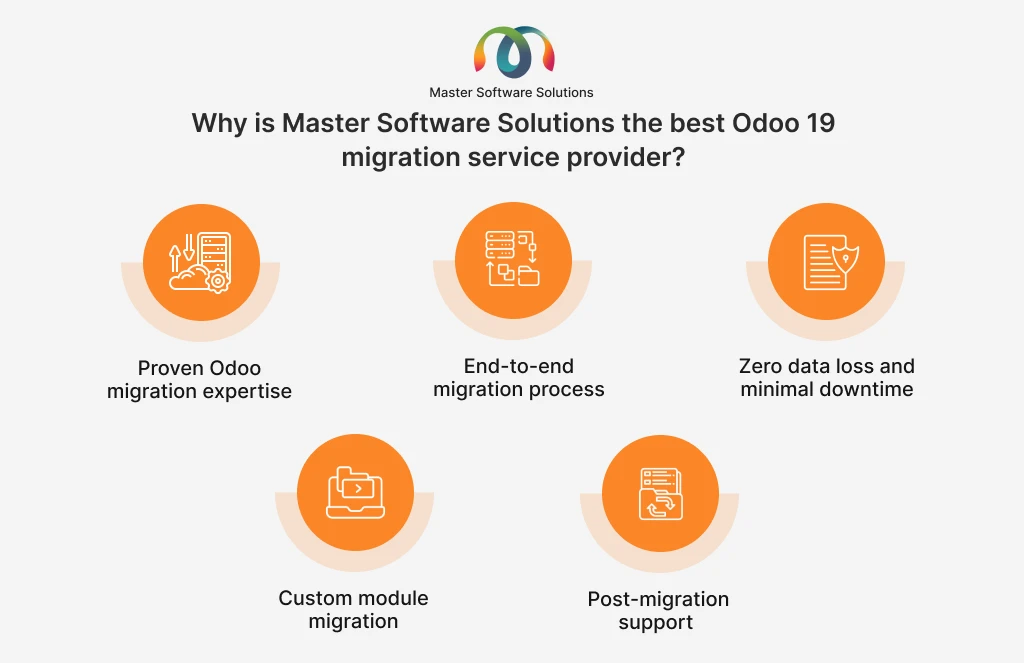
Zero data loss and minimal downtime
Master Software Solutions prioritizes data integrity above all else. We use industry-recommended migration scripts, secure backups, and continuous validation to ensure zero data loss. Executing migrations during off-peak hours and using optimized deployment techniques, we guarantee minimal downtime, keeping your business running smoothly.
Custom module migration
Custom modules often pose the biggest challenge during version upgrades. Our team specializes in analyzing, refactoring, and rebuilding custom features to ensure full compatibility with Odoo 19’s improved framework. In many cases, they also enhance or optimize existing customizations to boost performance and functionality.
Affordable & transparent pricing
Master Software Solutions offers clear, upfront pricing with no hidden charges. Whether you need a full-system migration or selective module upgrades, our cost-effective plans cater to businesses of all sizes and budgets. Transparency in deliverables and timelines ensures you know exactly what you are paying for.
Post-migration support
The migration doesn’t end at deployment. Our dedicated support team provides ongoing assistance to address bugs, optimize performance, train users, and ensure your system runs seamlessly on Odoo 19. This commitment to long-term support makes us a reliable technology partner.
Odoo 19 migration process followed by Master Software Solutions
At Master Software Solutions, we follow a structured and meticulous migration process designed to ensure accuracy, stability, and a seamless transition to Odoo 19. Each step is carried out by an experienced Odoo-certified developer who prioritizes data integrity and business continuity. Here’s a breakdown of their proven migration workflow:
Requirement gathering
The process begins with a thorough understanding of your business operations, current Odoo setup, and specific migration goals. This includes identifying core modules, customization, third-party integrations, and areas that need improvement. Clear requirement gathering helps shape a migration plan tailored to your organization.
Database & module assessment
The team performs a comprehensive audit of your existing database, including records, fields, and relationships. At the same time, they analyze installed modules, both standard and customized, to determine compatibility with Odoo 19. This assessment helps identify modules that need updates, rewrites, or replacements.
Data migration
Once the database structure is evaluated, the team begins securely migrating your data to the Odoo 19 environment. This includes master records, transactions, configuration settings, custom fields, and historical data. Validation checks are performed at every stage to ensure accuracy and prevent data loss.
Code & customization migration
Customizations from previous versions often require code updates to align with Odoo 19’s framework changes. The development team refactors or rebuilds custom modules, views, workflows, and logic to ensure seamless functionality in the upgraded system. They also optimize legacy code to enhance performance.
Integration compatibility
Master Software Solutions verifies all third-party integrations, APIs, and external applications to ensure they function with Odoo 19. Any necessary configuration changes, version upgrades, or API adjustments are implemented so your connected systems remain fully operational
Testing (UAT, functional, performance)
- Before going live, the upgraded system undergoes multiple levels of testing:
- Functional testing ensures all modules and features work correctly.
- Performance testing checks the speed, stability, and responsiveness of a system.
- User Acceptance Testing (UAT) allows your team to verify that everything aligns with the business processes.
This rigorous testing ensures a flawless and reliable final migration.
Deployment
After testing and approval, the system is deployed to the live environment. The team schedules deployment during low-traffic hours to minimize downtime. Careful planning ensures a seamless migration from the old version to Odoo 19 with minimal disruption.
Ongoing support
Post-deployment, Master Software Solutions provides continuous support to resolve any issues, fine-tune performance, assist users, and ensure your business fully benefits from Odoo 19’s capabilities. This long-term support strengthens system stability and user confidence.
Technologies and tools used
To deliver a smooth, reliable, and error-free Odoo 19 migration, Master Software Solutions leverages a modern technology stack along with specialized tools designed for accuracy, speed, and system stability. These tools ensure that every stage of the migration is handled with precision, from data transfer to testing and deployment.
Odoo frameworks
- We use the full suite of Odoo development frameworks to ensure compatibility and performance:
- Odoo ORM (Object-Relational Mapping) for managing database interactions efficiently.
- Odoo Web Framework for UI components and front-end compatibility.
- Odoo studio & developer tools for module customization.
- XML, QWeb, and Python-based frameworks for custom module rebuilding and optimization.
These frameworks enable developers to seamlessly adapt older modules and customizations to Odoo 19’s architecture.
Migration scripts
- Custom and standardized migration scripts are used to migrate data and configurations safely:
- Database migration scripts for transferring tables, fields, and relationships.
- Custom mapping scripts to align legacy models with Odoo 19’s updated structure.
- Automated scripts for moving configurations, users, workflows, and custom fields.
These scripts minimize manual intervention, reduce errors, and ensure the consistent, validated data transfer.
Automated testing tools
To verify stability and functionality, the team uses a combination of automated and manual testing tools:
- Unit testing frameworks to validate individual modules.
- Functional testing tools to ensure end-to-end workflow accuracy.
- Performance testing utilities to evaluate system speed and load handling.
- Odoo’s built-in testing modules for checking module compatibility.
- Automation helps identify issues early, accelerate QA cycles, and ensure a flawless migration environment.
Conclusion
Upgrading to Odoo 19 is a strategic investment that improves performance, enhances security, and enables smarter business operations. However, a successful migration requires deep expertise, meticulous planning, and a partner who understands both the technical and functional aspects of Odoo.
Master Software Solutions stands out as a trusted leader in Odoo 19 migration services, offering proven experience, a structured migration process, advanced tools, and unwavering post-deployment support. We deliver a seamless and stress-free upgrade experience, from safeguarding your data to optimizing custom modules and ensuring minimal downtime. If you’re ready to elevate your Odoo system, Master Software Solutions is the ideal team to guide you every step of the way. Contact us to discuss your business!
Frequently Asked Questions
What is the timeline for migration from Odoo 18 to Odoo 19?
The timeline depends on the size of your database, the number of modules, and the level of customizations. Most migrations take anywhere from a few weeks to a few months.
What factors affect the cost of Odoo 19 migration?
The cost depends on the database size, number of modules, customizations, third-party integrations, and required testing. Transparent pricing ensures you know exactly what you are paying for.
Will my existing modules be compatible with Odoo 19?
Custom modules often need adjustments or a complete rebuild to align with Odoo 19’s updated framework. A migration expert can analyze your code and ensure full compatibility.
Can my business continue operating during the migration?
Yes. Expert teams, like Master Software Solutions, ensure minimal downtime by performing most preparations in a staging environment and scheduling the final switch during low-traffic hours.
What kind of support is available after the migration is complete?
Post-migration support includes bug fixes, performance optimizations, user training, customization tweaks, and ongoing system monitoring to ensure updates during the process.
Do third-party integrations require updates after migration?
Often, yes. APIs, configurations, or plugins may need adjustments to remain compatible with Odoo 19. Migration experts handle these integration updates during the process.
Is there a risk of data loss when upgrading to Odoo 19?
There is always some risk associated with major upgrades, but professional migration teams use backup strategies, validation scripts, and quality checks to ensure zero data loss.