 Odoo ERP migration is a critical step for organizations looking to upgrade system performance, adopt new features, or align their ERP with evolving business needs. Whether migrating to a newer Odoo version, changing infrastructure, or restructuring data, the success of the migration depends largely on the strategy chosen.
Each Odoo migration approach comes with its benefits, risks, and use cases. Selecting the right strategy helps minimize downtime, protect data integrity, and ensure a smooth transition for users.
This blog explores the top Odoo ERP migration strategies, Key considerations for choosing the right approach, and best practices to ensure a successful migration.
Table of Contents
Understanding Odoo ERP migration
Odoo ERP Migration is the process of moving an existing Odoo system to a new version, environment, or structure while preserving business data and functionality. It involves transferring databases, updating modules, and ensuring that customizations and integrations continue to work correctly. A successful migration maintains system stability and minimizes disruption to daily operations.
What does Odoo ERP migration involve?
Odoo migration includes:
- Database schema
- Migrating business data
- Adapting custom and third-party modules
It requires configuration updates, filestore migration, and validation of business workflows. Careful planning and testing are essential to avoid data loss or system downtime.
Types of Odoo migrations
- Version migration: Updating one Odoo version to another.
- Platform mediation: Moving between on-premise, cloud, or Odoo.sh.
- Database migration: Restructuring or optimizing data.
Note: Each type has different technical requirements and impacts. In many cases, multiple migration types are performed together.
Factors to consider before choosing a migration strategy
Selecting the right Odoo ERP migration strategy requires a clear understanding of both technical and business requirements. Each organization’s Odoo environment is different, and factors such as customization, data size, and operation constraints directly influence the migration approach. Here are the factors to consider before choosing a migration strategy.
Current and target Odoo version
The gap between the current and target Odoo versions determines the complexity of the migration. Larger versions that jump often require additional data transformations and code changes. A version-by-version approach may be necessary to maintain compatibility and stability.
Level of customizations and integrations
Highly customized systems or those with multiple integrations require careful planning. Custom modules and external systems may need updates or rework to function in the new environment. The higher the customization, the more testing and validation the migration will require.
Data volume and system complexity
Large databases with complex relationships increase the effort and risk associated with migration. High data volumes may impact migration time and system performance. Understanding data structure and dependencies helps choose the most efficient migration strategy.
Business downtime tolerance
Some organizations can afford downtime, while others require near-zero disruption. Downtime tolerance influences whether an in-place, parallel, or phased migration is selected. Planning around business operations helps minimize the impact on users.
Budget and timeline constraints
The cost and duration of migration strategies vary according to their complexity and scope. Tight budgets or timelines may limit available options. Aligning the strategy with financial and scheduling constraints ensures realistic expectations and project success.
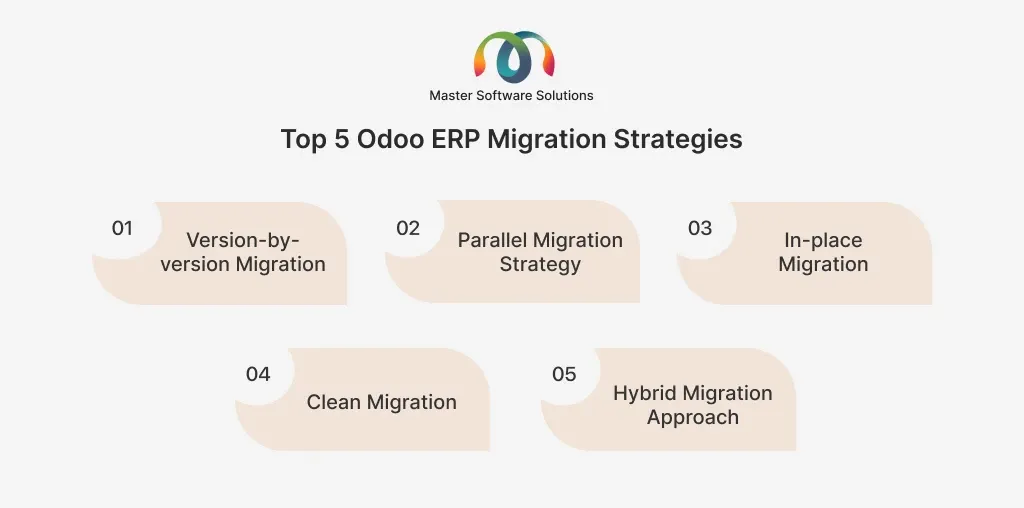
Top 5 Odoo ERP migration strategies
Choosing the right Odoo ERP migration strategy is critical to ensure a smooth transition with minimal risk to business operations. Each plan differs in complexity, cost, downtime, and suitability. Understanding these strategies enables organizations to select an approach that aligns with their technical requirements and operational goals. Here are the top 5 Odoo ERP migration strategies.
Version-by-version migration
Version-by-version migration involves upgrading Odoo sequentially from one version to the next rather than skipping multiple versions. This gradual approach ensures database schema changes, core functionalities, and custom modules remain compatible at each stage. While it requires more time and effort, it significantly reduces the risk of data inconsistencies and functional breakages. This strategy is best suited for highly customized systems or older Odoo versions where stability and accuracy are critical.
Parallel migration strategy
In a parallel migration strategy, the existing Odoo system and the new system run simultaneously for a defined period. This allows businesses to validate data, test workflows, and train users on the new system without disrupting ongoing operations. It offers strong risk mitigation, as the old system remains available if issues arise. This approach is ideal for large organizations, mission-critical systems, or environments where downtime must be minimized.
In-place migration
In-place migration involves upgrading the Odoo system directly in the existing environment without maintaining a separate parallel setup. This approach is faster and more cost-effective, as it requires fewer infrastructure resources. However, it carries a higher risk because rollback options are limited in the case of issues. In-place migration is best suited for smaller databases, systems with minimal customization, and organizations that can tolerate short downtime.
Clean migration (selective data migration)
Clean migration focuses on migrating only essential and relevant data rather than the entire historical database. This approach helps eliminate outdated records, reduce database size, and improve system performance. It also simplifies migration complexity and long-term maintenance. Clean migration is ideal for organizations seeking system optimization, process reengineering, or a fresh start with a newer version of Odoo ERP software.
Hybrid migration approach
The hybrid migration approach combines multiple Odoo migration strategies to balance risk, cost, and timeline. It enables critical data and core modules to be migrated using safer methods, while non-essential or historical data is handled selectively. This approach reduces downtime and improves flexibility during complex migrations. Hybrid migration is ideal for large, customized Odoo environments with strict business continuity requirements.
Tools and resources for Odoo ERP migration
Using the right tools and resources plays a critical role in the success of an Odoo ERP migration. These tools help reduce manual effort, minimize errors, and ensure data consistency across versions and environments. The scope, complexity, and business needs of the migration all play a role in choosing the right resources. Here are the tools and resources for Odoo ERP migration.
Odoo official migration services
Odoo provides official migration services for Enterprise customers upgrading between supported versions. These services ensure accurate database schema updates and core data migration. They are reliable and well-suited for standard Odoo implementations but may not fully cover complex custom modules or third-party integrations. You can also opt for official Odoo partners, like Master Software Solutions.
OpenUpgrade and third-party tools
OpenUpgrade and other third-party tools offer flexible migration options, especially for Community and heavily customized Odoo systems. They allow greater control over data and module migration but require technical expertise. These tools are commonly used when official services are not applicable or sufficient.
Role of automation and scripts
Automation and custom scripts help streamline repetitive migration tasks such as data validation, module updates, and deployment. They reduce manual errors and improve consistency across environments. Automation is especially valuable for larger databases and multi-stage migrations.
Testing and validation strategies
Testing and validation are crucial for an Odoo ERP migration to ensure the system functions correctly after migration. These activities help confirm data accuracy, business process continuity, and system stability before go-live. A structured testing approach reduced post-migration risks and user disruptions. Here are the top testing and validation strategies for your Odoo ERP migration.
Data integrity validation
Data integration ensures that all records are migrated accurately and completely. This includes verifying counts, relationships, and key business data such as customers, invoices, and inventory. Comparing pre- and post-migration data helps identify missing or corrupted records early.
Function and integration testing
Functional testing confirms that core Odoo modules and custom workflows operate as expected. Integration testing ensures that third-party systems, APIs, and external tools continue to work correctly. This step helps detect issues caused by version changes or module incompatibilities.
User Acceptance Testing (UAT)
User Acceptance Testing involves end users validating real business scenarios in the migrated system. It ensures the system meets operational requirements and user expectations. UAT provides final confirmation that the system is ready for production use.
How does Master Software Solutions support Odoo ERP migrations?
Master Software Solutions supports Odoo ERP migrations, enabling businesses to switch between environments and versions with minimal risk. We start with a detailed assessment of the existing Odoo setup, including version gaps, custom modules, integrations, and data complexity, to define the most suitable migration strategy.
Our team then manages the complete migration process, covering the database and filestore migration, custom module upgrades, and environment setup while ensuring data integrity and minimal downtime. Extensive testing, controlled go-live execution, and post-migration monitoring are performed to ensure long-term system stability and performance. If you are planning an Odoo ERP migration or need expert assistance, contact us today for a secure, efficient, and successful migration.